EasyManua.ls Logo

Sony Trinitron KV-20V80 - Using Your New TV; Setting up the TV Automatically

Sony Trinitron KV-20V80
35 pages
Print Icon
To Next Page IconTo Next Page
To Previous Page IconTo Previous Page
Loading...
Using
your
New
TV
Setting
up
the
TV
automatically
The
Easy
Setup
Guide
allows
you
to
set
the
on-screen
language
and
set
all
receivable
channels.
The
Easy
Setup
Guide
screen
appears
every
time
you
turn
on
the
TV
until
you
perform
AUTO
PROGRAM.
The
Easy
Setup
Guide
feature
does
not
apply
for
installations
that
use
a
cable
box
for
all
channel
selection.
To
set
up
the
TV
manually,
refer
to
“Using
the
SET
UP
menu”
on
page
23.
Tips
©
Perform
this
function
during
the
day,
with
the
antenna
+
andjor
cable
properly
connected,
to
ensure
that
all
available
channels
will
be
broadcasting
and
recetvable.
©
After
using
the
Easy
Setup
Guide
you
will
still
have
the
option
of
adjusting
any
of
the
system
settings,
like
skipping
channels,
through
the
SET
UP
menu
(page
24).
©
The
TV
must.be
set
fo
the
TV
input
to
execute
AUTO
PROGRAM.
Press
ANT
until
a
channel
number
appears.
*
If
your
cable
or
antenna
is
connected
to
AUX,
then
press
ANT
until
AUX
appears
next
to
the
channel
number.
(KV-27565,
27V65
only)
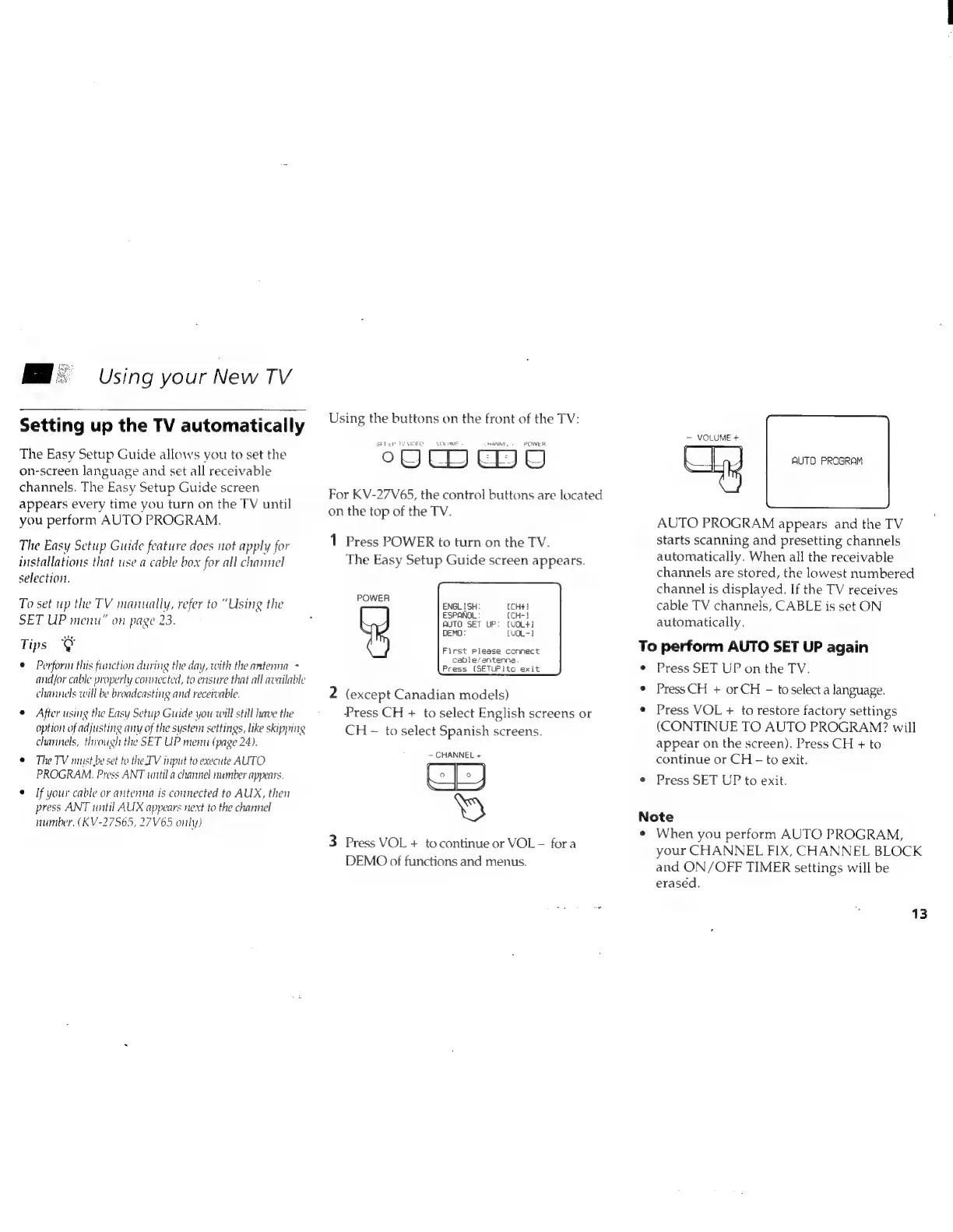
Using
the
buttons
on
the
front
of
the
TV:
SETUP
TY
SISFO
VON
EME
RANKES
POWER
oOUD
EDU
For
KV-27V65,
the
control
buttons
are
located
on
the
top
of
the
TV.
1
Press
POWER
to
turn
on
the
TV.
The
Easy
Setup
Guide
screen
appears.
POWER
(CH+}
(CH-}
AUTO
SET
UP:
[VOL+)
DEMO:
(VOL~}
First
Please
connect
cable/antenna.
Press
(SETUPIto
exit
2
(except
Canadian
models)
Press
CH
+
to
select
English
screens
or
CH
—
to
select
Spanish
screens.
—
CHANNEL
+
an
2
»
3
Press
VOL
+
tocontinue
or
VOL
-
fora
DEMO
of
functions
and
menus.
—
VOLUME
+
AUTO
PROGRAM
AUTO
PROGRAM
appears
and
the
TV
starts
scanning
and
presetting
channels
automatically.
When
all
the
receivable
channels
are
stored,
the
lowest
numbered
channel
is
displayed.
If
the
TV
receives
cable
TV
channels,
CABLE
is
set
ON
automatically.
To
perform
AUTO
SET
UP
again
¢
Press
SET
UP
on
the
TV.
¢
PressCH
+
or
CH
-
toselect
a
language.
*
Press
VOL
+
to
restore
factory
settings
(CONTINUE
TO
AUTO
PROGRAM?
will
appear
on
the
screen).
Press
CH
+
to
continue
or
CH
-
to
exit.
e
Press
SET
UP
to
exit.
Note
¢
When
you
perform
AUTO
PROGRAM,
your
CHANNEL
FIX,
CHANNEL
BLOCK
and
ON/OFF
TIMER
settings
will
be
erased.
13