EasyManua.ls Logo

Sony Trinitron KV-20V80 - Watching Two Programs at One

Sony Trinitron KV-20V80
35 pages
Print Icon
To Next Page IconTo Next Page
To Previous Page IconTo Previous Page
Loading...
Watching
two
programs
at
one
time
-
PIP
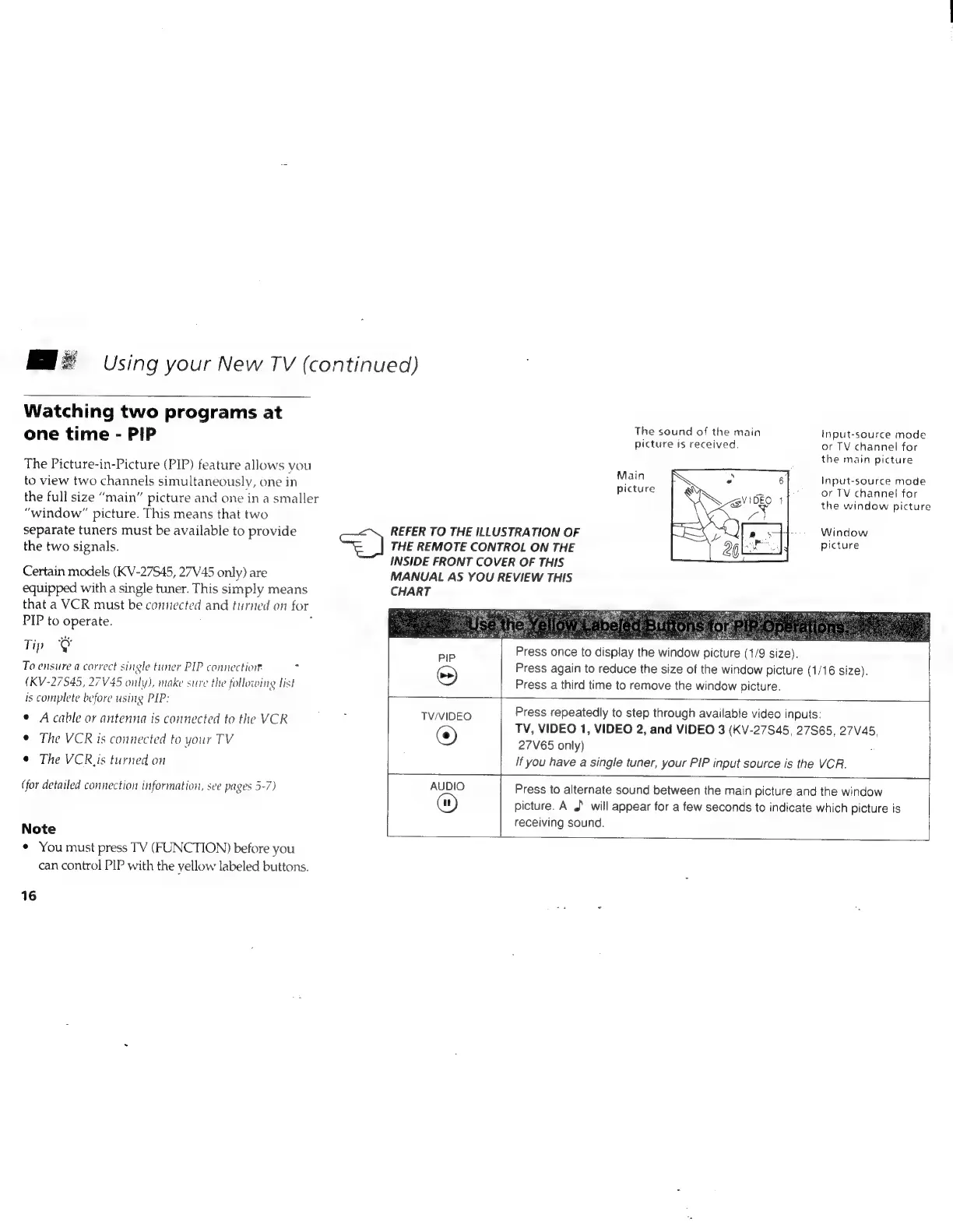
The
Picture-in-Picture
(PIP)
feature
allows
you
to
view
two
channels
simultaneously,
one
in
the
full
size
“main”
picture
and
one
in
a
smaller
“window”
picture.
This
means
that
two
separate
tuners
must
be
available
to
provide
the
two
signals.
Certain
models
(KV-27S45,
27V45
only)
are
equipped
with
a
single
tuner.
This
simply
means
that
a
VCR
must
be
connected
and
turned
on
for
PIP
to
operate.
:
‘
Tip
@
To
ensure
a
correct
single
tuner
PIP
connection?
7
(KV-27S45,
27V45
only),
make
sure
the
following
list
is
complete
before
using
PIP:
©
Acable
or
antenna
is
connected
to
the
VCR
¢
The
VCR
is
connected
to
your
TV
¢
The
VCR.
is
turned
on
(for
detailed
connection
information,
see
pages
5-7)
Note
¢
You
must
press
TV
(FUNCTION)
before
you
can
control
PIP
with
the
yellow
labeled
buttons.
16
so
TV/VIDEO
Using
your
New
TV
(continued)
REFER
TO
THE
ILLUSTRATION
OF
THE
REMOTE
CONTROL
ON
THE
INSIDE
FRONT
COVER
OF
THIS
The
sound
of
the
main
picture
is
received.
Main
picture
MANUAL
AS
YOU
REVIEW
THIS
CHART
PIP
©
©
ve
Press
once
to
display
the
window
picture
(1/9
size
53
Input-source
mode
or
TV
channel
for
the
main
picture
Input-source
mode
or
TV
channel
for
the
window
picture
Window
picture
Press
again
to
reduce
the
size
of
the
window
picture
(1/16
size).
Press
a
third
time
to
remove
the
window
picture.
Press
repeatedly
to
step
through
available
video
inputs:
TV,
VIDEO
1,
VIDEO
2,
and
VIDEO
3
(KV-27S45,
27S65,
27V45,
27V65
only)
If
you
have
a
single
tuner,
your
PIP
input
source
is
the
VCR.
AUDIO
®
Press
to
alternate
sound
between
the
main
picture
and
the
window
picture.
A
J
will
appear
for
a
few
seconds
to
indicate
which
picture
is
receiving
sound.