EasyManua.ls Logo

Sony Trinitron KV-20V80 - Watching the TV

Sony Trinitron KV-20V80
35 pages
Print Icon
To Next Page IconTo Next Page
To Previous Page IconTo Previous Page
Loading...
Watching
the
TV
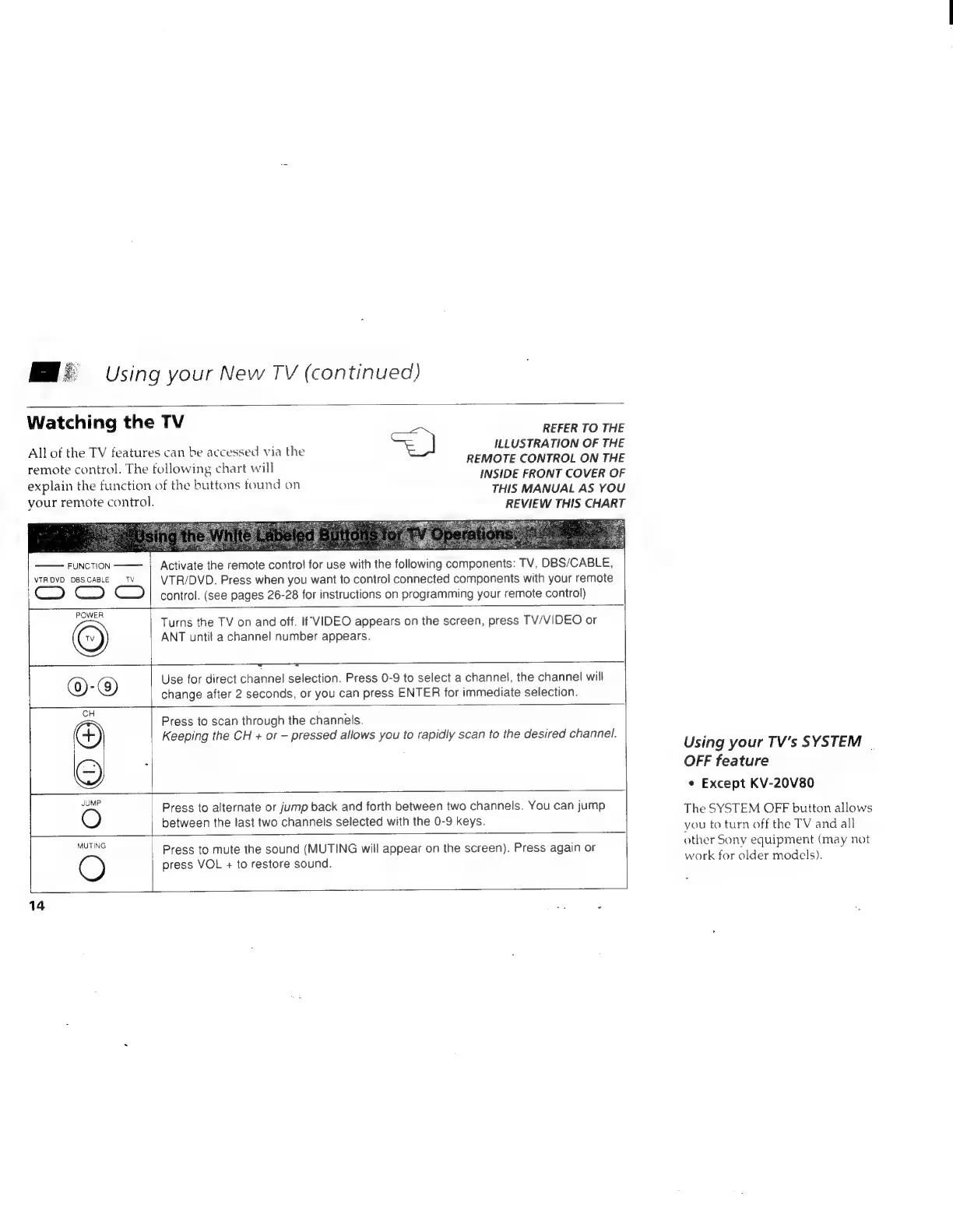
All
of
the
TV
features
can
be
accessed
via
the
Using
your
New
TV
(continued)
REFER
TO
THE
=)
ILLUSTRATION
OF
THE
remote
control.
The
following
chart
will
REMOTE
CONTROLON
TEE
;
ond
7
:
INSIDE
FRONT COVER
OF
explain
the
function
of
the
buttons
found
on
THIS
MANUAL
AS
YOU
your
remote
control.
REVIEW
THIS
CHART
FUNCTION
Activate
the
remote
control
for
use
with
the
following
components:
TV,
DBS/CABLE,
NTROVD-"DBS.CABEE.
TY
VTR/DVD.
Press
when
you
want
to
control
connected
components
with
your
remote
control.
(see
pages
26-28
for
instructions
on
programming
your
remote
control)
Turns
the
TV
on
and
off.
If‘
VIDEO
appears
on
the
screen,
press
TV/VIDEO
or
ANT
until
a
channel
number
appears.
}.-—___—
<=
_
Oe
OOOnVnVUD']HM———|
©)-
@)
Use
for
direct
channel
selection.
Press
0-9
to
select
a
channel,
the
channel
will
change
after
2
seconds,
or
you
can
press
ENTER
for
immediate
selection.
CH
:
Press
to
scan
through
the
channels.
F)
Keeping
the
CH
+
or
—
pressed
allows
you
to
rapidly
scan
to
the
desired
channel.
i
~~
Press
to
alternate
or
jump
back
and
forth
between
two
channels.
You
can
jump
O
between
the
last
two
channels
selected
with
the
0-9
keys.
Ne
Press
to
mute
the
sound
(MUTING
will
appear
on
the
screen).
Press
again
or
press
VOL
+
to
restore
sound.
O
14
.
-
Using
your
TV's
SYSTEM
|
OFF
feature
¢
Except
KV-20V80
The
SYSTEM
OFF
button
allows
you
to
turn
off
the
TV
and
all
other
Sony
equipment
(may
not
work
for
older
models).