EasyManua.ls Logo

Sony Trinitron KV-20V80 - Using the SET up Menu

Sony Trinitron KV-20V80
35 pages
Print Icon
To Next Page IconTo Next Page
To Previous Page IconTo Previous Page
Loading...
=]
Using
the
SET
UP
menu
fam
SET
UP
CHANNEL
SET
UP
2
|
FAVORITE
CHANNEL
CHANNEL
BLOCK
©]
vibes
LaBeL
Fo)
CAPTION
VISTON:CC)
LANGUAGE
ENGLISH
DMENU
Move
Select@
Exit©
w
detailed
information
on
using
the
remote
modify
menu
settings,
refer
to
“Learning
enu
selection”
on
page
[8.
>
select
the
SET
UP
=)
menu:
MENU
—)
otes
:
The
FAVORITE
CHANNEL
feature
is
not
available
for
the
AUX
input.
Your
remote
control
can
be
programmed
to
operate
your
cable
box.
(see
page
28)
=
CHANNEL
SET
UP
Basic
set
up
options
for
viewing
CHANNE.
SET
UP
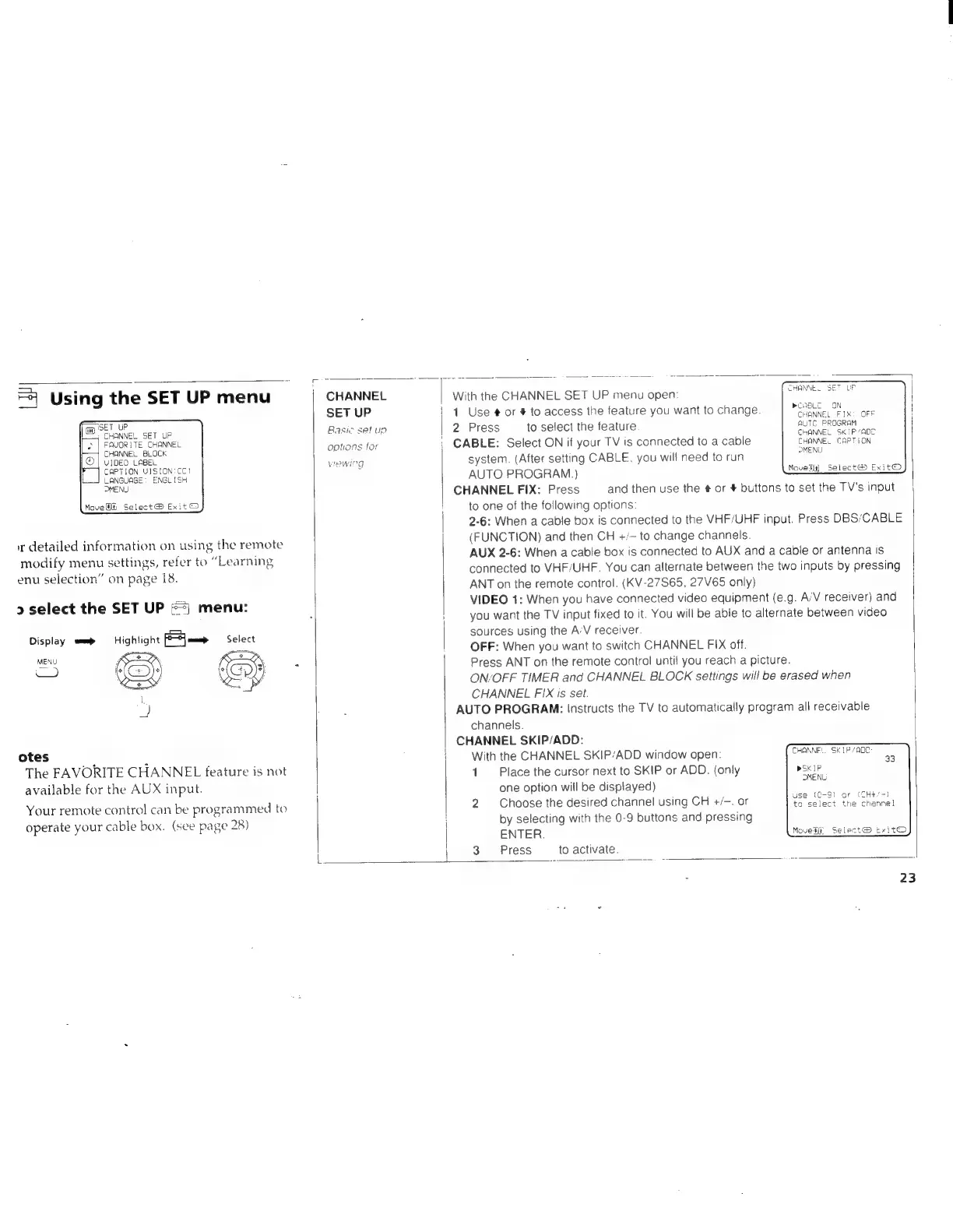
With
the
CHANNEL
SET
UP
menu
open:
1
1
Use
#
or
#
to
access
the
feature
you
want
to
change.
2
Press
to
select
the
feature
|
CABLE:
Select
ON
if
your
TV
is
connected
to
a
cable
system.
(After
setting
CABLE.
you
will
need
to
run
AUTO
PROGRAM.)
CHANNEL
FIX:
Press
and
then
use
the
#
or
#
buttons
to
set
the
TV’s
input
!
to
one
of
the
following
options:
2-6:
When
a
cable
box
is
connected
to
the
VHF/UHF
input.
Press
DBS/CABLE
(FUNCTION)
and
then
CH
+/-
to
change
channels.
AUX
2-6:
When
a
cable
box
is
connected
to
AUX
and
a
cable
or
antenna
Is
connected
to
VHF/UHF.
You
can
alternate
between
the
two
inputs
by
pressing
ANT
on
the
remote
control.
(KV-27S65,
27V65
only)
VIDEO
1:
When
you
have
connected
video
equipment
(e.g.
A’V
receiver)
and
i
you
want
the
TV
input
fixed
to
it.
You
will
be
able
to
alternate
between
video
sources
using
the
A’V
receiver.
OFF:
When
you
want
to
switch
CHANNEL
FIX
off.
Press
ANT
on
the
remote
control
until
you
reach
a
picture.
ON/OFF
TIMER
and
CHANNEL
BLOCK
settings
will
be
erased
when
CHANNEL
FIX
is
set.
AUTO
PROGRAM:
Instructs
the
TV
to
automatically
program
all
receivable
channels.
CHANNEL
SKIP/ADD:
With
the
CHANNEL
SKIP/ADD
window
open:
1
Place
the
cursor
next
to
SKIP
or
ADD.
(only
one
option
will
be
displayed)
2
Choose
the
desired
channel
using
CH
+/-.
or
by
selecting
with
the
0-9
buttons
and
pressing
ENTER
Press
mCABLEO
ON
}
CHANNEL
FIX:
OFF
RUTC
PROGRAM
CHANNEL
SKIP
“ADC
CHANNEL
CAPTION
MENU
Move®it]
Select®
Exit©
CHANNE:.
SKIP
/AQC
mSK
IP
DMENG
use
(C-9)
or
(CHt/-)
to
select
the
channel
Moveti®
Select®
txitO
to
activate.