EasyManua.ls Logo

Sony Trinitron KV-20V80 - Page 26

Sony Trinitron KV-20V80
35 pages
Print Icon
To Next Page IconTo Next Page
To Previous Page IconTo Previous Page
Loading...
Using
your
Menus
(continued)
[=]
Using
the
SET
UP
menu
(continued)
ISET
UP
CHANNEL
SET
UP
FAQUORITE
CHANNEL
CHANNEL
BLOCK
|
©
|
VIDEO
LABEL
CAPTION
VISION:
CCI
LANGUAGE:
ENGLISH
MENU
Move
B®
Select@
Exit
@
For
detailed
information
on
using
the
remote
to
modify
menu
settings,
refer
to
“Learning
menu
selection”
on
page
18.
To
select
the
SET
UP
(=)
menu:
To
erase
the
CHANNEL
BLOCK
settings
Press
RESET
while
the
SET
UP
menu
is
displayed.
24
CHANNEL
SET
UP
(continued)
Basic
set
up
options
tor
VIEWING
FAVORITE
CHANNEL
Quick
access
to
favorite
channels
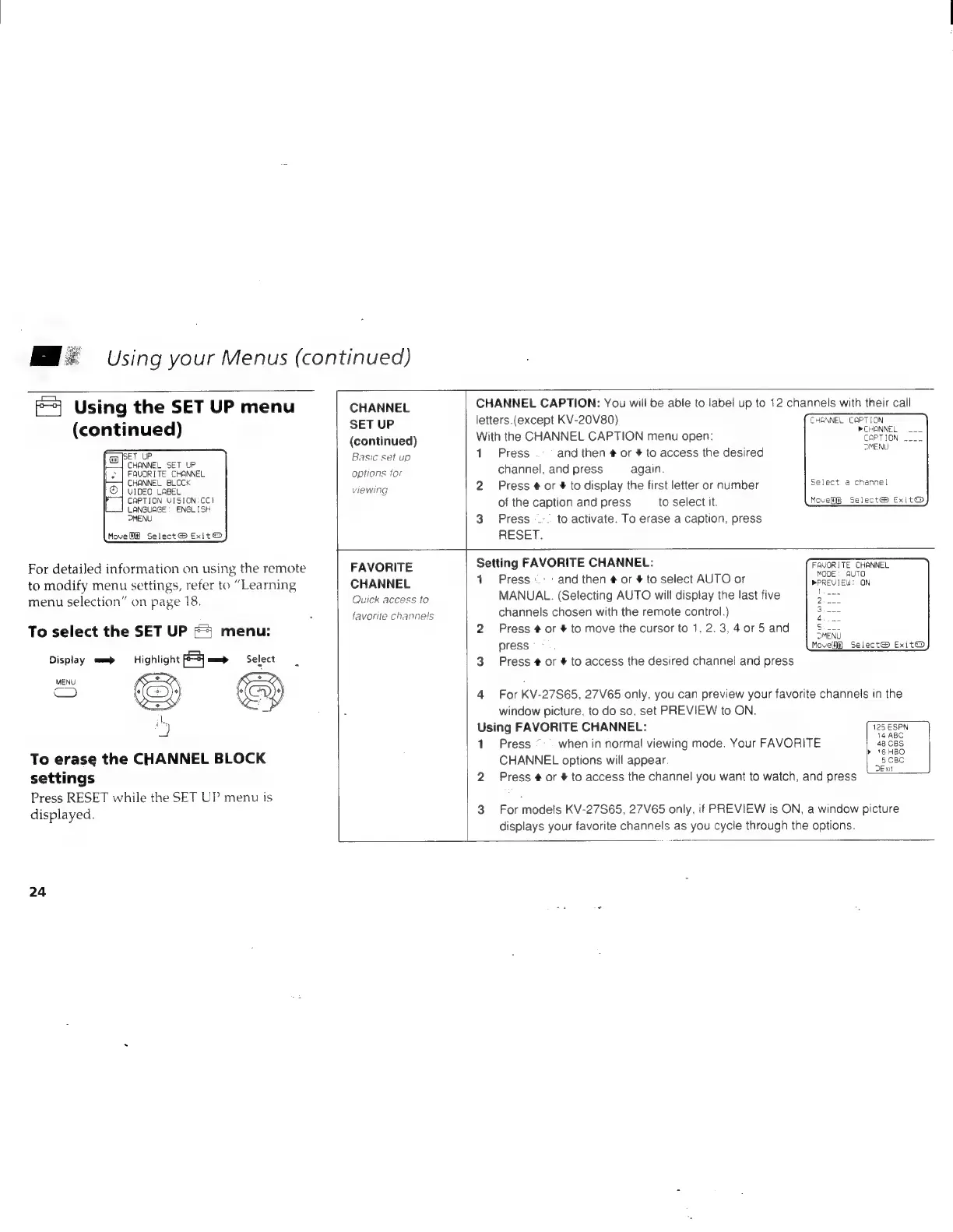
CHANNEL
CAPTION:
You
will
be
able
to
label
up
to
12
channels
with
their
call
letters.(except
KV-20V80)
CHENNEL
CAPTION
With
the
CHANNEL
CAPTION
menu
open:
PEPTION
a
DMENU.
1
Press
and
then
#
or
#
to
access
the
desired
channel,
and
press
again.
2
Press
#
or
#
to
display
the
first
letter
or
number
peleet
sxchamel
of
the
caption
and
press
to
select
it.
Move
Select@
Exit®
3
Press
--..
to
activate.
To
erase
a
caption,
press
RESET.
Setting
FAVORITE
CHANNEL:
1
Press.
:
and
then
#
or
#
to
select
AUTO
or
eee
eas
ON
MANUAL.
(Selecting
AUTO
will
display
the
last
five
channels
chosen
with
the
remote
control.)
2
Press
#
or
#
to
move
the
cursor
to
1,
2.3,
4.0r
5
and
FAVORITE
CHANNEL
AUT!
2
3
4
Sic
DMENU
press...
Move
Select®
Exit@
3
Press
#
or
#
to
access
the
desired
channel
and
press
4
For
KV-27S65,
27V65
only,
you
can
preview
your
favorite
channels
in
the
window
picture,
to
do
so,
set
PREVIEW
to
ON.
Using
FAVORITE
CHANNEL:
125
ESPN
1
Press
when
in
normal
viewing
mode.
Your
FAVORITE
,
48C8S
CHANNEL
options
will
appear.
5
CBC
DExit
2
Press
#
or
#
to
access
the
channel
you
want
to
watch,
and
press
3
For
models
KV-27S65,
27V65
only,
if
PREVIEW
is
ON,
a
window
picture
displays
your
favorite
channels
as
you
cycle
through
the
options.