EasyManua.ls Logo

Sony Trinitron KV-20V80 - Using the TIMER Menu

Sony Trinitron KV-20V80
35 pages
Print Icon
To Next Page IconTo Next Page
To Previous Page IconTo Previous Page
Loading...
Using
your
Menus
(continued)
CG)
Using
the
TIMER
menu
TIMER
i—
|
DAYLIGHT
SAUING:
YES
CURRENT
TIME
SET
ON/OFF
TIMER
DMENU
&
Move
W@@
Select
@
Exit
@
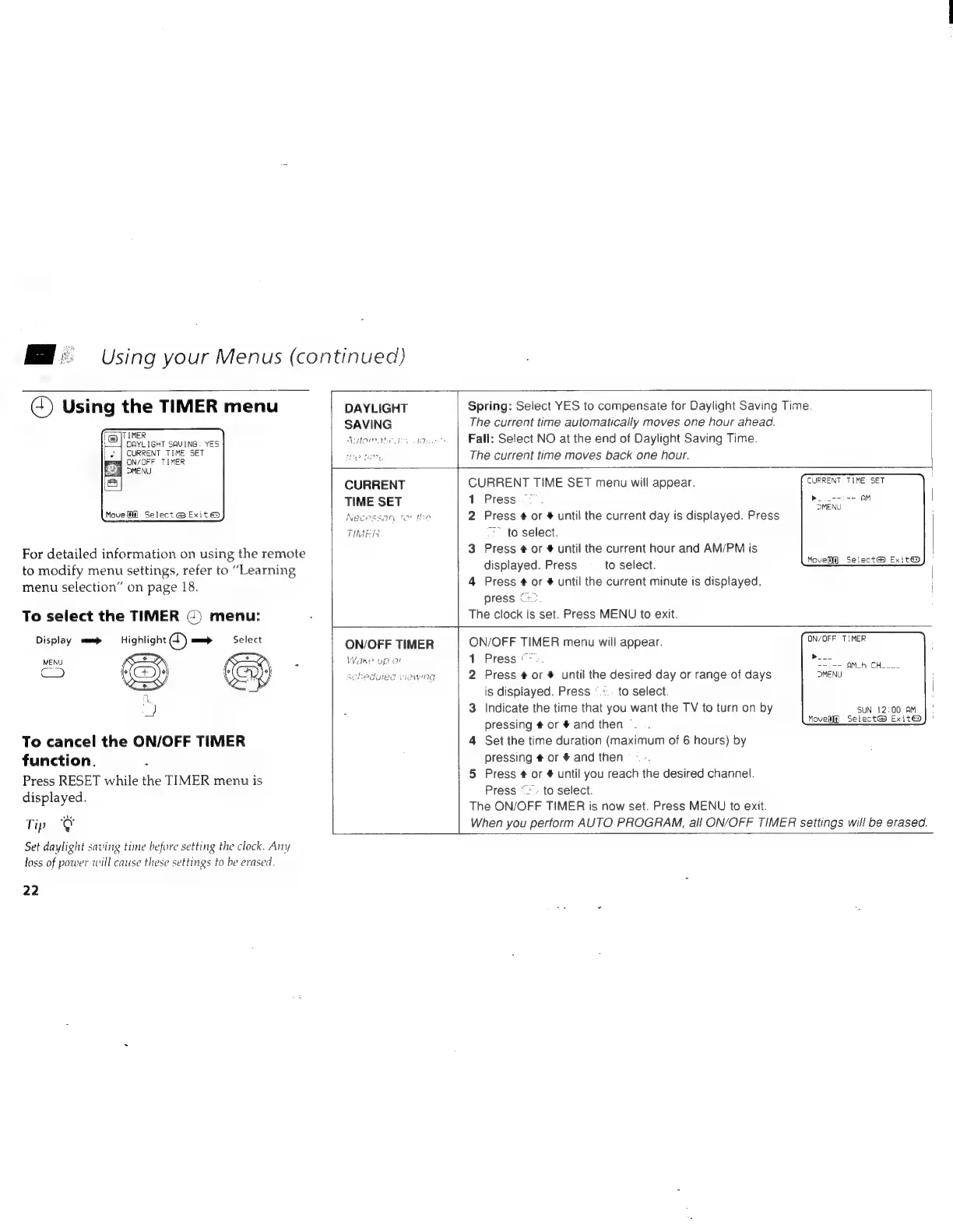
For
detailed
information
on
using
the
remote
to
modify
menu
settings,
refer
to
“Learning
menu
selection”
on
page
18.
To
select
the
TIMER
¢)
menu:
Display
cam
Highlight
L)
=
Select
MENU
Ke
:
>
AL
_)
To
cancel
the
ON/OFF
TIMER
function.
Press
RESET
while
the
TIMER
menu
is
displayed.
Tip
&
Set
daylight
saving
time
before
setting
the
clock.
Any
loss
of
power
will
cause
these
settings
to
be
erased.
22
DAYLIGHT
SAVING
PPP
LHe
Natomaghe
dey
tea
Spring:
Select
YES
to
compensate
for
Daylight
Saving
Time.
The
current
time
automatically
moves
one
hour
ahead.
Fall:
Select
NO
at
the
end
of
Daylight
Saving
Time.
The
current
time
moves
back
one
hour.
CURRENT
TIME
SET
Necessary
tor
the
TIMER
ON/OFF
TIMER
Wake
up
or
scheduled
Viewing
CURRENT
TIME
SET
menu
will
appear.
1
Press
2
Press
#
or
#
until
the
current
day
is
displayed.
Press
=.
to
select.
3
Press
¢
or
#
until
the
current
hour
and
AM/PM
is
displayed.
Press
to
select.
4
Press
¢
or
#
until
the
current
minute
is
displayed,
press
G2.
The
clock
is
set.
Press
MENU
to
exit.
ON/OFF
TIMER
menu
will
appear.
1
Press
>>.
2
Press
#
or
#
until
the
desired
day
or
range
of
days
is
displayed.
Press
°.:..
to
select.
3
Indicate
the
time
that
you
want
the
TV
to
turn
on
by
pressing
#
or
#
and
then
4
Set
the
time
duration
(maximum
of
6
hours)
by
pressing
#
or
#
and
then
5
Press
#
or
#
until
you
reach
the
desired
channel.
Press
“=.
to
select.
The
ON/OFF
TIMER
is
now
set.
Press
MENU
to
exit.
DMENU
Move]
Select@
Exit@
ON/OFF
TIMER
Plc
--i--
AMLh
CH____
Movel])
Select@
Exit@
SUN
12:00
AM
When
you
perform
AUTO
PROGRAM,
all
ON/OFF
TIMER
settings
will
be
erased.