33
Menus
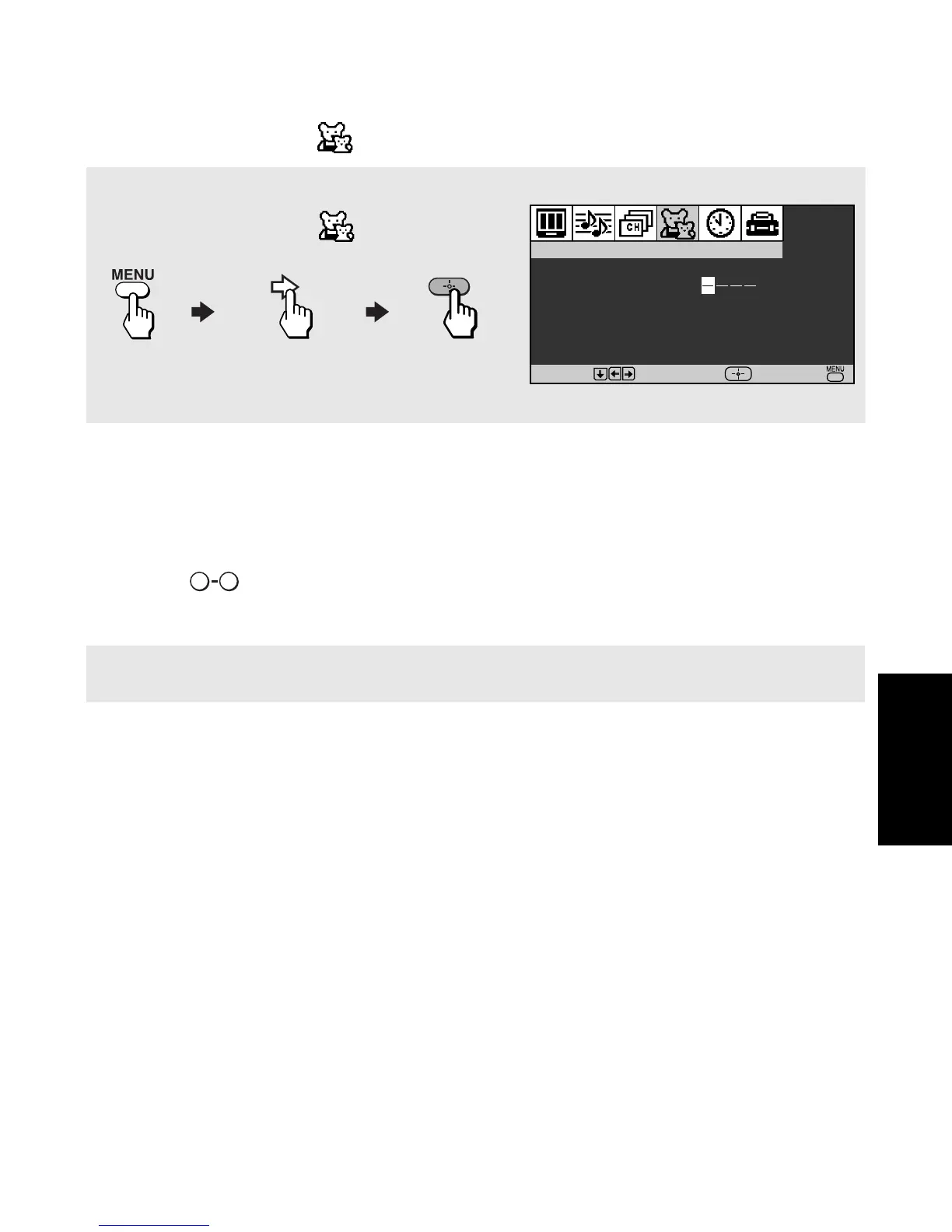
Using the Parent Menu
The Parental Control feature helps parents monitor what their children watch on television.
To use the Parent Menu
When you select the Parent menu, you are prompted to set a 4-digit password. You cannot
access the Parent menu settings without this password.
1 Use the buttons to enter a 4-digit password.
2 Confirm your password by entering it again.
✍ Keep this manual in a safe place. You need your password for any future access to the Parent menu.
If you forget your password, see page 41.
Parental Control
Password
:
Use [0-9] buttons to
enter new password
Move
Select
End
To access the Parent menu, use the following steps:
To Display To Highlight To Select
0 9












 To Next Page