34
Menus
Parental Control
Setting the Rating
You can change the Rating by selecting one of the Parental Lock options.
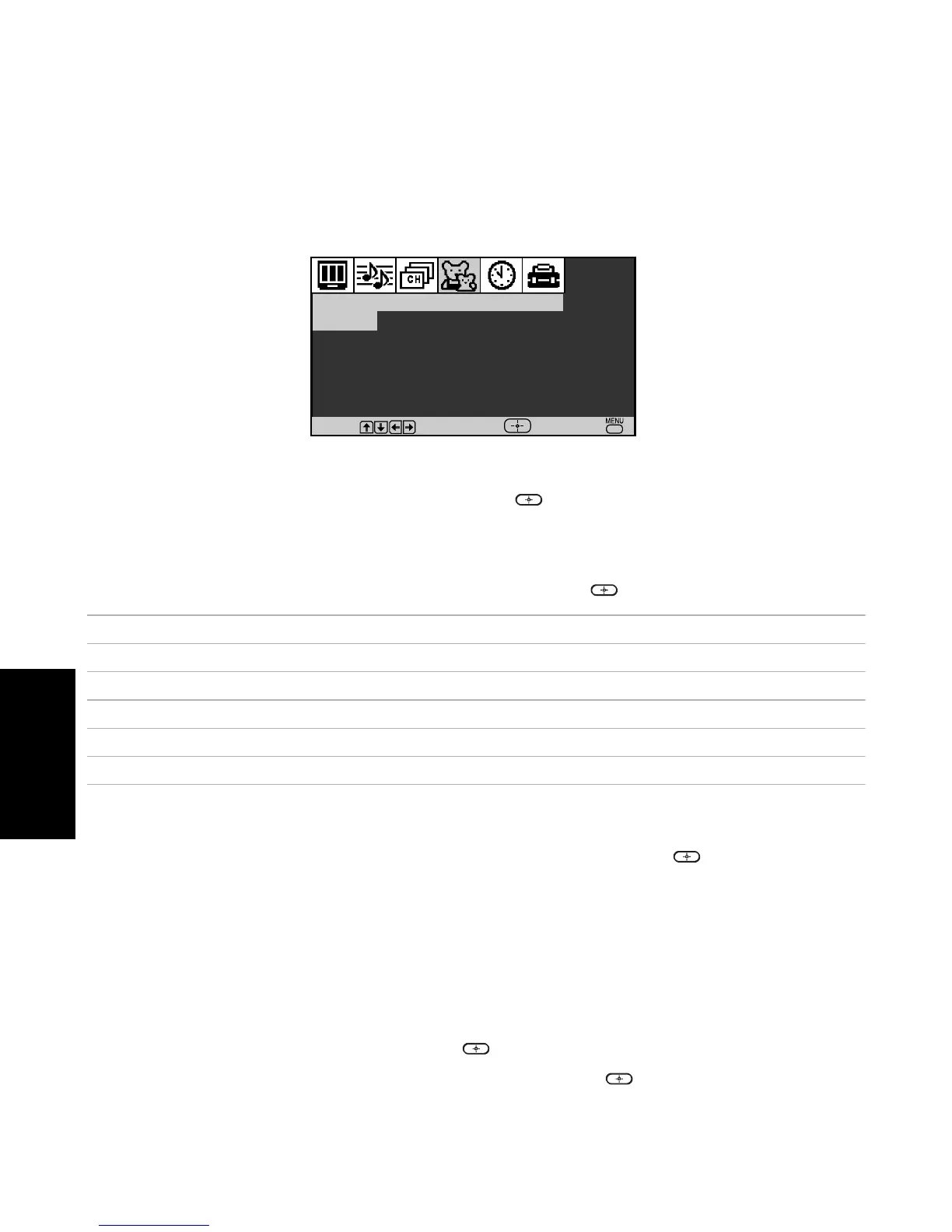
1 Press f to highlight Parental Lock, then press .
If you are not familiar with Parental Guideline rating system, use one of the following preset
categories to simplify the rating selection: Child, Youth, Young Adult.
2 Use the F or f to highlight the desired rating and press .
Changing your Password
1 Use the F or f buttons to highlight Change Password and press .
2 Follow steps 1 and 2 for “Using the Parent Menu” on page 33.
Select a Country
Select U.S.A. to use US ratings (see pages 36-37) or select Canada to use Canadian ratings (see
page 38). If you select a Country (U.S.A. or Canada) that is not where you live, the rating you
select will not be activated.
1 Press f to highlight Country, then press .
2 Use the F or f to highlight the desired country and press .
Parental Control
Change Password
Country
:
U.S.A.
Lock
:
Off
Move
Select
End
Rating TV will allow a maximum rating of
Off No rating limit
Child TV-Y, TV-G , G (U.S.), G , C (Canada)
Youth TV-PG , PG (U.S.), 8 ans + (Canada)
Young Adult TV-14, PG-13 (U.S.), 14+ (Canada)
Custom Select to set more restrictive ratings (see next section)











 To Next Page