EasyManua.ls Logo

Sony Trinitron KV-35V35 - Video Picture Adjustments

Sony Trinitron KV-35V35
42 pages
Print Icon
To Next Page IconTo Next Page
To Previous Page IconTo Previous Page
Loading...
aa
I
a
Og
ES
TL
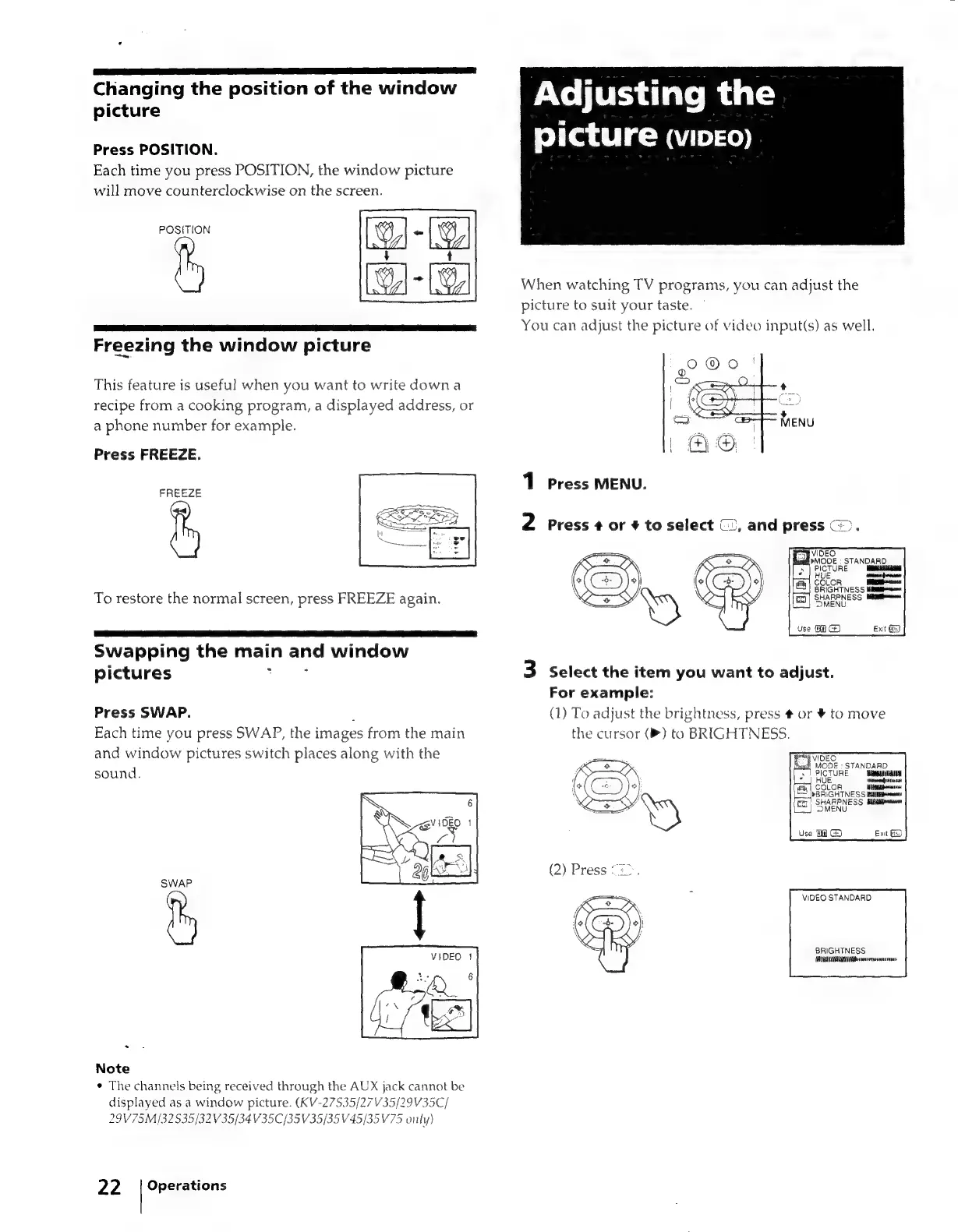
Changing
the
position
of
the
window
picture
Press
POSITION.
Each
time
you
press
POSITION,
the
window
picture
will
move
counterclockwise
on
the
screen.
POSITION
Freezing
the
window
picture
This
feature
is
useful
when
you
want
to
write
down
a
recipe
from
a
cooking
program,
a
displayed
address,
or
a
phone
number
for
example.
Press
FREEZE.
FREEZE
To
restore
the
normal
screen,
press
FREEZE
again.
Swapping
the
main
and
window
pictures
Ye
SF
Press
SWAP.
.
Each
time
you
press
SWAP,
the
images
from
the
main
and
window
pictures
switch
places
along
with
the
sound.
SWAP
.
Note
*
The
channels
being
received
through
the
AUX
jack
cannot
be
displayed
as
a
window
picture.
(KV-27535/27V35/29V35C/
29V75M/32535/32V35/34V35C/35
V35/35
V45/35V75
only)
22.
|
Operations
Adjusting
the
picture
(video)
When
watching
TV
programs,
you
can
adjust
the
picture
to
suit
your
taste.
~
You
can
adjust
the
picture
of
video
input(s)
as
well.
1
Press
MENU.
2
Press
+
or
¥
to
select
(2,
and
press
(>.
3
Select
the
item
you
want
to
adjust.
For
example:
(1)
To
adjust
the
brightness,
press
#
or
¥
to
move
the
cursor
(»)
to
BRIGHTNESS.
VIDEO
STANDARD
BRIGHTNESS
UU
cesta

Related product manuals