EasyManua.ls Logo

Sony Trinitron KV-35V35 - Setting the Speaker Switch (SPEAKER)

Sony Trinitron KV-35V35
42 pages
Print Icon
To Next Page IconTo Next Page
To Previous Page IconTo Previous Page
Loading...
Setting
the
speaker
switch
(speaker)
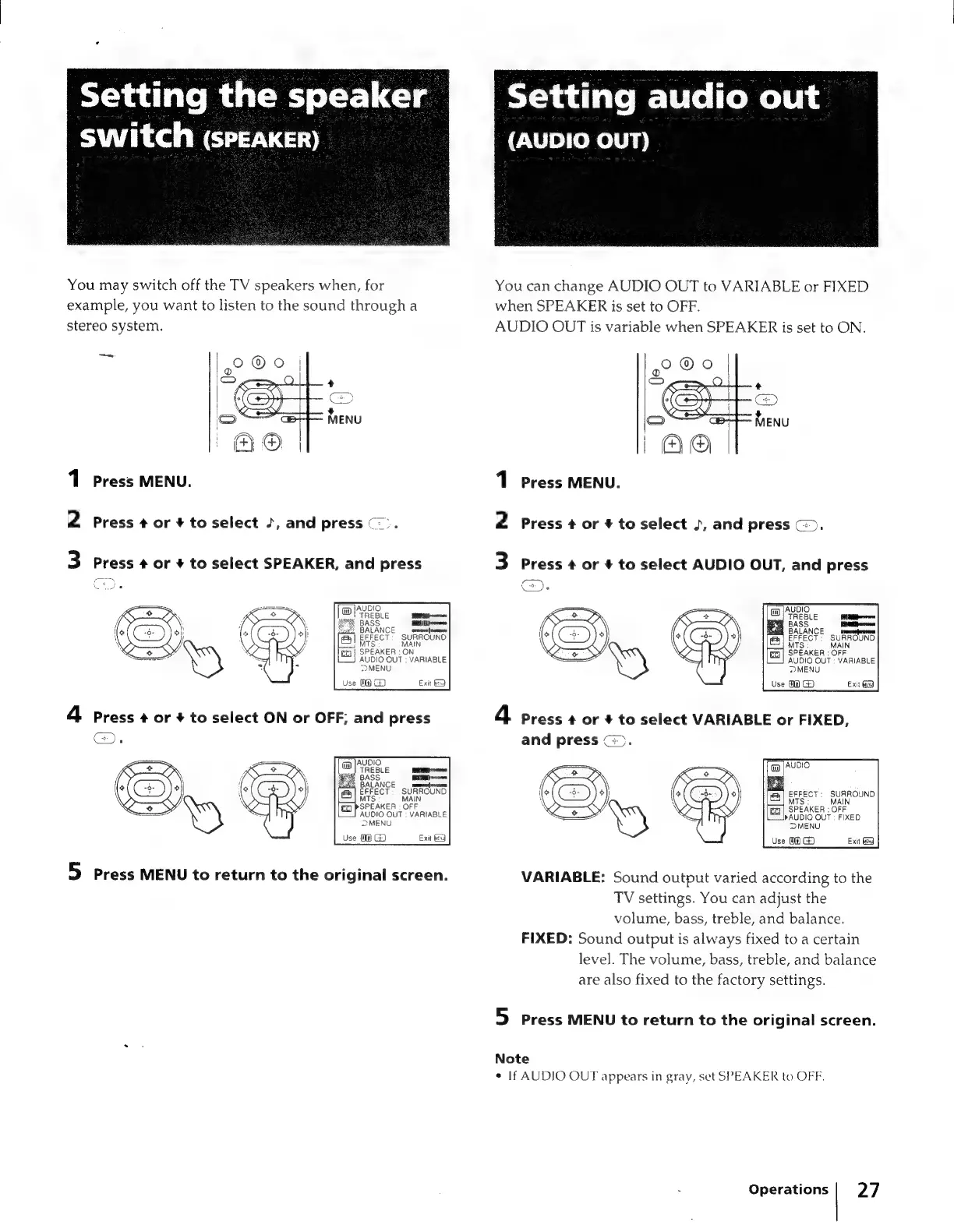
You
may
switch
off
the
TV
speakers
when,
for
example,
you
want
to
listen
to
the
sound
through
a
stereo
system.
a
1
Press
MENU.
2
Press
4
or
#
to
select
+,
and
press
©).
3
Press
+
or
+
to
select
SPEAKER,
and
press
SPEAKER
:
ON
AUDIO
OUT
:
VARIABLE
22>MENU
Use
(@
GZ
Exit
PSPEAKER
:
OFF
AUDIO
OUT
:
VARIABLE
a)
MENU
Use
0
GD
Exit
9
5
Press
MENU
to
return
to
the
original
screen.
Toi
ad(are
me
level
(emel
ens
(AUDIO
OUT)
You
can
change
AUDIO
OUT
to
VARIABLE
or
FIXED
when
SPEAKER
is
set
to
OFF.
AUDIO
OUT
is
variable
when
SPEAKER
is
set
to
ON.
1
Press
MENU.
2
Press
¢
or
#
to
select
~,
and
press
©).
3
Press
#
or
+
to
select
AUDIO
OUT,
and
press
4
press
¢
or
+
to
select
VARIABLE
or
FIXED,
and
press
(>.
[AUDIO
|
EFFECT:
SURROUND
TS:
MAIN
fq]
|
SPEAKER
:
OFF
AUDIO
OUT
:
FIXED
MENU
Use
04)
G)
Exit
VARIABLE:
Sound
output
varied
according
to
the
TV
settings.
You
can
adjust
the
volume,
bass,
treble,
and
balance.
FIXED:
Sound
output
is
always
fixed
to
a
certain
level.
The
volume,
bass,
treble,
and
balance
are
also
fixed
to
the
factory
settings.
5
press
MENU
to
return
to
the
original
screen.
Note
«
If
AUDIO
OUT
appears
in
gray,
set
SPEAKER
to
OFF.
Operations
|
27

Related product manuals