EasyManua.ls Logo

Sony Trinitron KV-35V35 - Selecting the Video Mode (VIDEO)

Sony Trinitron KV-35V35
42 pages
Print Icon
To Next Page IconTo Next Page
To Previous Page IconTo Previous Page
Loading...
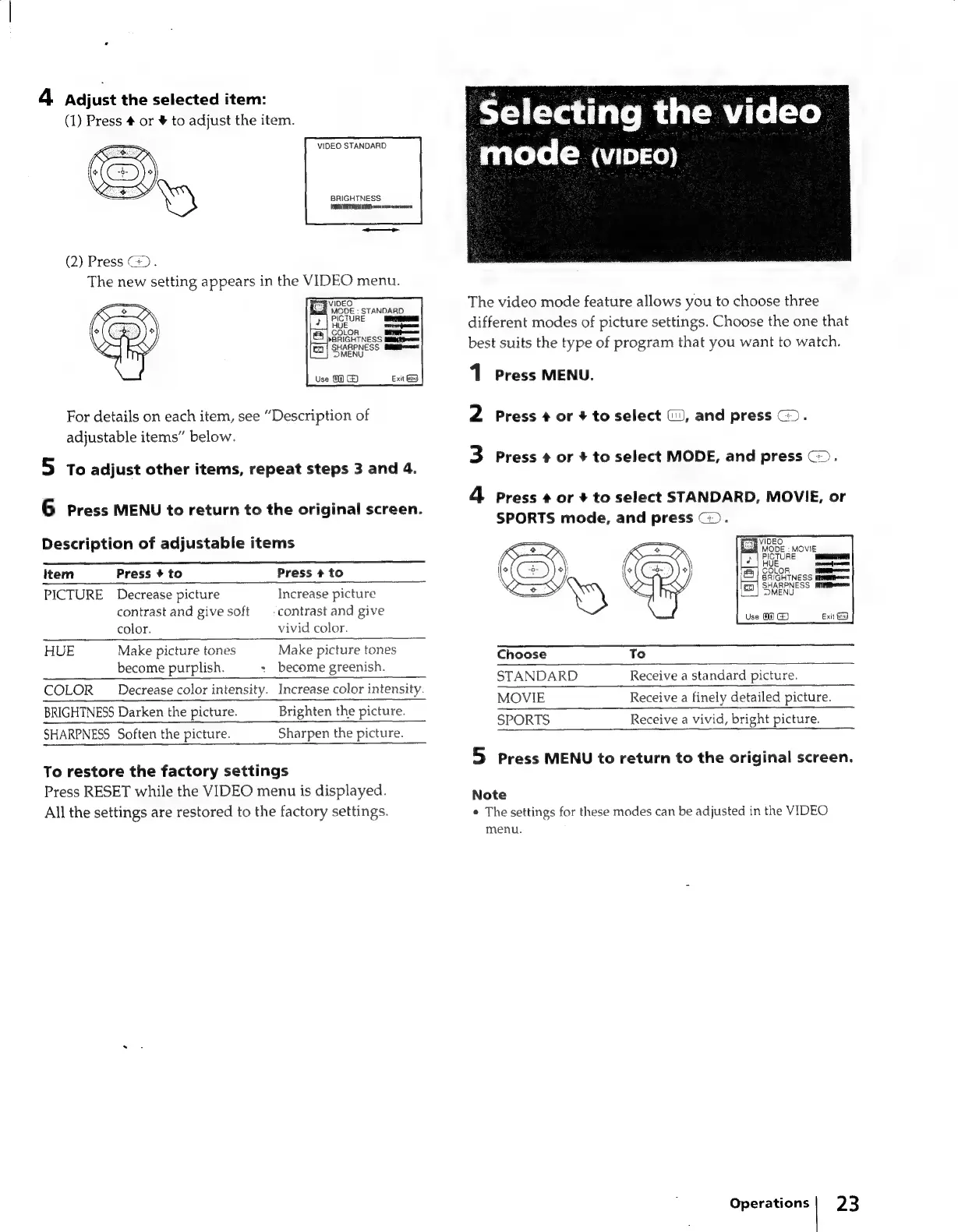
4
Adjust
the
selected
item:
(1)
Press
#
or
¥
to
adjust
the
item.
VIDEO
STANDARD
BRIGHTNESS
{HORTA
DADS
ese
amen
(2)
Press
G@).
The
new
setting
appears
in
the
VIDEO
menu.
eS
VIDEO
gate
MODE
:
STANDARD
ICTURE
For
details
on
each
item,
see
“Description
of
adjustable
items”
below.
5
To
adjust
other
items,
repeat
steps
3
and
4.
6
Press
MENU
to
return
to
the
original
screen.
Description
of
adjustable
items
Item
Press
#
to
Press
+
to
PICTURE
Decrease
picture
Increase
picture
contrast
and
give
soft
—_
contrast
and
give
color.
vivid
color.
HUE
Make
picture
tones
become
purplish.
Make
picture
tones
+
become
greenish.
COLOR
Decrease
color
intensity.
Increase
color
intensity.
BRIGHTNESS
Darken
the
picture.
SHARPNESS
Soften
the
picture.
Brighten
the
picture.
Sharpen
the
picture.
To
restore
the
factory
settings
Press
RESET
while
the
VIDEO
menu
is
displayed.
All
the
settings
are
restored
to
the
factory
settings.
Selecting
the
video
|
mode
(vipeo)
The
video
mode
feature
allows
you
to
choose
three
different
modes
of
picture
settings.
Choose
the
one
that
best
suits
the
type
of
program
that
you
want
to
watch.
1
Press
MENU.
2
Press
¢
or
#
to
select
(i),
and
press
@>.
3
Press
¢
or
+
to
select
MODE,
and
press
>.
4
Press
¢
or
+
to
select
STANDARD,
MOVIE,
or
SPORTS
mode,
and
press
G).
Choose
To
STANDARD
Receive
a
standard
picture.
MOVIE
Receive
a
finely
detailed
picture.
SPORTS
Receive
a
vivid,
bright
picture.
5
Press
MENU
to
return
to
the
original
screen.
Note
¢
The
settings
for
these
modes
can
be
adjusted
in
the
VIDEO
menu.
Operations|
23

Related product manuals