23
Others
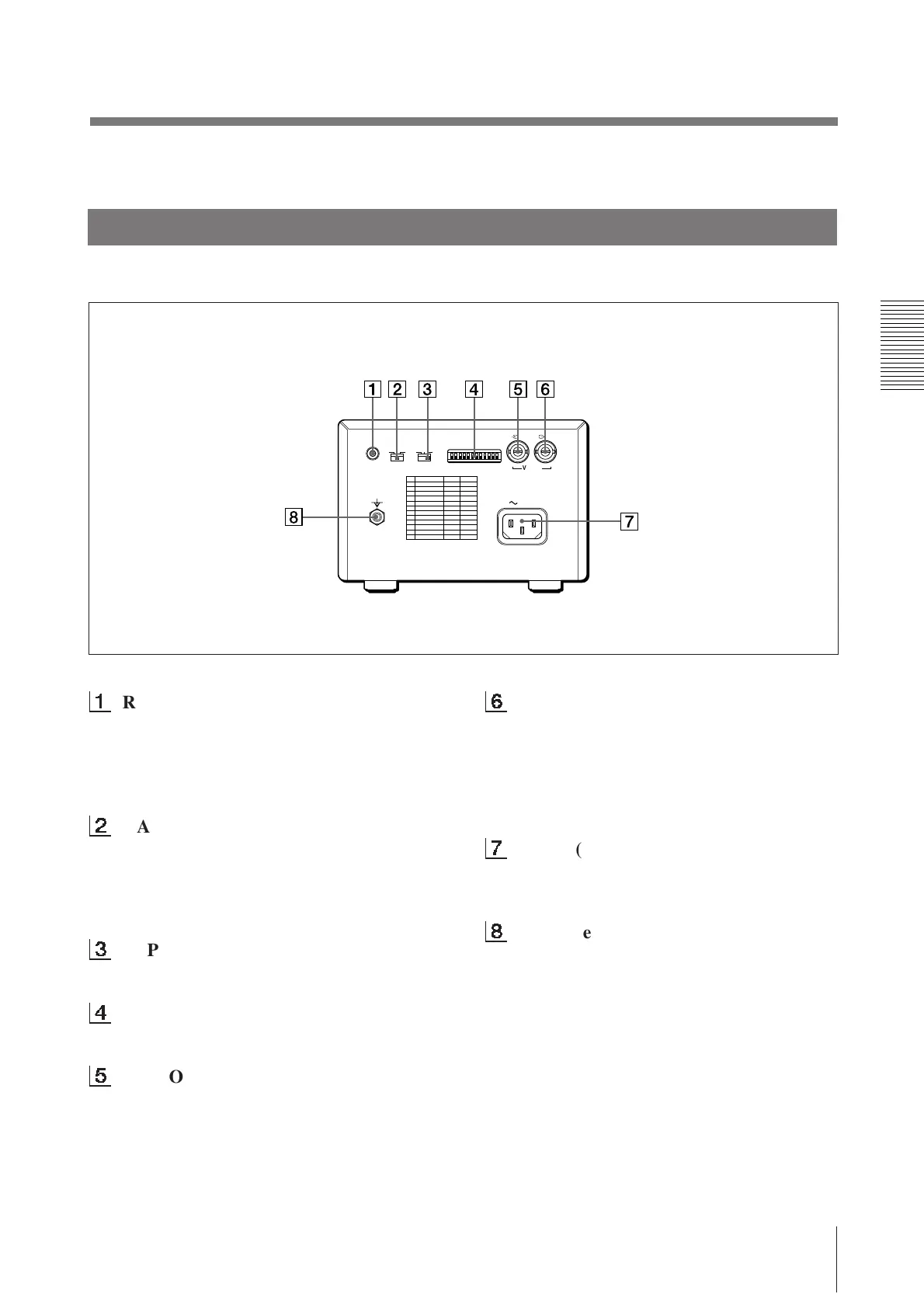
1
REMOTE connector (5)
Connect the RM-91 remote commander for
controlling print operation from a distance.
The RM-91 remote commander is supplied
with UP-890MD only.
2
GAMMA selector (6)
Changes the print mode to that for high-
density printing paper. The selector is
effective when the PAPER TYPE selector is
set to II or IV.
3
PAPER TYPE selector (6)
Sets the type of paper.
4
DIP SW (switches) (7 – 9)
Sets the print modes and functions.
5
VIDEO IN (input) connector (BNC
type) (5)
Connect to the video output connector of the
video equipment.
6
VIDEO OUT (output) connector (BNC
type) (5)
Connect to the video input connector of the
video monitor. The output signal type
depends on the setting of the THRU/EE
selector.
7
AC IN (AC power input) connector (5)
Connect to a wall outlet using the supplied
AC power cord.
8
Equipotential terminal
Equipped only with the UP-890CE/890MD.
Back
REMOTE GAMMA TYPE
PAPER
DIP SW
OFF
ON
VIDEO
IN OUT
AC IN
IIIIII IIIIV



 To Next Page