81
Operación
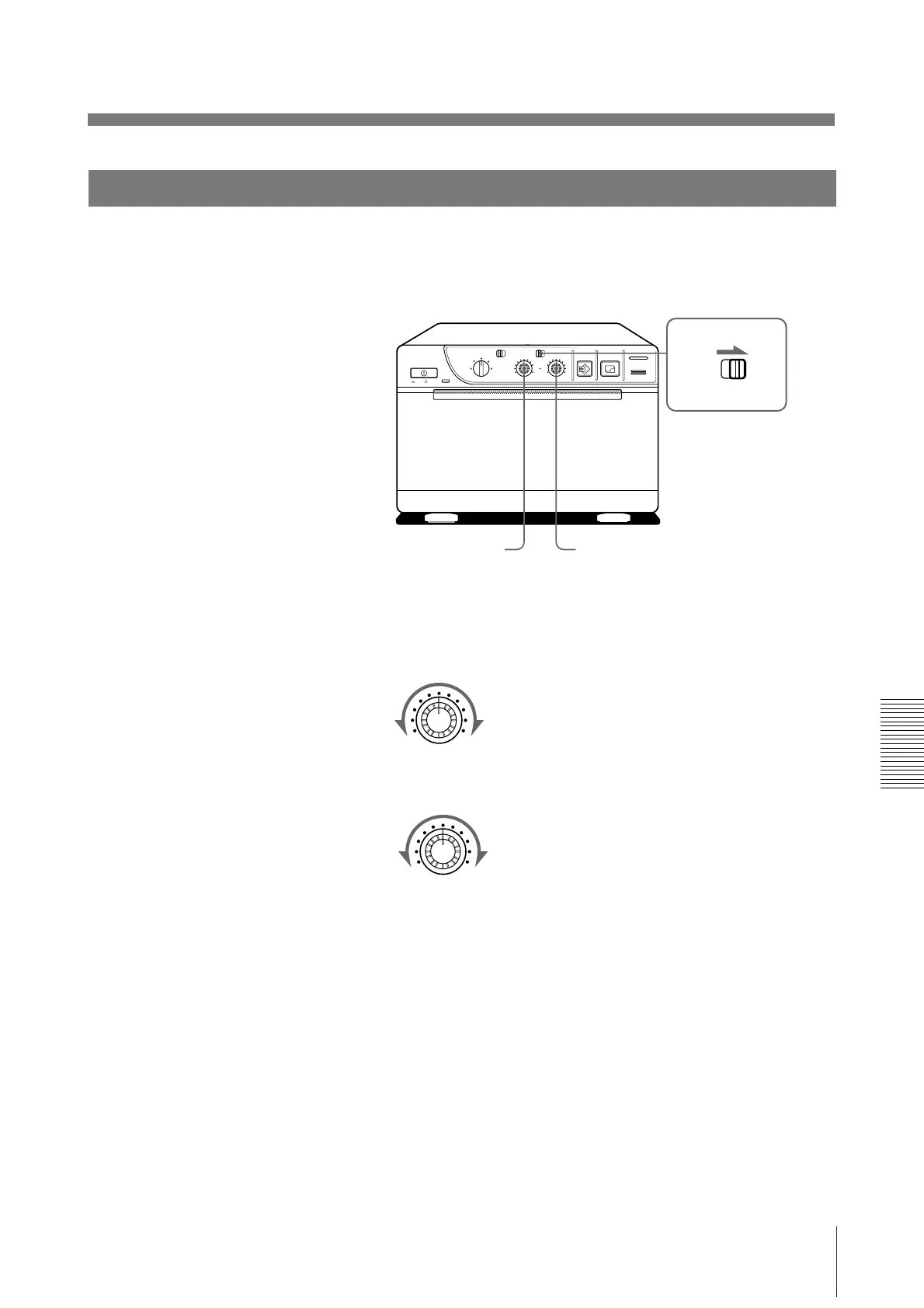
Ajuste del contraste y el brillo
Usted podrá ajustar el contraste y el brillo de impresión.
1 Ponga el selector THRU/EE en EE.
Usted podrá comprobar la imagen ajustada en el videomonitor.
Para introducir directamente en el videomonitor la señal de vídeo del
equipo de vídeo, que está conectado al videoimpresor
Ponga el selector THRU/EE en THRU. La señal de vídeo se introducirá
directamente en el videomonitor sin ser procesada en el circuito del videoimpresor.
BRIGHT
2 Ajuste el brillo con el control BRIGHT y el contraste con el control CONTR
observando la imagen en el videomonitor.
Ajuste del contraste
Más intenso
Más débil
Ajuste del brillo
Más brillante
Más oscuro
ON/ OFF
SMALL
NORMAL
ZOOM 1 . 5x
ZOOM 2x
STD
STD SIDE
BRIGHT
THRU
EE
CONTR
COPY PRINT
PAPER EMPTY
OPEN / CLOSE
THRU
EE
LARGE
CONTR
CONTR
BRIGHT



 To Next Page