35
Opérations
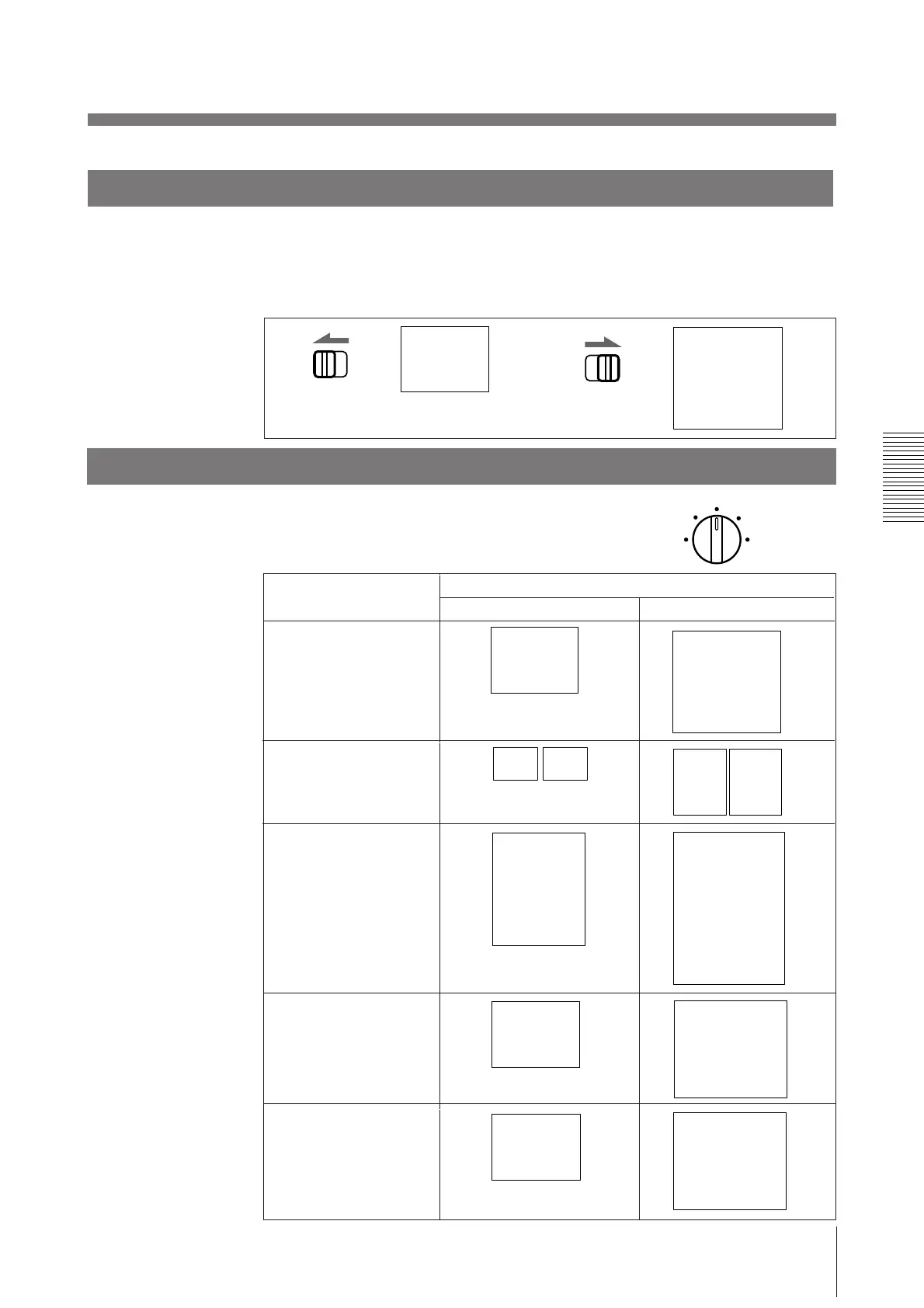
Sélection du sens d’impression
Vous pouvez sélectionner le sens vertical ou horizontal à l’aide du sélecteur STD/
SIDE.
Pour imprimer suivant le sens vertical, réglez-le sur STD.
Pour imprimer suivant le sens horizontal, réglez-le sur SIDE.
STD SIDE
STD SIDE
ABC
ABC
Sélection du format d’impression
Vous avez le choix entre un petit et un grand
format d’impression. Vous pouvez également
agrandir de 1,5 à 2 fois le centre de l’image.
SMALL
NORMAL
ZOOM 1 . 5x
LARGE
ZOOM 2x
Vertical (STD)
Horizontal (SIDE)
NORMAL
ABC
ABC
SMALL
ABC ABC
ABC
ABC
LARGE
B
ABC
ZOOM 1.5X
AB
AB
B
B
Position de commande
(mode)
ZOOM 2X
Format d’impression



 To Next Page