9
Preparation
89
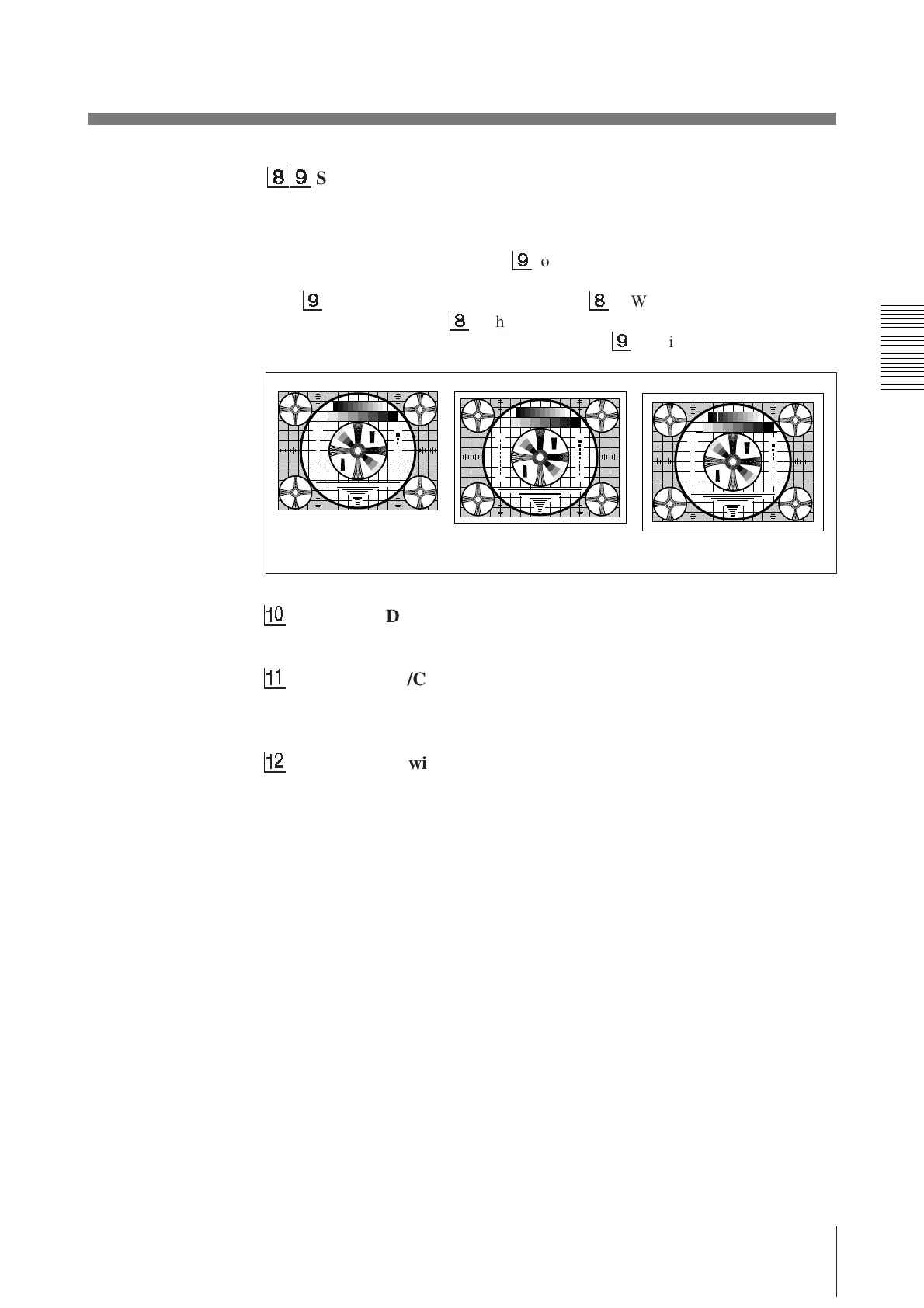
SCAN NORM/WIDE 1/WIDE 2 switch
Sets the print-out range. The print-out range is widened in the NORM, WIDE
1, and WIDE 2 order.
To print only the image displayed on the standard screen size of the video
monitor, set the SCAN switch
9
to NORM (OFF). To print when the signal
scans beyond the edge of the standard monitor screen, set the SCAN switch
9
to WIDE 1 (ON) or the SCAN switch
8
to WIDE 2 (OFF). When you
set the SCAN switch
8
to the WIDE 2 position, WIDE 2 is selected
regardless of the setting of the SCAN switch
9
position.
!º
RESERVED switch
Keep this switch set to ON.
!¡
INPUT B&W/COLOR switch
Set this switch to B & W (ON) when the signal to be printed is black and
white. Set to COLOR (OFF) when the signal is color.
!™
75 ON/OFF switch
Set this switch to OFF when a video monitor or other video equipment is
connected to the VIDEO OUT connector.
Set to ON when nothing is connected to the VIDEO OUT connector.
When you connect two printers to one video equipment, set the 75 switch of
one of the printer to ON, and the other to OFF.
30
3
2
2
3
3
4
3
4
1
3
5
5
3
1
1 357 7 531
5
3
1
30
3
2
2
3
3
4
3
4
30
3
2
2
3
3
4
3
4
3
2
3
3
4
4
3
2
5
3
1
30
275
87654321
475
50
250
9
4
5
5
7
5
4
3
3
2
3
2
30
10
7
0
3
30
3
2
2
3
3
4
3
4
1
3
5
5
3
1
1 357 7 531
5
3
1
30
3
2
2
3
3
4
3
4
30
3
2
2
3
3
4
3
4
3
2
3
3
4
4
3
2
5
3
1
30
275
87654321
475
50
250
9
4
5
5
7
5
4
3
3
2
3
2
30
10
7
0
3
30
3
2
2
3
3
4
3
4
1
3
5
5
3
1
1 357 7 531
5
3
1
30
3
2
2
3
3
4
3
4
30
3
2
2
3
3
4
3
4
3
2
3
3
4
4
3
2
5
3
1
30
275
87654321
475
50
250
9
4
5
5
7
5
4
3
3
2
3
2
30
10
7
0
3
WIDE 1
WIDE 2
NORM



 To Next Page