EasyManua.ls Logo

Sony UP-897MD - Page 20

Sony UP-897MD
68 pages
Print Icon
To Next Page IconTo Next Page
To Previous Page IconTo Previous Page
Loading...
After
replacing
the
thermal
head
or
the
switching
regulator,
perform
this
adjustment.
Before
starting
the
replacement,
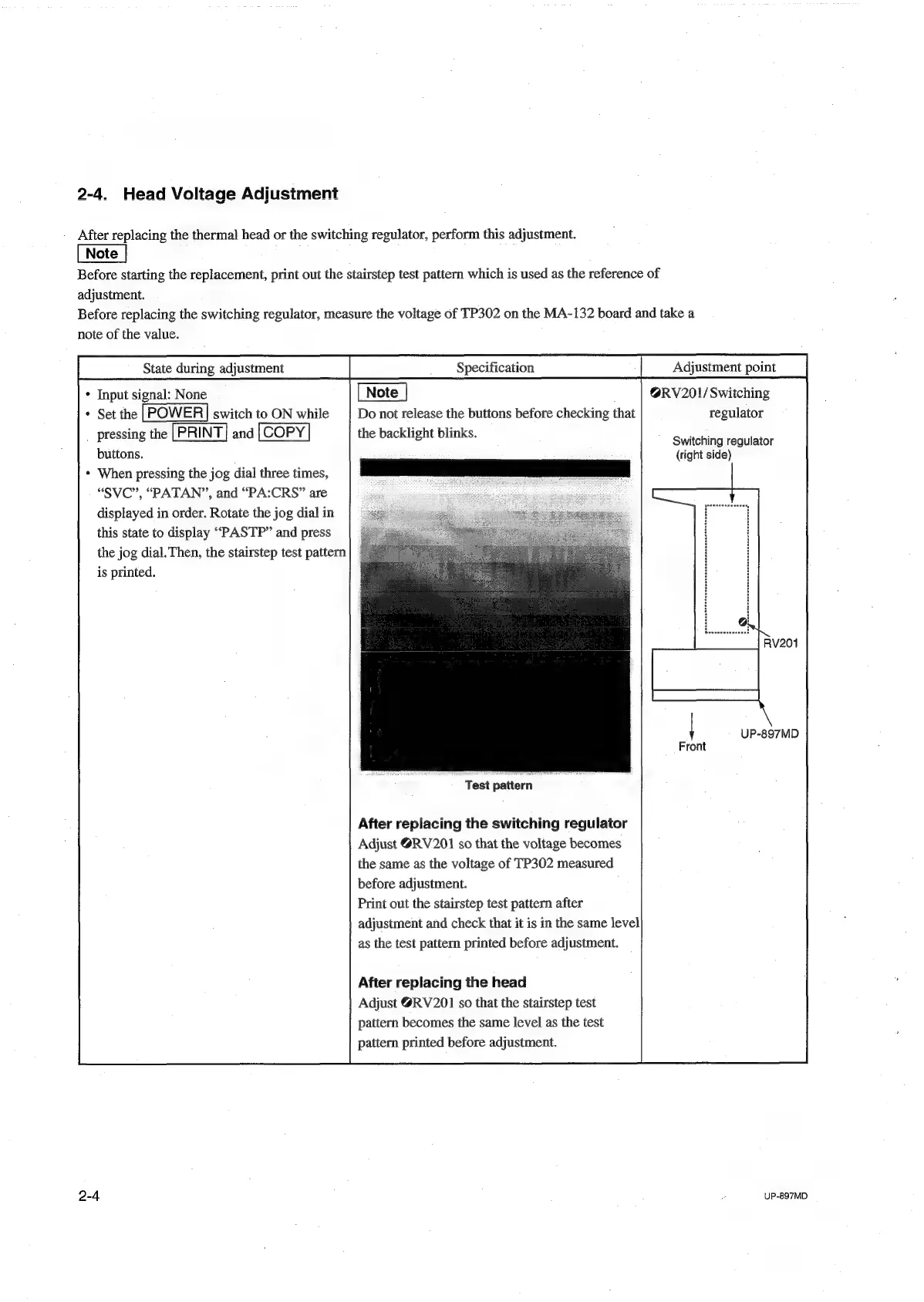
print
out
the
stairstep
test
pattern
which
is
used
as
the
reference
of
adjustment.
Before
replacing
the
switching
regulator,
measure
the
voltage
of
TP302
on
the
MA-132
board
and
take
a
note
of
the
value.
State
during
adjustment
Adjustment
point
@RV201/
Switching
Do
not
release
the
buttons
before
checking
that
regulator
the
backlight
blinks.
*
Input
signal:
None
*
Set
the
|POWER|
switch
to
ON
while
pressing
the
[PRINT|
and
|COPY
buttons.
*
When
pressing
the
jog
dial
three
times,
a
eee
eee
“SVC”,
“PATAN”,
and
“PA:CRS”
are
os
displayed
in
order.
Rotate
the
jog
dial
in
this
state
to
display
““PASTP”
and
press
the
jog
dial.
Then,
the
stairstep
test
pattern
is
printed.
Switching
regulator
(right
side)
UP-897MD
Front
Test
pattern
After
replacing
the
switching
regulator
Adjust
@RV201
so
that
the
voltage
becomes
the
same
as
the
voltage
of
TP302
measured
before
adjustment.
Print
out
the
stairstep
test
pattern
after
adjustment
and
check
that
it
is
in
the
same
level
as
the
test
pattern
printed
before
adjustment.
After
replacing
the
head
Adjust
@RV201
so
that
the
stairstep
test
pattern
becomes
the
same
level
as
the
test
pattern
printed
before
adjustment.
2-4
¢
UP-897MD

Table of Contents

Other manuals for Sony UP-897MD

Related product manuals