EasyManua.ls Logo

Sony UP-897MD - Page 23

Sony UP-897MD
68 pages
Print Icon
To Next Page IconTo Next Page
To Previous Page IconTo Previous Page
Loading...
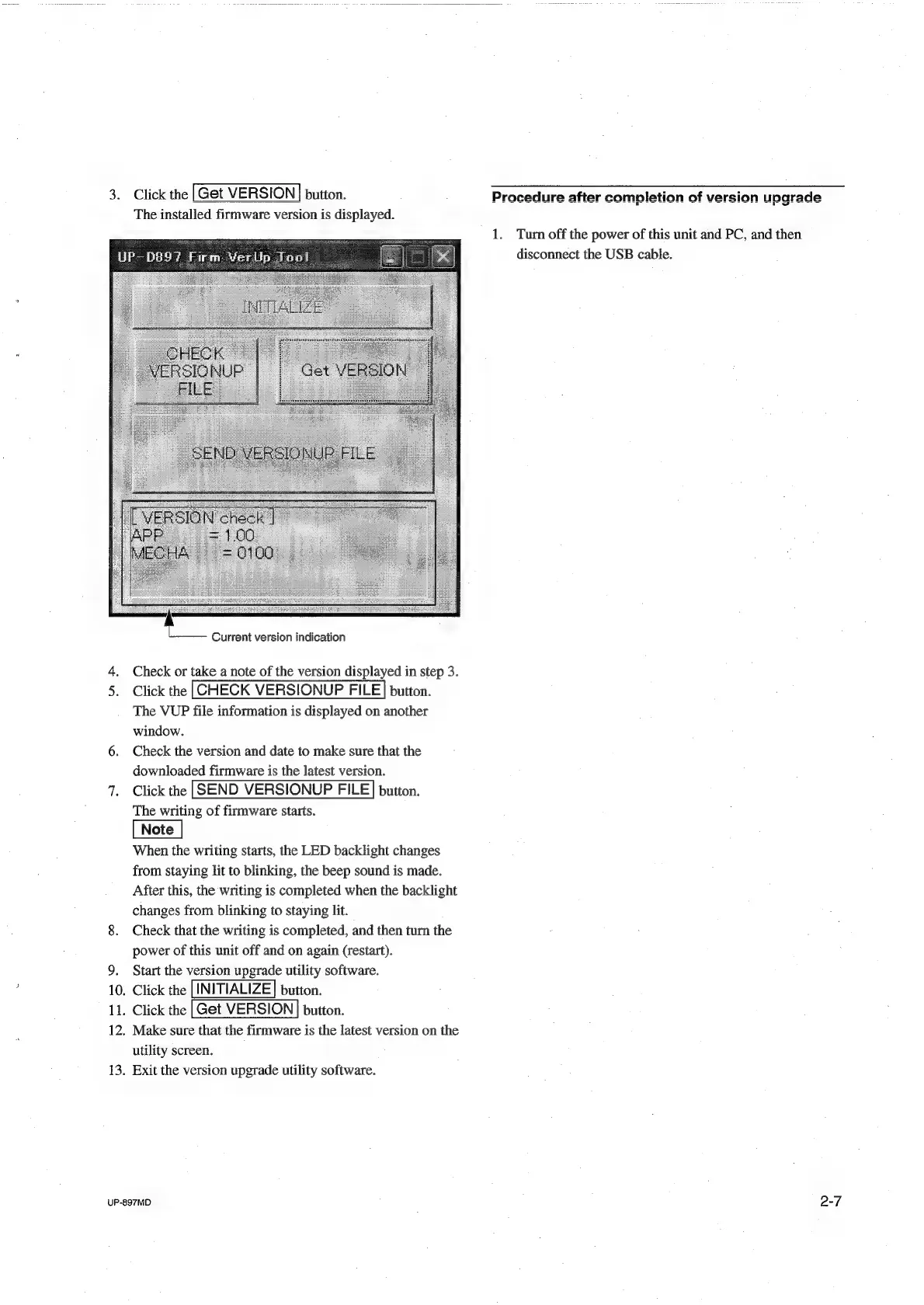
3.
Click
the
[Get
VERSION}
button.
The
installed
firmware
version
is
displayed.
Current
version
indication
4.
Check
or
take
a
note
of
the
version
displayed
in
step
3.
5.
Click
the
button.
The
VUP
file
information
is
displayed
on
another
window.
6.
Check
the
version
and
date
to
make
sure
that
the
downloaded
firmware
is
the
latest
version.
7.
Click
the
button.
The
writing
of
firmware
starts.
When
the
writing
starts,
the
LED
backlight
changes
from
staying
lit
to
blinking,
the
beep
sound
is
made.
After
this,
the
writing
is
completed
when
the
backlight
changes
from
blinking
to
staying
lit.
8.
Check
that
the
writing
is
completed,
and
then
turn
the
power
of
this
unit
off
and
on
again
(restart).
9.
Start
the
version
upgrade
utility
software.
10.
Click
the
|
INITIALIZE]
button.
11.
Click
the
|Get
VERSION
|
button.
12.
Make
sure
that
the
firmware
is
the
latest
version
on
the
utility
screen.
13.
Exit
the
version
upgrade
utility
software.
UP-897MD
1.
Turn
off
the
power
of
this
unit
and
PC,
and
then
disconnect
the
USB
cable.
2-7

Table of Contents

Other manuals for Sony UP-897MD

Related product manuals