2-1
VPL-CS7/ES2
Section 2
Electrical Adjustments
2-1. Preparation
2-1-1. Required Equipment
. NTSC, PAL, SECAM component signal generator
Tektronix TG2000 + AVG1 (option module) + AWVG1
(option module) or equivalent
. VG (programmable video signal generator)
VG854 or equivalent
. Illuminance meter
n
Allow the warm-up time of 5 minutes after the power is on
before starting the following adjustments.
2-1-2. Opt Unit Adjustment
1. Let the VPL-CS7/ES2 show the ALL WHITE screen.
2. Adjust the B-channel illumination adjustment mirror
so that the yellow frame must not appear in any of top,
bottom, right and left of the screen.
3. Tighten the adjustment plate fixing screw using a
torque screwdriver. (Torque 0.19 ±0.03 Nm)
4. Adjust the G-channel illumination adjustment mirror
so that the magenta frame must not appear in any of
top, bottom, right and left of the screen.
5. Tighten the adjustment plate fixing screw using a
torque screwdriver. (Torque 0.19 ±0.03 Nm)
6. Adjust the R-channel illumination adjustment mirror
so that the cyan frame must not appear in any of top,
bottom, right and left of the screen.
7. Tighten the adjustment plate fixing screw using a
torque screwdriver. (Torque 0.19 ±0.03 Nm)
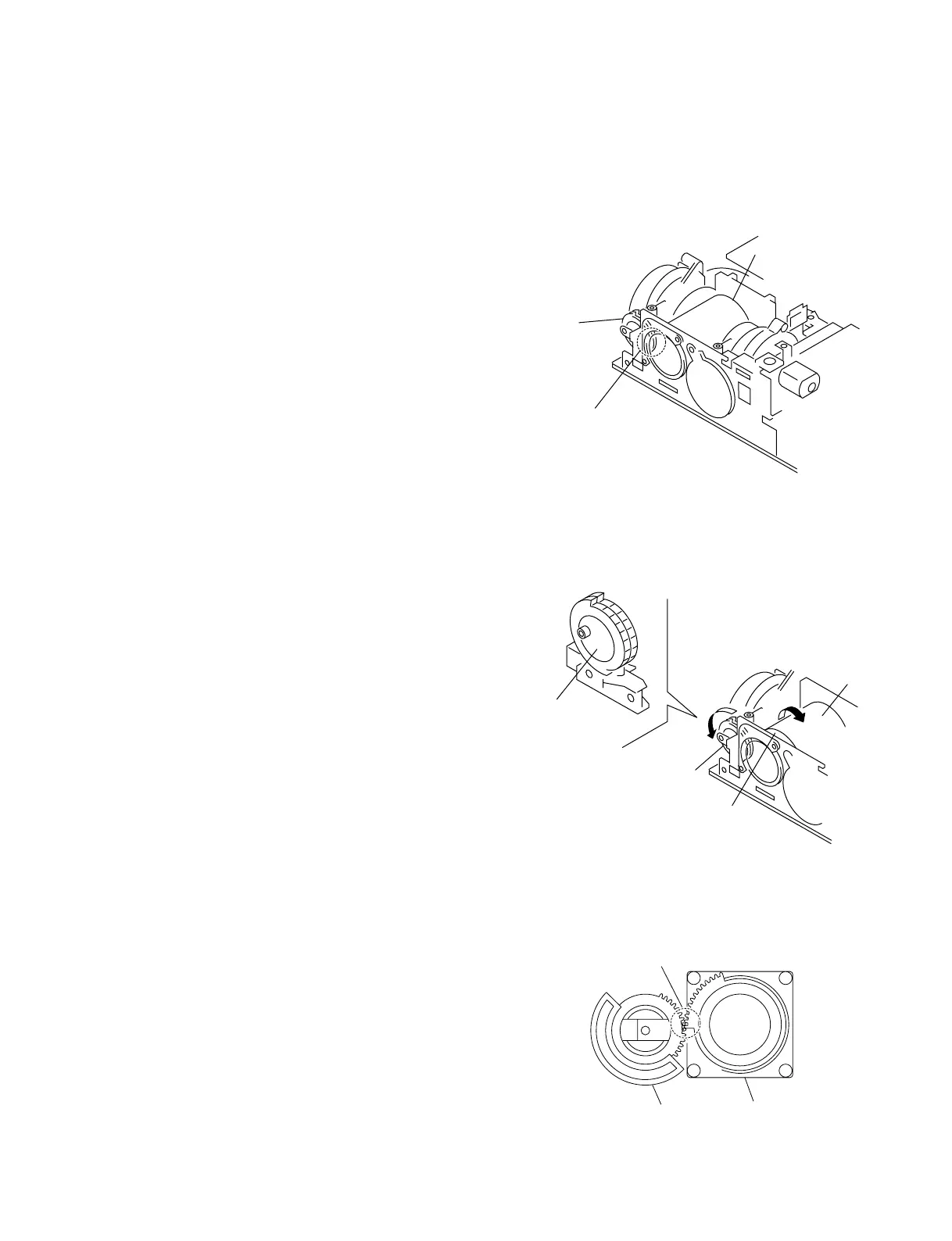
When installing the optical unit in this model, alignment of
the gear tooth position is required. Perform the following
steps.
Procedure
1. Rotate the lens focus and zoom in the fully clockwise
positions. Lock the lens gear in the direction shown in
Fig. 1.
Fig. 1
2. Align the marking position of the zoom gear with the
protrusion of the lens gear approximately by visual
observation as shown below.
Fig. 2 (inside view)
Lens projection
Lens gear
Gear alignment portion
Lens gear
Lens gear
Zoom
Focus
Lens
ear
Lens
Engage the gears.



 To Next Page