Operation
Display and Input
Further symbols can be found in the special functions
Examples for key settings:
+/- Increase / decrease values
▼/▲ Scroll menu down / up
Yes/No agree / reject
About further information
Back to the previous display
Ok Confirm selection
Confirm Confirm setting
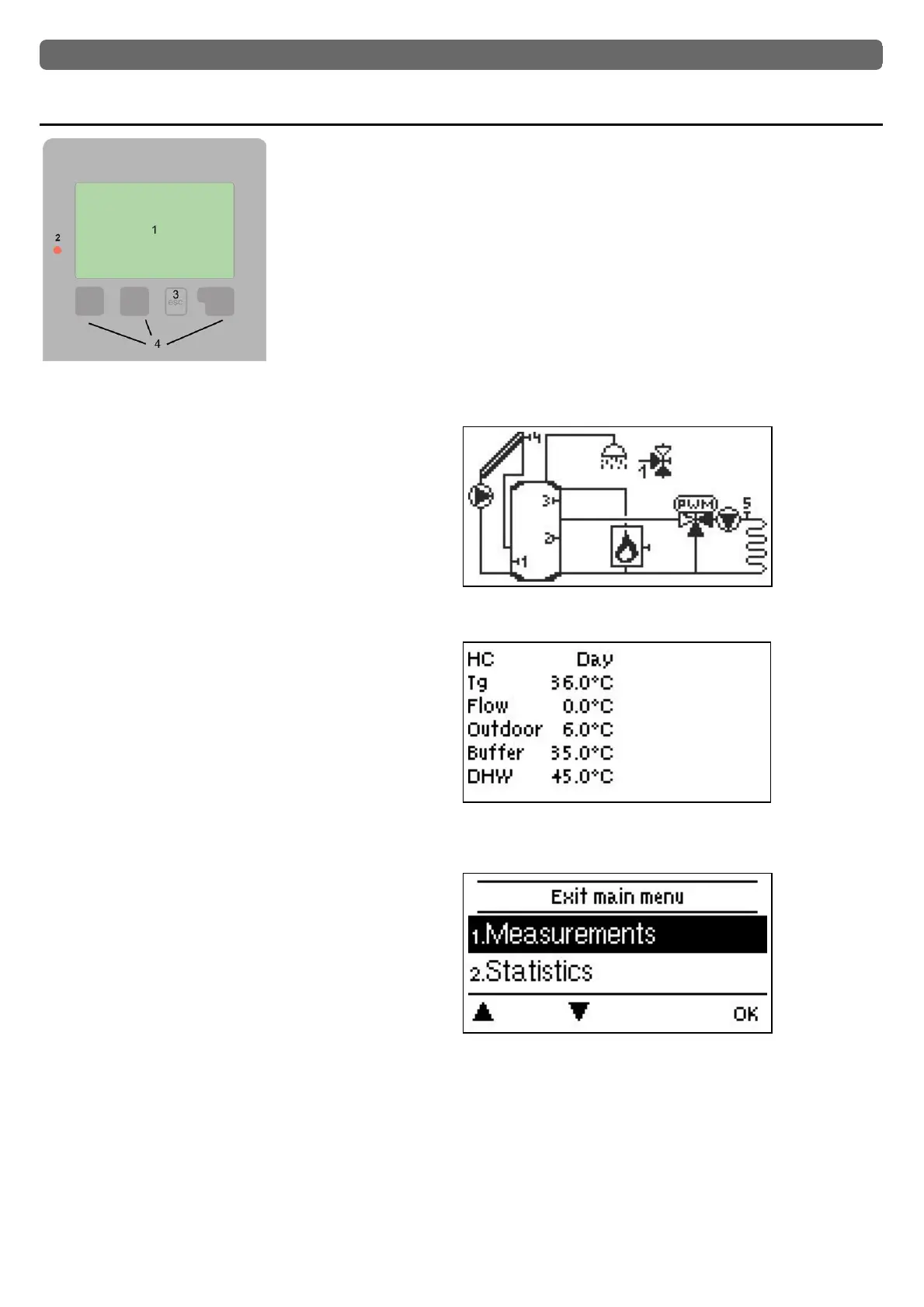
The display‘s (1), extensive text and graphical mode, enables
simple, almost self-explanatory, operation of the controller.
The LED (2) lights up green when the primary pump is switched
on (automatic mode). The LED (2) lights up red when operating
mode ‚Off‘ is set. The LED (2) flashes quickly red when an error is
present.
Entries are made using 4 keys (3+4), to which contextual func-
tions are assigned. The ‚esc‘ key (3) is used to cancel an entry or
to exit a menu. If applicable, a request for confirmation appears to
save the made changes.
The function of the other 3 keys (4) is shown in the display right
above the keys. The right-hand key generally has a confirmation
and selection function.
The graphics mode appears if not key is pressed for 2 minutes or
after exiting the main menu with ‘esc’.
The temperature overview appears when you press the.
left button. Tapping the button again leads back to
The graphic overview.
Hitting the "esc" key in the graphics mode takes you directly to the
main menu.
27



 To Next Page