Malfunctions/Maintenance
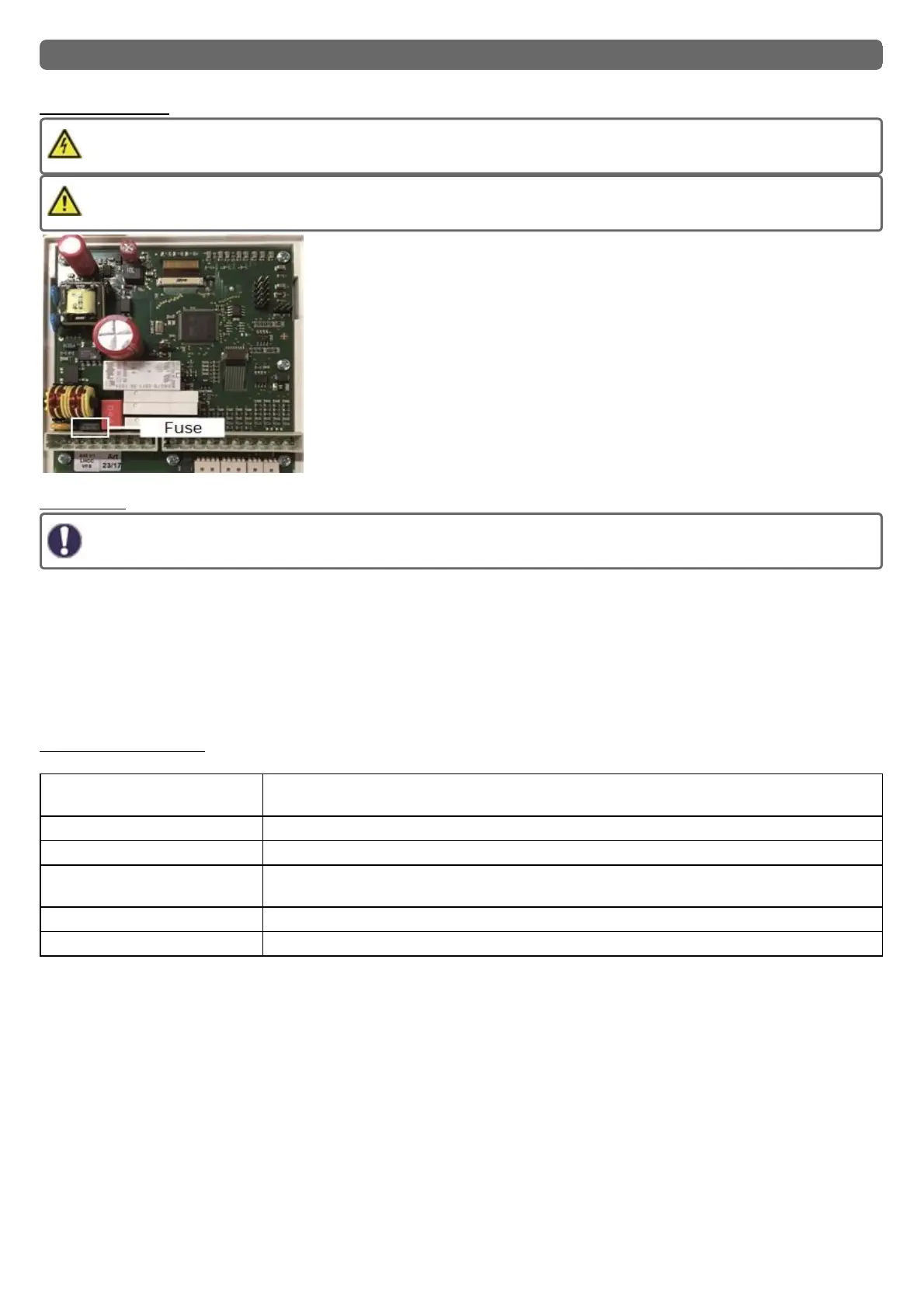
Replacing the Fuse
Repairs and maintenance may only be performed by a specialist. Before working on the unit, switch off the power supply
and secure it against being switched on again! Check that there is no power flowing!
Only use the included safeguard or a similar safeguard with the following
specifications: T2A / 250 V.
If the mains voltage is switched on and the controller still does not function or display
anything, then the internal device fuse may be defective. First find the external fault
source (e.g. pump), replace it and then check the device fuse.
To replace the device fuse, open the device as described under "See " Wall Install-
ation " on page 11", remove the old fuse, check it and replace if necessary.
Then first recommission the controller and check the function of the switch outputs in
manual mode as described in Section 4.1.
Maintenance
In the course of the general annual maintenance of your heating system, the functions of the controller should also checked
by a specialist and the settings should be optimized if necessary.
Performing maintenance:
l Check the date and time See " Time & Date " on page 30
l Assess/check plausibility of statistics See " Statistics " on page 29
l Check the error memory See " Notifications " on page 29
l Verify/check plausibility of the current measurement values See " Measurement values " on page 28
l Check the switch outputs/consumers in manual mode See " Manual " on page 31
l Possible optimization of the parameters setting (only on customers request)
Possible error messages
Possible error messages Notes for the specialist
Sensor x defective Means that either the sensor, sensor entrance on the controller or the connecting wire was defect-
ive (See " Temperature Resistance Table for Pt1000 Sensors " on page 21).
Collector alarm Means that the temperature on the collector set under “Collector protection" was exceeded.
Restart Means that the controller was restarted, for example, due to a power outage. Check date & time!
Time & Date This display appears automatically after a longer network disruption, because the time & date
must be examined and, if applicable, adjusted.
No flow If ΔT between store and collector is 50 ° C or more for 5 minutes, this message is displayed.
Frequent on / off A relay was switched on and off more than 5 times within 5 minutes.
59



 To Next Page