SORENSEN DCS SERIES MANUAL INSTALLATION and OPERATION
2-5
2.5 Controls, Connectors, and Indicators
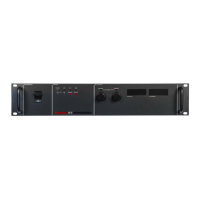
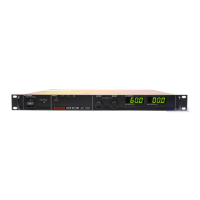
Refer to Figure 2-1 and the descriptions below.
2.5.1 Front Panel
1. AC Power Switch
2. AC Input Circuit Breaker
3. OVP Adjust Potentiometer: Manual adjustment for OVP trip level
4. OVP LED: Indicates that the OVP circuit has been activated when illuminated
5. Shutdown LED: Indicates activation of the remote shutdown circuit when illuminated
6. Remote Programming LED: Indicates operation by remote programming when illuminated
7. Over-Temperature LED: Indicates that the power supply is shut down due to an internal over-
temperature condition when illuminated
8. Voltage Mode LED: Indicates operation in voltage mode when illuminated
9. Output Voltage Control: Multi-turn potentiometer used to adjust the output voltage in local mode
10. Current Mode LED: Indicates operation in current mode when illuminated
11. Output Current Control: Multi-turn potentiometer used to adjust the output current limit in local
mode
12. Digital Voltmeter
13. Digital Ammeter
2.5.2 Rear Panel
14. Positive Output for 8, 20, 33, 40, 50, 60, and 80 Volt Models
15. Output and Sense Connector for 150, 300 and 600 Volt Models
16. Negative Output for 8, 20, 33, 40, 50, 60, and 80 Volt Models
17. Programming, Sense and Monitor Connector J3: Input connector for programming signals. Also
provides access to sense connections and monitoring points. See Table 2-1 for individual pin
descriptions. Note: The positive output and positive sense are not available at connector J3 on 150,
300 and 600 volt models
18. AC Input Safety Ground Screw
19. AC Input Connector
www.valuetronics.com



 To Next Page