INSTALLATION and OPERATION SORENSEN DCS SERIES MANUAL
2-16
2.11 Remote Programming of Output Voltage and Current Limit
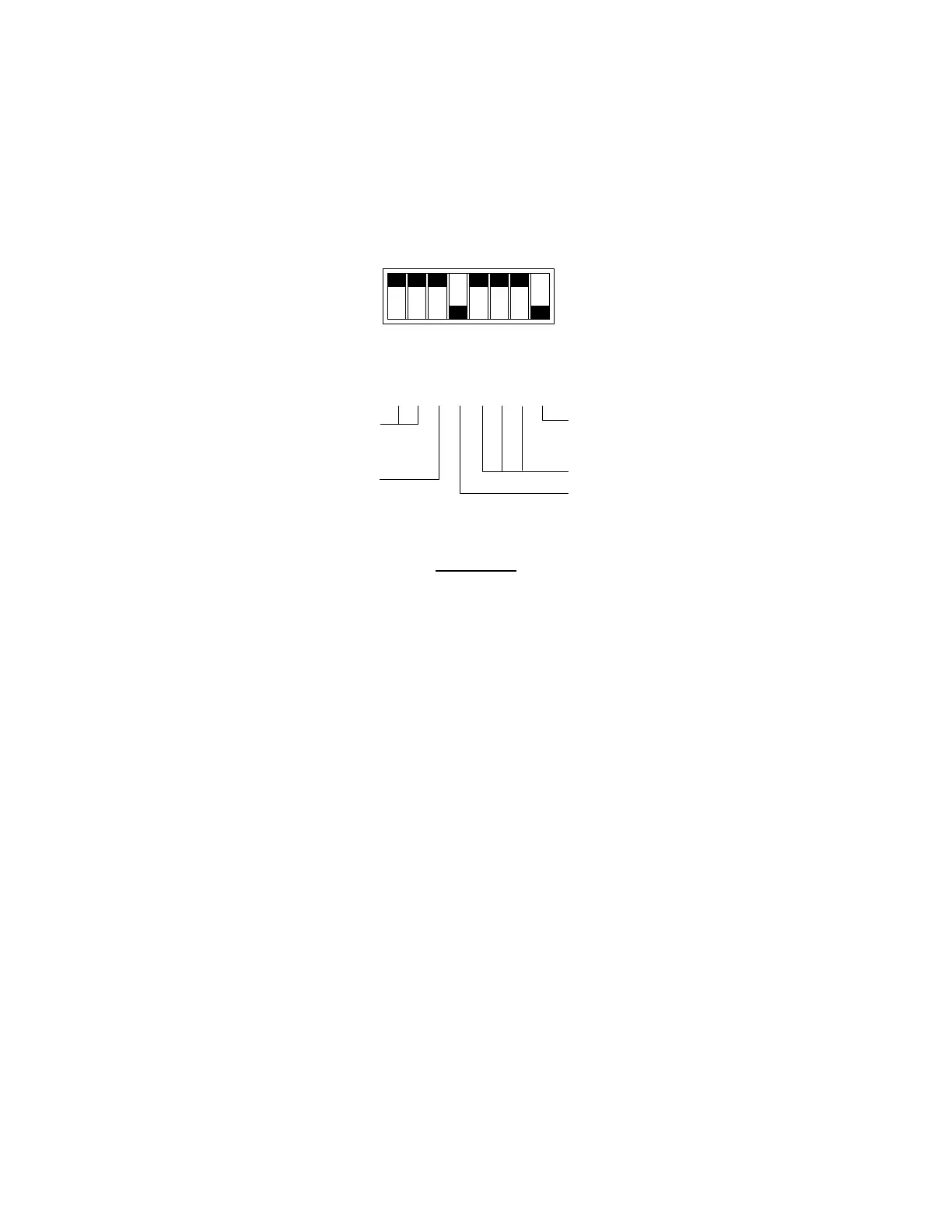
The output voltage and current limit of the power supply can be remotely programmed through the rear panel J3
connector using external voltage sources, current sources and resistances. Switch SW1 on the A2 printed
circuit board controls the programming as diagrammed below. When the supply is controlled by remote
programming, the green REMOTE led on the front panel is illuminated.
SW1-1
SW1-2
SW1-3
SW1-4
SW1-5
SW1-6
SW1-7
SW1-8
CLOSED
SELECT REMOTE
CURRENT LIMIT
PROGRAMMING SCALE
SELECTS REMOTE
RESISTIVE OVP
SELECTS REMOTE
VOLTAGE LIMIT
NOT USED
Switch SW1
SW1-1 Used to select 5V or 10V programming of remote current limit
SW1-2 Used to select 100mV programming of remote current limit
SW1-3 Used to select 5V or 10V programming of remote voltage limit
SW1-4 Used to select remote OVP programming scale
SW1-5 Not used
SW1-6 Not used
SW1-7 Not used
SW1-8 Used to select remote resistive OVP programming scale
Switch SW1 Functions
Note: To set switch SW1 shut the unit off, disconnect it from its AC source and remove the cover. Make the
appropriate switch settings then reinstall the cover and reconnect the unit to its AC source.
2.11.1 Programming With External Voltage Sources
The output voltage can be programmed using either a 0-5Vdc or 0-10Vdc external voltage source. To program
the output voltage with a 0-5Vdc source, set switch SW1-3 open (default factory setting) and remove the jumpers
connecting pins 8 to 9 and 20 to 21 on connector J3. Connect the external source between pins 9 (positive) and 12
(return). Varying the external voltage from 0-5V will cause the output to vary from 0-100% of rated output.
www.valuetronics.com



 To Next Page