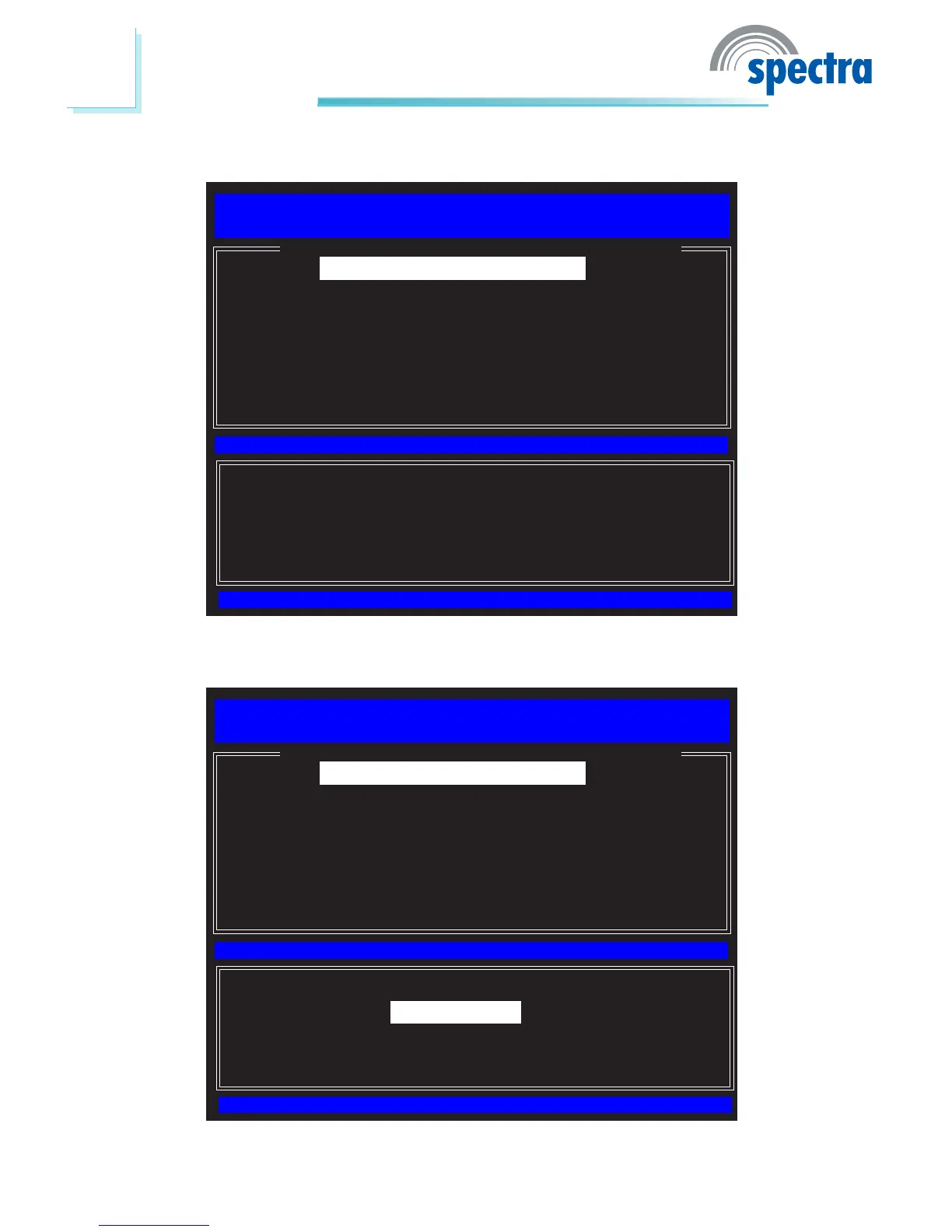
6. SelectIntel(R) ME State Control then press Enter.
[ESC] : Exit
[ENTER] : Access
[↑↓] : Select
[ INTEL(R) ME PLATFORM CONFIGURATION ]
Intel(R) ME State Control
Change ME Password
Password Policy
Network Setup
Activate Network Access
Uncongure Network Access
Remote Setup and Conguration
FW Update Settings
7. SelectEnabled then press Enter.
Intel(R) Management Engine BIOS Extension v6.0.3.0014/Intel(R) ME v6.0.0.1184
Copyright(C) 2003-09 Intel Corporation. All Rights Reserved.
[ESC] : Exit
[ENTER] : Access
[↑↓] : Select
[ INTEL(R) ME PLATFORM CONFIGURATION ]
Intel(R) ME State Control
Change ME Password
Password Policy
Network Setup
Activate Network Access
Uncongure Network Access
Remote Setup and Conguration
FW Update Settings
Intel(R) Management Engine BIOS Extension v6.0.3.0014/Intel(R) ME v6.0.0.1184
Copyright(C) 2003-09 Intel Corporation. All Rights Reserved.
[*] DISABLED
[*] ENABLED



 To Next Page