Document No: 9961 FIssue Date: Jan-29-2018 Page 27 of 35
This document and all copies are the property of Spider
®
. All dimensions and data are indicative only.
The user must ensure that the equipment complies with local rules and regulations.
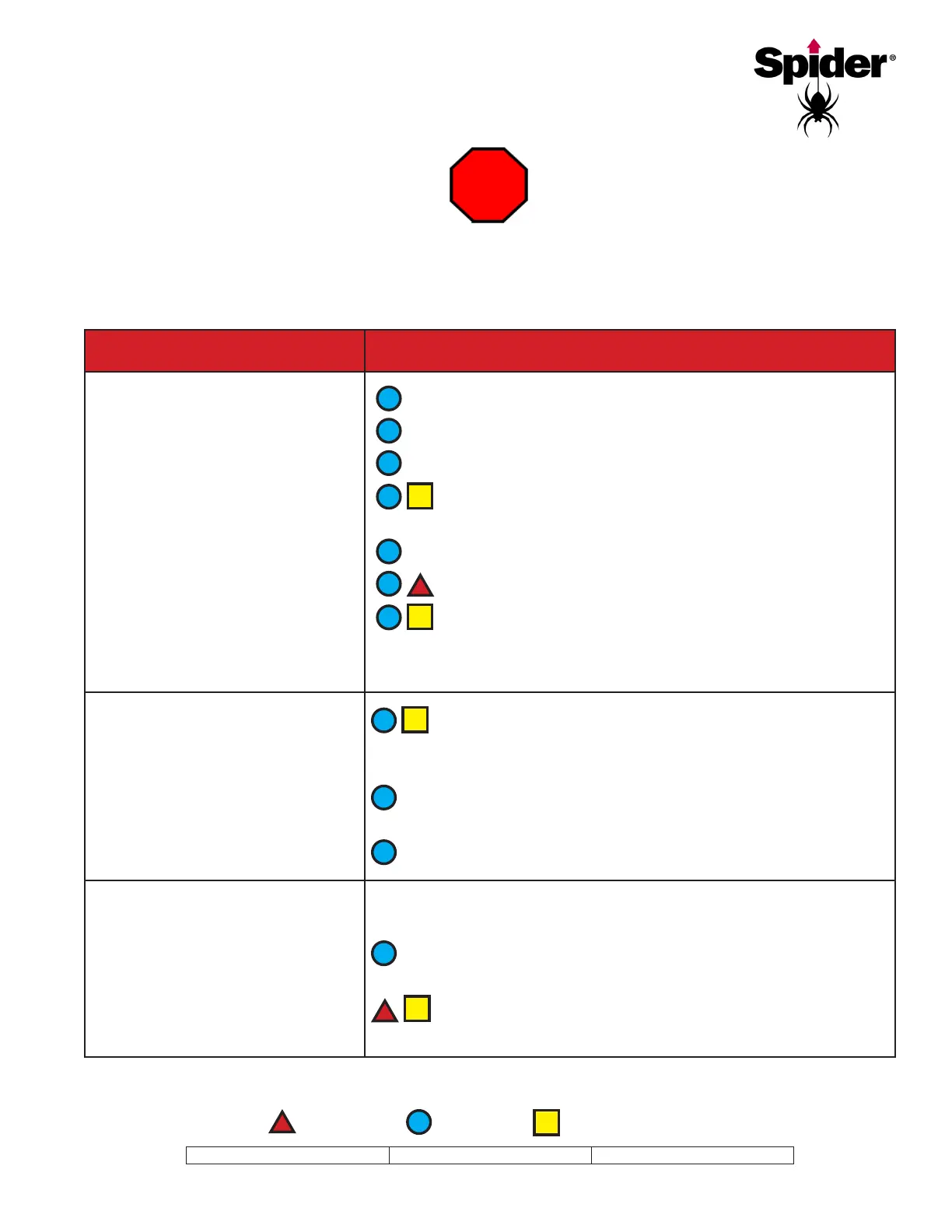
= Inspect
= Verify
= Perform process
AND
Voltage indicator light is .
Consult your supervisor to correct
problems.
Circuit breaker is tripped.
Not enough power is being supplied to hoist.
and power source.
Damaged electrical cord.
Power indicator light is burnt out.
If the power indicator light comes on after 30 seconds
or so, the thermal (TH2) has tripped due to excessive amperage.
Consult your supervisor and check for low voltage.
AND
Voltage indicator light is ON.
If the motor is hot, thermal overload protection may have
been tripped. Allow motor to cool and see if it resets. This may take
30 minutes or more.
Frequent stops and starts, high outside temperature, a dragging
brake, or overloading can cause the motor to heat up.
Determine if overspeed device is activated.
Make sure the bullet end of the wire rope has come out of the
wire rope exit guide.
Inspect the wire rope for damage or wear. Replace if
necessary.
More troubleshooting solutions on next page


 To Next Page