Document No: 9961 FIssue Date: Jan-29-2018 Page 31 of 35
This document and all copies are the property of Spider
®
. All dimensions and data are indicative only.
The user must ensure that the equipment complies with local rules and regulations.
= Inspect
= Verify
= Perform process
safety (refer to “Cannot Reset the Overspeed Brake Reset Knob
(Hoist HAS Power)” on Page 30), unplug the power supply cable
and engage the red emergency stop button to ensure that power does
not come back on while you are performing the steps that follow.
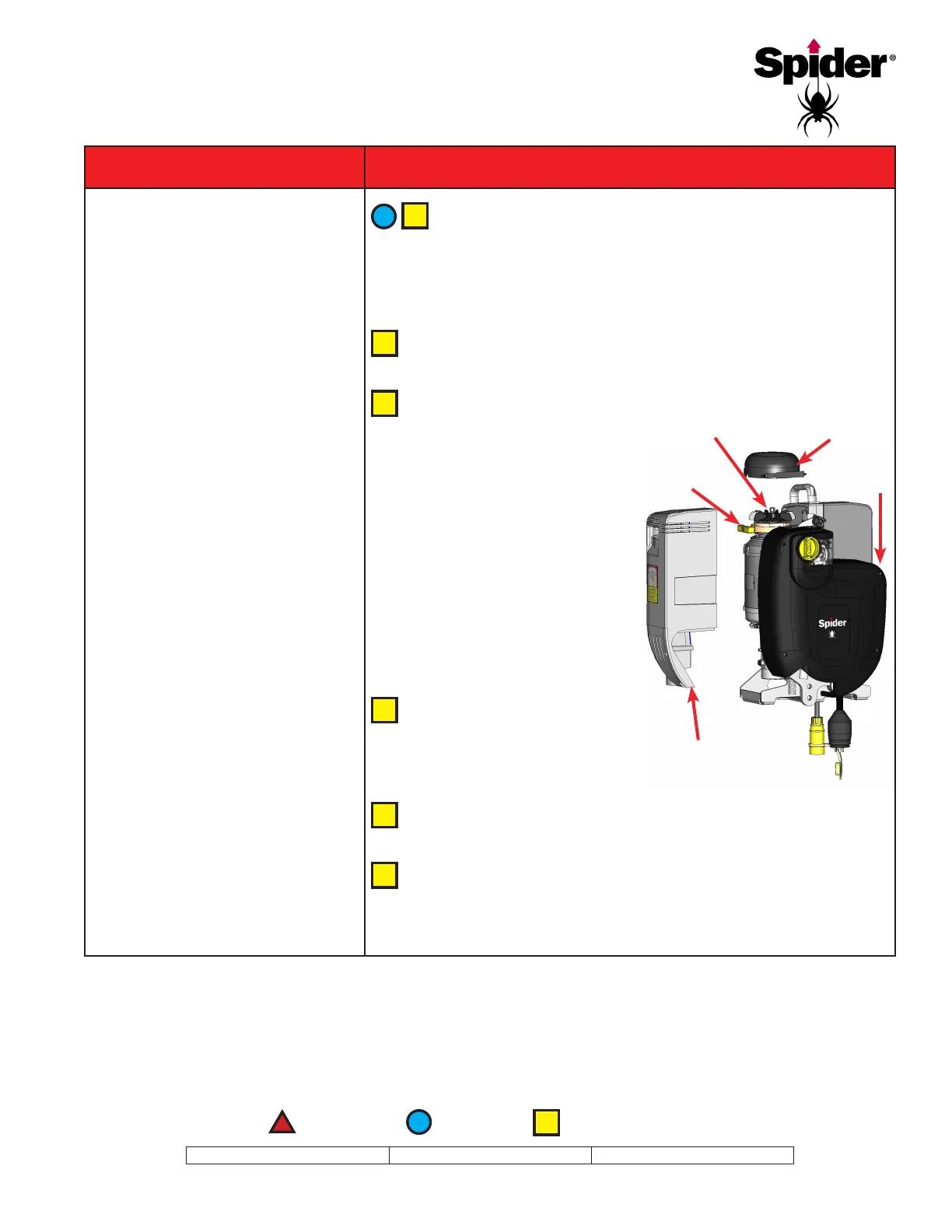
Remove the four screws that retain the motor cover with a 4 mm
T-handle. Pull the ventilation cap straight up.
Place a 1/2-inch or 13 mm
wrench or ratchet on the hex
shaft on the motor and with your
other hand, pull up on the yellow
emergency brake handle. Turn
the wrench or ratchet counter-
clockwise (from the vantage
point of the front of the hoist—the
side opposite the motor cover).
Be sure to release the emergency
brake BEFORE releasing tension
on the wrench or ratchet so
that it does not slip backwards.
Turn the wrench or ratchet
until you have moved the
hoist up the wire rope enough
to reset the overspeed safety.
Replace the ventilation cap so that handles slide into grooves in
motor cover. Replace motor cover and four screws.
Return the platform to a safe landing location, troubleshoot
electrical issues, and perform the Daily Testing and Inspection
procedures found on Page 22 before continuing normal operation.
Ventilation Cap
Hex Shaft
Motor Cover
Emergency
Brake
FRONT


 To Next Page