12
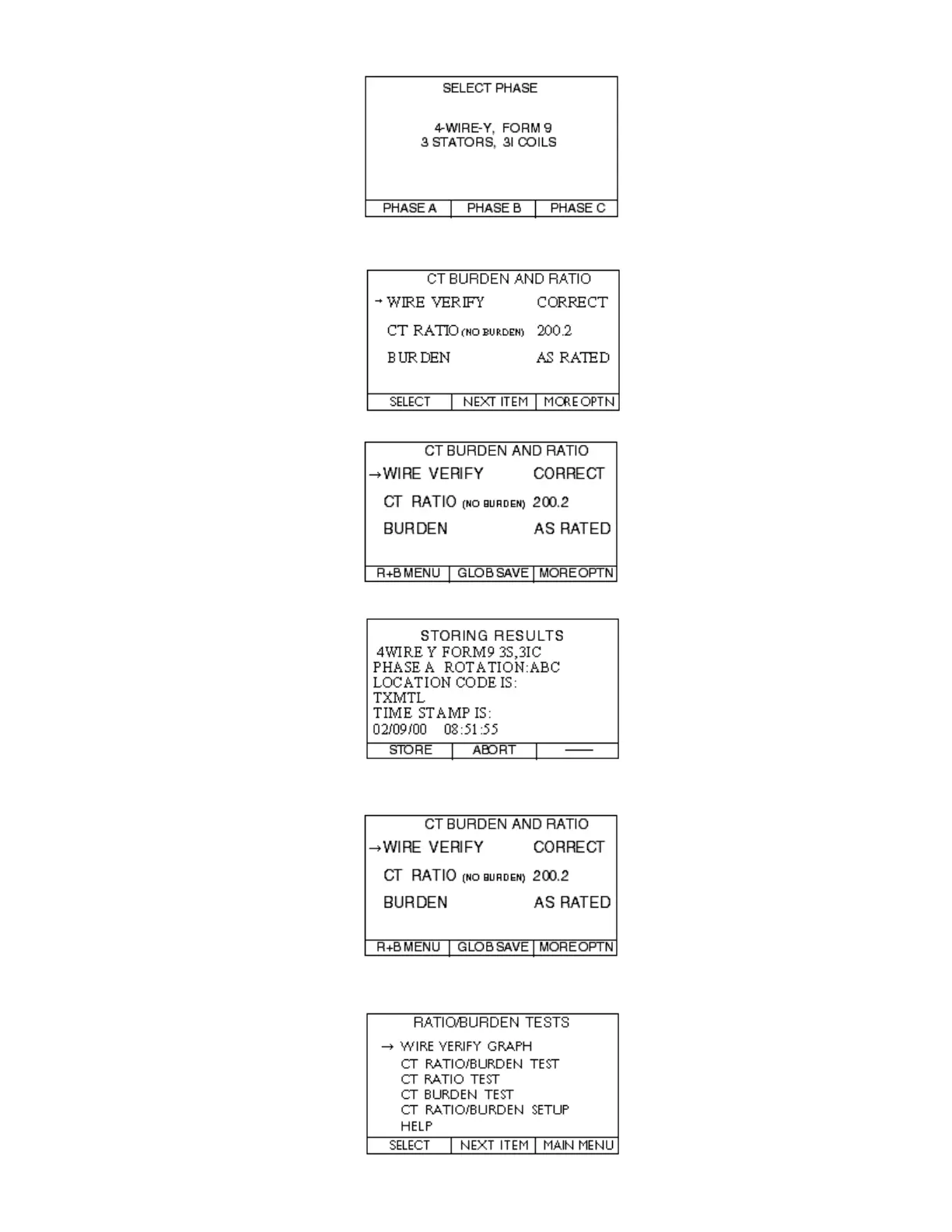
Step 5.6—Select the PHASE you are testing.
Steps 6.0 - 6.2—Review the CT BURDEN AND RATIO screen for appropriate
readings. Press the MORE OPTN button.
Step 6.3—Press the GLOB SAVE button and the following screen will appear.
Step 6.4—Press the STORE button.
Steps 6.5 & 7.1—You are automatically taken back to the CT BURDEN AND RATIO
screen.
Press the R+B MENU button.
Step 7.2—Select the WIRE VERIFY GRAPH go back to Step 5.2 & test the next phase.



 To Next Page