RangerSInstallationandtroubleshooting
21
Ifyoudochose
Rain gauge (Pulses)
,youneedtotellthecontrollerhow
manymmofraineachpulsecorresponds,sopleasecontinuetothenext
step.
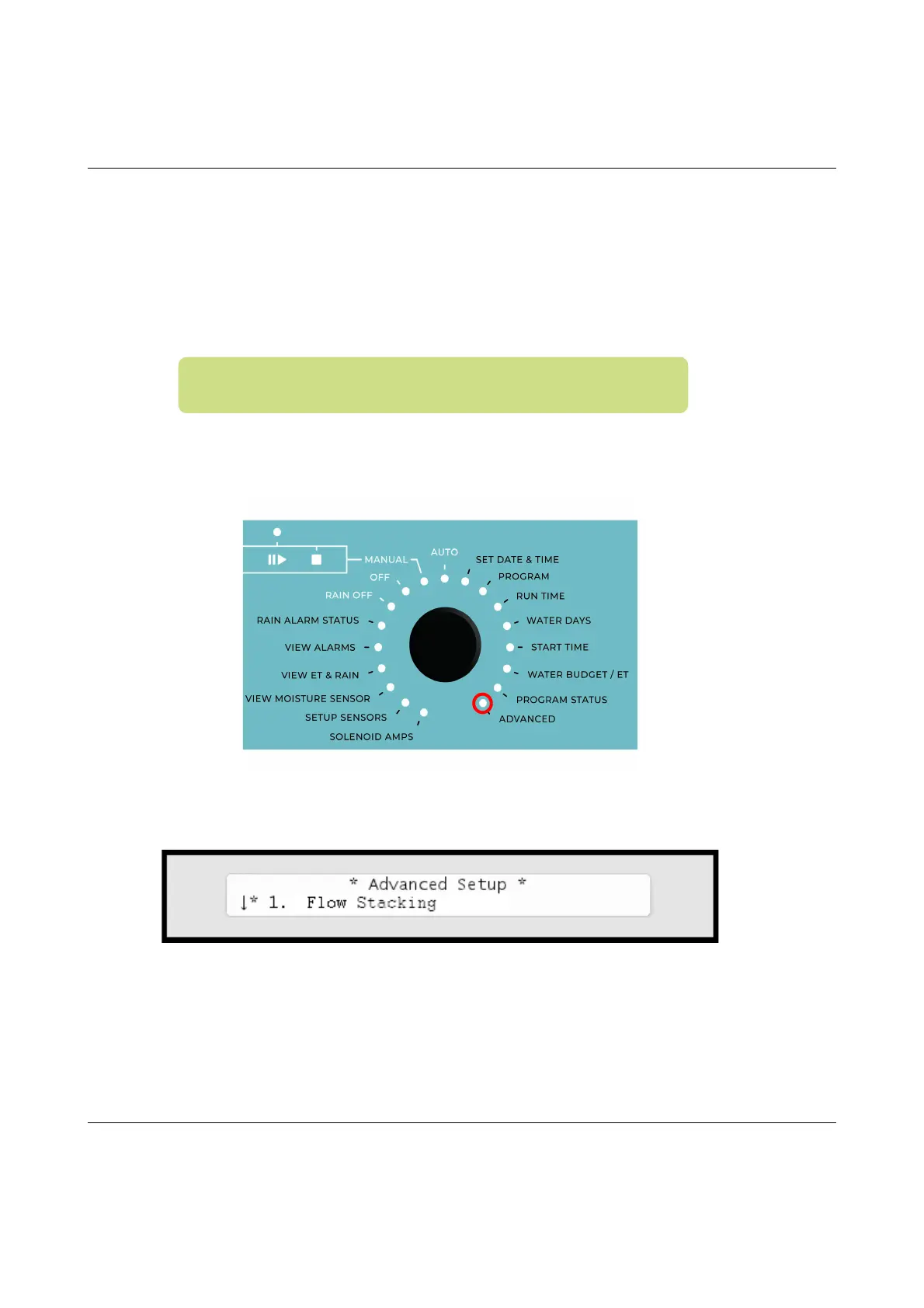
5 Turnthedialto
ADVANCED
Nowthedisplaylookslikethis:
6Usetheitemselectorstoselect
3. Intelliset
andpushthe
ENTER
button.Nowyou'llseethefollowingscreen:
Important!IfyouwanttoreceiveremoteraindatafromanET
server,youmustdisableyourlocalrainsensors.



 To Next Page