RangerSInstallationandtroubleshooting
37
Connectingandconfiguringamoisturesensor
Beforeyoucanenjoythebenefitsofmoisturesensorinputyoumust
connectittothemoisturesensorwire,obtainalicensefromyour
distributorandperformsomebasicconfiguration.
Followthisproceduretogetyourmoisturesensorupandrunning:
AssigninganIDtoasoilmoisturesensor
1 ConnectthesoilmoisturesensortotheRS232portonthecontroller
viaanSRCMoistureInterface‐40.
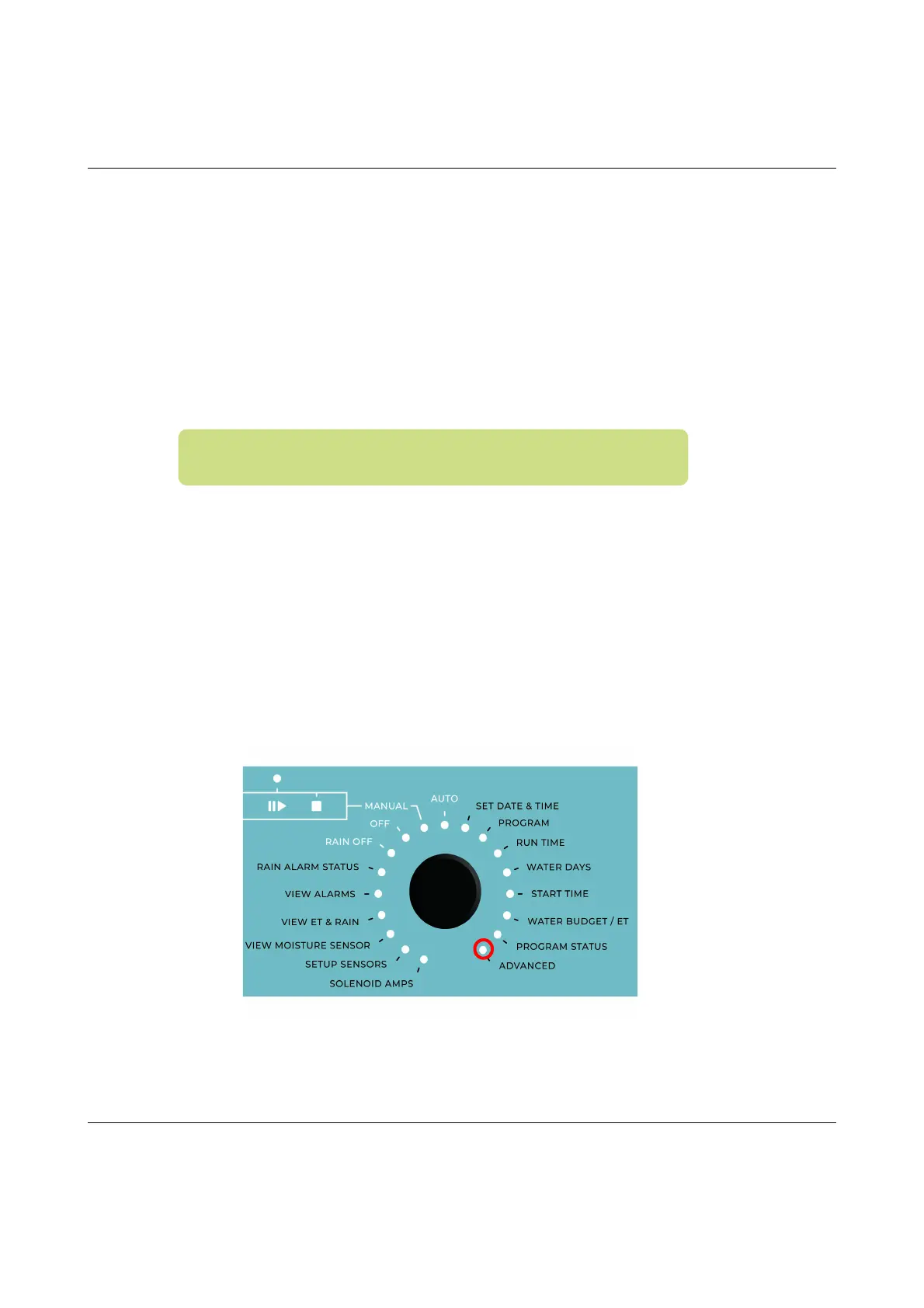
2 TurnthedialtoADVANCED
Now the display looks like this:
Note:Youmusthaveenteredalicensekeyforthecontroller
beforeyouareabletoconfiguremoisturesensors.



 To Next Page