\
~:G'\
\J~r\
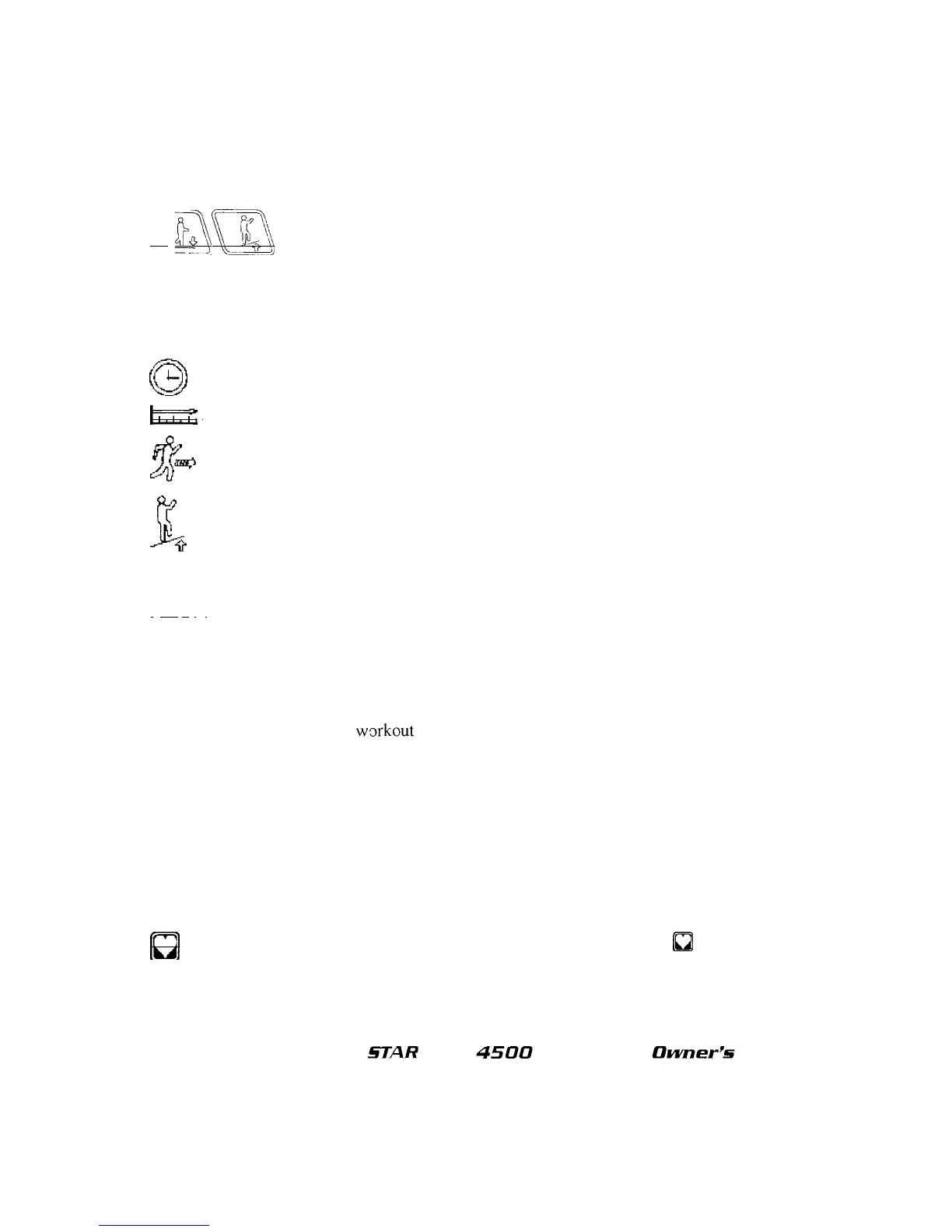
INCLINE
Keys: Adjust treadmill incline
in
1% increments from 0% through
15%
in
manual operation. These keys repeat
as
you hold them depressed. They have no effect
during the present programs or the custom program.
Incline
Display: Show the incline that the user
is
ascending, from 0% (easiest) to 15% (most
difficult).
{~
The duration
of
your workout thus far in minutes and seconds.
ITJ=;=f:
I The total number
of
miles or kilometers you have walked or run thus
far.
fJ1~
Your speed
in
mph or km/hr.
c_~
f"(
Your incline
in
% grade.
..lli~
Group 2 comprises:
I
Kc
0 I IYour aggregate caloric expenditure thus far in your workout.
·
LAPS:
The lap
(lst,
2nd, etc.)
of
a 1/4 mile (400-meter) course which your treadmill
is
simulating for you.
•
PAC
E:
Your time in munutes over a mile or kilometer.
The Alphanumeric Display also shows heart rate information (see Heart Rate Monitoring in this
chapter), notification that the
w~)fkout
is done, and scrolling summarized workout data after the
workout. This data consists of:
• Total elapsed time
• Distance covered
• Average speed
• Total calories expended
• Laps completed
• Average pace
Every 2000 miles (or 3000 km) the Start-Up Display will also scroll REWAX BELT. See Preventive
Maintenance, Chapter
5,
for additional information.
[ul
Heart
Rate
Key: Checks your heart rate anytime during your workout.
(J
works differently
in
each treadmill model; see Heart Rate Monitoring in this chapter.
Preset
Program
Profiles
and
Indicators:
Approximate graphical representations
of
the five preset
programs, with accompanying indicators
to
show the program in effect.
§TAR
TRAC
4500
TREADMILL
Owner
P
§
Manual












 To Next Page