56
MENU 1 1. —
1. 0
Wired Push Button Mode
Setting
1. —
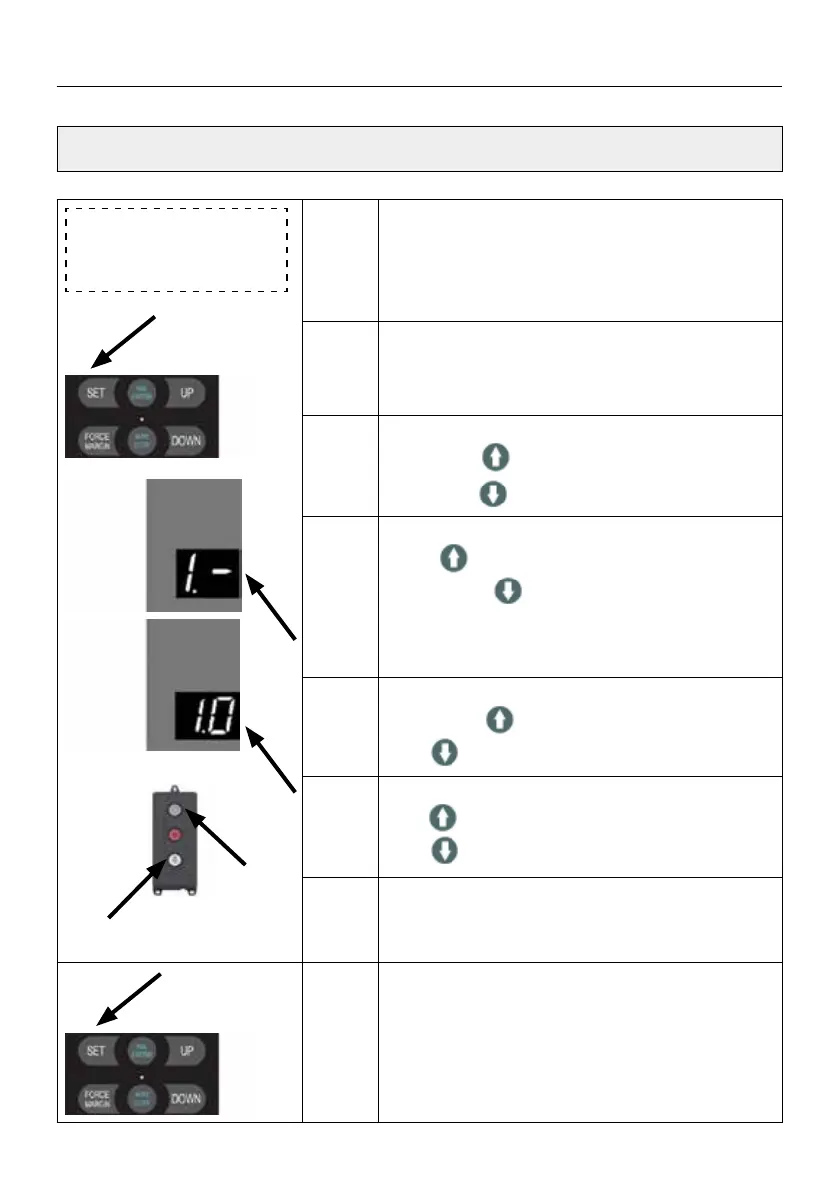
Press and hold SET button for about 6 seconds
to enter main menu until “0.-” appears on the
display then release the button.
Press UP till “1.-” appears on the display, press
SET to enter common function setting menu.
1. 0
After press the SET button on “1.-”,“1.0” appears
on the display.
Press SET to enter the control panel button
mode setting.
. 1
Execution means:
Long press to open the door,
long press to close the door
. 2
Execution means:
Click to open the door,
Long press
to close the door
- necessary if you purchased without the gate
edge protection version. “TOTMANN” /
DEADMAN”
. 3
Execution means:
Long press to open the door,
Click
to close the door
. 4
Execution means:
Click to open the door,
Click
to close the door (default)
Note
When the emergency stop function works,
Function
. 1 is executed as default button
mode.
1. —
Press and hold SET button for about 6 seconds
to enter main menu until “0.-” appears on the
display then release the button.
Press UP till “1.-” appears on the display.
Press SET and “1.0” appears on the display.
SETTINGS OF FUNCTION PARAMETERS IN MENU


 To Next Page
 Loading...