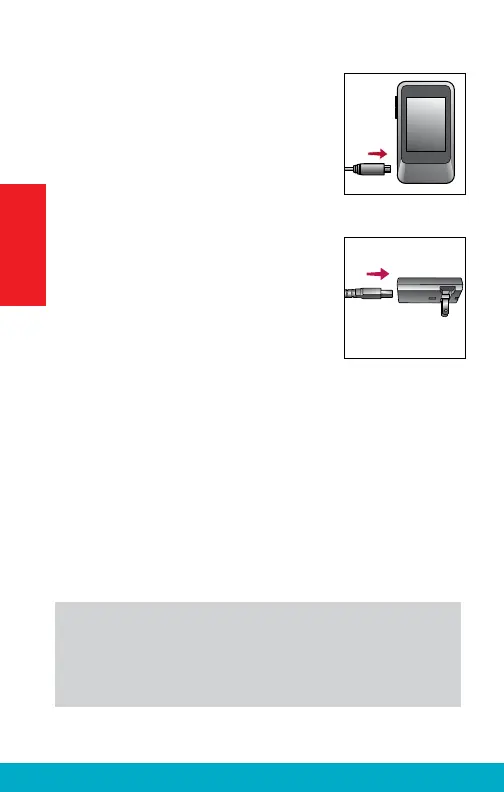
To recharge the battery, connect
the Battery-Charging cable to the
micro-USB jack on SurfLink Mobile 2
(Figure 2). Attach the USB connector
of the Battery-Charging cable to the
power adaptor (Figure 3) and plug
into a wall outlet. To ensure proper
charging, verify that the lightning
bolt charging indicator appears on
the taskbar.
The SurfLink Mobile 2 battery can
also be charged via a computer
USB jack or an optional car charger
adaptor, although it may take longer than recharging
via a wall outlet. Charging time may also take longer
if the SurfLink Mobile 2 is streaming audio while it is
being recharged.
Plugging SurfLink Mobile 2 into active power source
will briefly light up the display (when the SurfLink
Mobile 2 is powered on, but the display is off).
TIP – If SurfLink Mobile 2 is powered off, then
plugging it into an active power source will begin
the recharge process even though the display does
not illuminate.
S
URF
L
INK
Fig. 2
Fig. 3
14
Getting Started



 To Next Page