Syncing Hearing Aids
Syncing establishes a relationship between your
wireless hearing aids and SurfLink Mobile 2. For
hearing aids to receive streamed audio and remote
control commands from SurfLink Mobile 2, you must
fi rst sync the hearing aids with SurfLink Mobile 2.
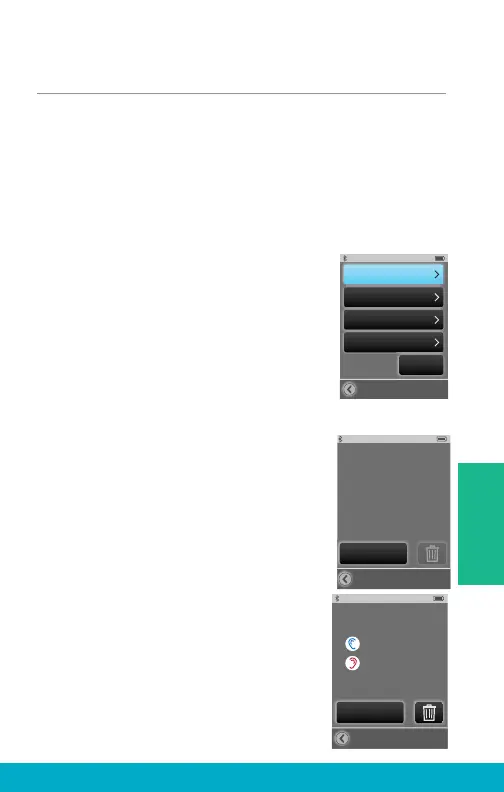
(1) Select the Tools icon at the
bottom of the display to navigate
to the Tools screen.
(2) Select Settings button on the
Tools screen.
(3) Select Advanced Setup button
on Settings screen.
(4) Select Hearing Devices button on
Advanced Setup screen.
(5a) If there are no hearing aids
synced with SurfLink Mobile 2, a
reminder message is displayed.
Note: This reminder message may also
be displayed on the Remote screen and
Streaming screen.
(5b) If hearing aids are already synced
with SurfLink Mobile 2, their serial
numbers will be displayed.
Advanced Setup
Features
Remote Layout
Language
Settings
Lock:
Off
Hearing Devices
Hearing Devices
No hearing devices
are synced
at this time.
Sync New
Hearing Devices
Synced Hearing Devices:
Sync New
29
Tools



 To Next Page