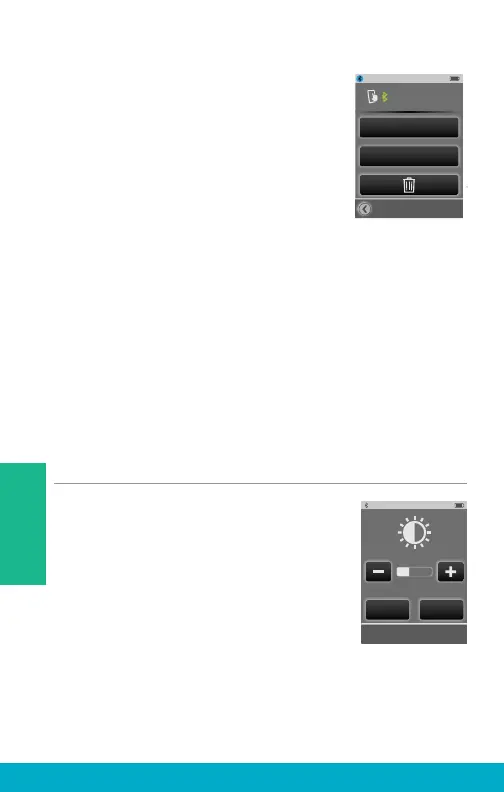
(6) Select a specifi c Bluetooth device
button on Paired Devices screen to see
details on its active Bluetooth Connection
with SurfLink Mobile 2.
Hands-Free – required for cell phone
call streaming. Uses Hands-Free
Profi le (HFP).
Media – required for audio streaming
from a Bluetooth entertainment device.
Uses Advanced Audio Distribution Profi le (A2DP).
Headset – typically used when streaming from a
Bluetooth landline phone. Uses Headset Profi le (HSP).
“+” – more than one type of Bluetooth connection is
available on Bluetooth device. In example shown, both
Hands-Free and Media connections are available.
Brightness
(1) Select the Tools icon at the bottom of
the display to navigate to the Tools screen.
(2) Select Brightness button on the
Tools screen.
(3) Select “+” button or “-” button
to adjust the display brightness.
(4) Select OK to accept adjustments.
(5) Select Cancel to reject adjustments
and continue with previous brightness settings.
Kevin_Kindle
HandsFree + Media
Change List Order
Choose Icon
Brightness
OK Cancel
28
Tools



 To Next Page