Streaming Cell Phone Calls
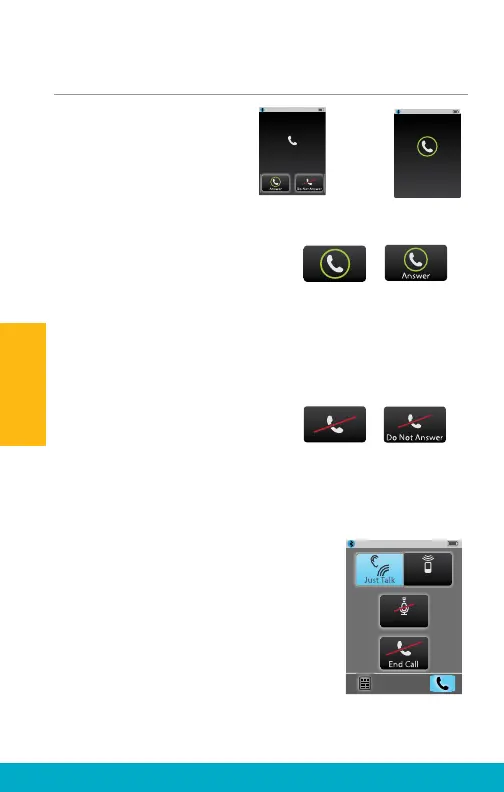
(1) When SurfLink Mobile 2
is on and an incoming call
is received by a connected
cell phone, an Incoming
Call screen appears.
(2a) To answer the
incoming call, select
the Answer button.
Note: If possible, it is best to answer incoming calls via SurfLink
Mobile 2. There are some cell phones that do not properly route
the call to SurfLink Mobile 2 if you answer via the cell phone itself.
(2b) To Decline the incoming call:
• Select the Do Not
Answer button OR
• Select any of the physical buttons
on the SurfLink Mobile 2 housing.
Note: Incoming call can also be declined via the cell phone itself
(3) After answering an incoming cell
phone call (or initiating an outgoing
call), the Phone Call screen is
displayed.
Note: SurfLink Mobile 2 should be kept
within 3-6 feet [1-2 meters] of hearing
aids during cell phone streaming.
-or-
No-Look
Answering
Incoming Call
5557635432
100%
Incoming Call
5557635432
Unknown Caller
Answer
100%
Mute
SurfLink Mic
18
Operation



 To Next Page