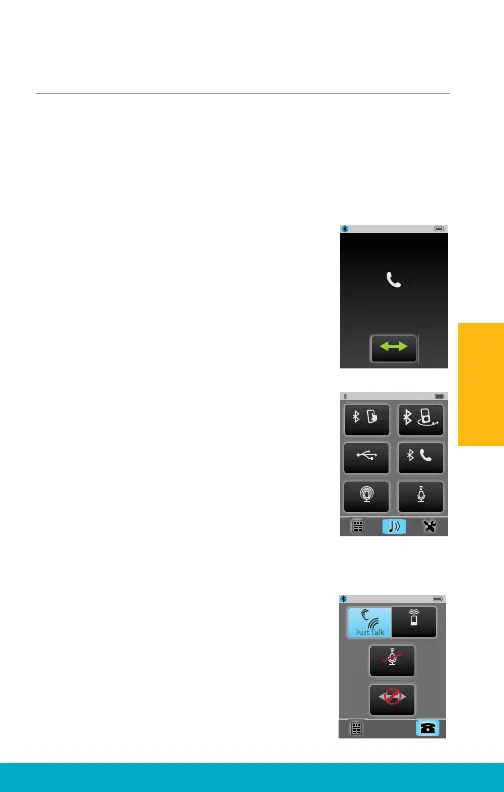
Streaming Bluetooth Landline Phone Calls
SurfLink Mobile 2 can be paired to a Bluetooth
landline phone (or Bluetooth landline phone adaptor),
which supports the Bluetooth Headset Profi le (HSP).
Bluetooth landline phone calls can be streamed to
hearing aids via SurfLink Mobile 2.
(1) When SurfLink Mobile 2 is On and an
incoming call is received by connected
Bluetooth landline phone, the Headset
Incoming Call screen appears.
(2) To answer the incoming call, select
the Connect button.
(3) To make an Outgoing call from
Bluetooth landline phone:
(3a) Dial from the landline phone.
Quickly select the connection button
on the Bluetooth landline phone.
–OR–
(3b) Select Landline phone button
(center-right). Quickly dial the call
from the landline phone.
(4) After answering an incoming landline
call (or initiating an outgoing landline call),
the Headset screen is displayed.
Note: SurfLink Mobile 2 should be kept
within 3-6 feet [1-2 meters] of hearing
aids during headset streaming.
Incoming Call
Connect
5557635432
mp3 Player
Line-In
Surround Focus
Tablet
Landline
Disconnect
Mute
SurfLink Mic
23
Operation



 To Next Page