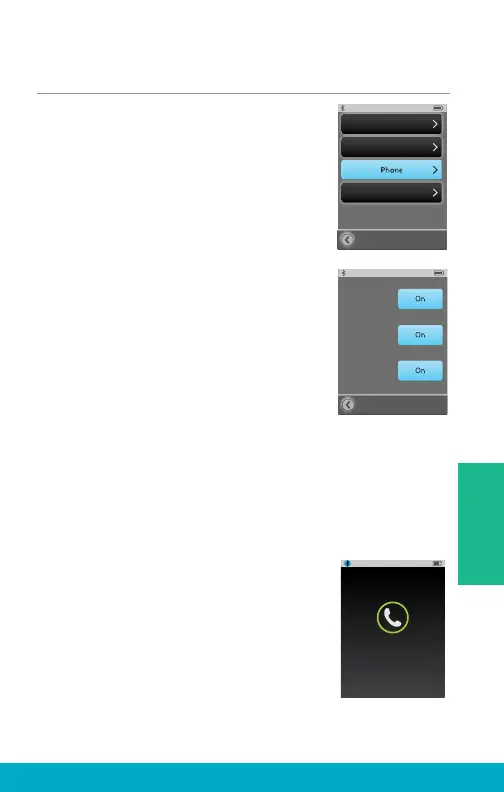
Phone Options
(1) Select the Tools icon at the
bottom of the display to navigate
to the Tools screen.
(2) Select Settings button on the
Tools screen.
(3) Select Phone on Settings screen.
(4) User can customize their experience
with options on Phone screen.
Phone Ringtone – If turned on, the
cell phone ringtone will be streamed
via SurfLink Mobile 2 to hearing
aids during incoming calls.
JustTalk Mode – If on, JustTalk will
be an available option for Voice Pickup
during cell phone calls. If off, SurfLink
Mic will be the only Voice Pickup option
available during cell phone calls.
Note: Turning off JustTalk Mode will extend
hearing aid battery life.
No-Look Answering – If on, entire
display becomes answer call button
allowing user to answer incoming cell
phone calls without looking. If off,
display will have both answer button
and reject button.
Note: This does not apply to incoming
Bluetooth landline phone calls.
Settings
Advanced Setup
Display
General
Phone
Just Talk
Mode:
No-Look
Answering:
Phone
Ringtone:
Incoming Call
5557635432
Unknown Caller
Answer
37
Tools



 To Next Page