Volume Up Button
To increase the volume of sounds coming through a
hearing aid, press and release the Volume Up button
on the side of SurfLink Mobile 2. Continue to press
and release until the desired volume is reached.
Volume Down Button
To decrease the volume of sounds coming through
a hearing aid, press and release the Volume Down
button on the side of SurfLink Mobile 2. Continue to
press and release until the desired volume is reached.
Micro-USB Jack
The micro-USB jack is used for recharging the SurfLink
Mobile 2 battery, as well as accepting audio from a
Line-In cable.
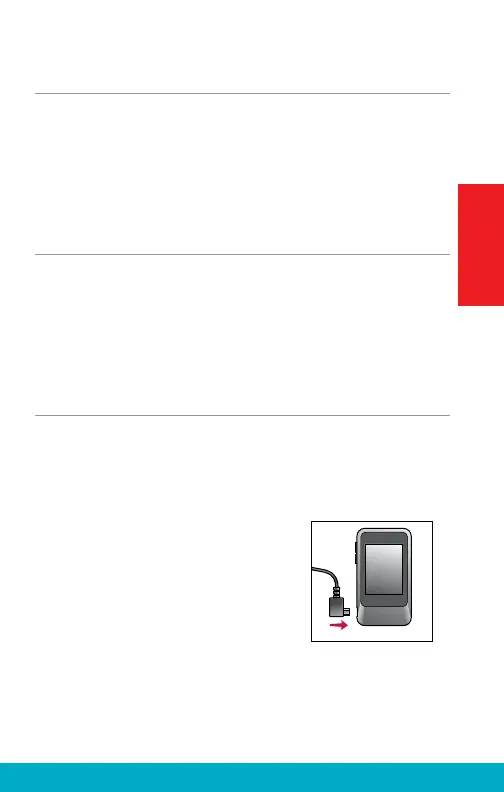
The enclosed Line-In cable allows
SurfLink Mobile 2 to be connected
to any audio device with a female
3.5mm audio output jack. Simply
connect the micro-USB end of the
Line-In cable to SurfLink Mobile 2
(Figure 1) and connect the other
end to the audio device output jack.
See page 22 for more details on
streaming audio to hearing aids.
S
URF
L
INK
Fig. 1
13
Getting Started



 To Next Page