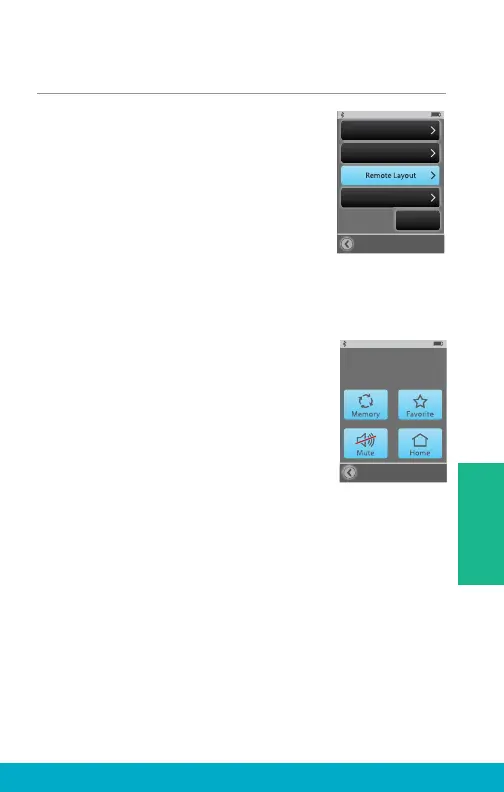
Remote Layout
(1) Select the Tools icon at the
bottom of the display to navigate
to the Tools screen.
(2) Select Settings button on the
Tools screen.
(3) Select Advanced Setup button
on Settings screen.
(4) Select Remote Layout on
Advanced Setup screen.
(5) Remote Layout screen allows the
user to customize their Remote screen.
Choose your desired functionality
amongst any combination of the
Memory button, Favorite button,
Mute button, and/or Home button.
Note: Highlighted buttons will appear on
Remote screen. For example, if hearing
aids are programmed with only one
memory, then the Memory button could
be removed from the Remote screen to
reduce user confusion
Advanced Setup
Hearing Devices
Features
Language
Settings
Lock
Off
Remote Layout
Highlighted buttons will
appear on Remote screen
33
Tools



 To Next Page