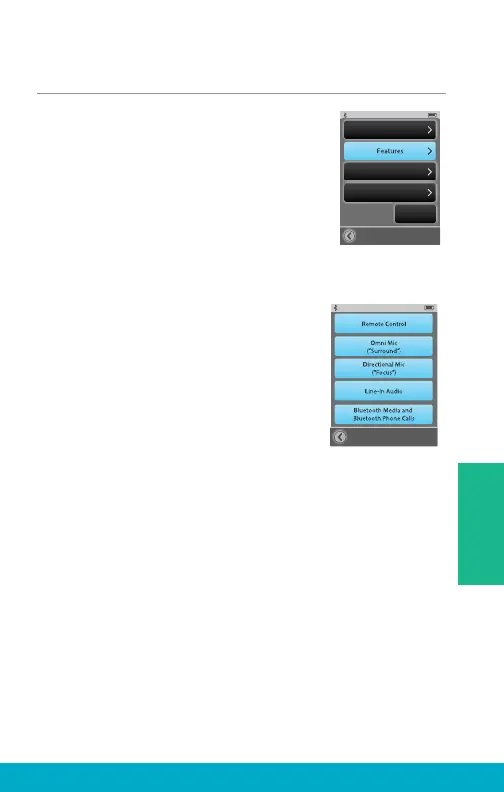
Choose Features for SurfLink Mobile 2
(1) Select the Tools icon at the
bottom of the display to navigate
to the Tools screen.
(2) Select Settings button on the
Tools screen.
(3) Select Advanced Setup button on
Settings screen.
(4) Select Features on Advanced
Setup screen.
(5) It is possible to limit SurfLink Mobile 2
functionality by turning on or off specifi c
Features.
Remote Control button – If on
(highlighted), then Remote screen will be
available to user. If off (unhighlighted),
then Remote screen will not be available.
Omni Mic button – If on, then “Surround”
button will be available on Streaming screen.
If off, then “Surround” microphone audio
input will not be available.
Directional Mic button – If on, then “Focus”
button will be available on Streaming screen.
If off, then “Focus” microphone audio input
will not be available.
Advanced Setup
Hearing Devices
Remote Layout
Language
Settings
Lock:
Off
Features
31
Tools



 To Next Page