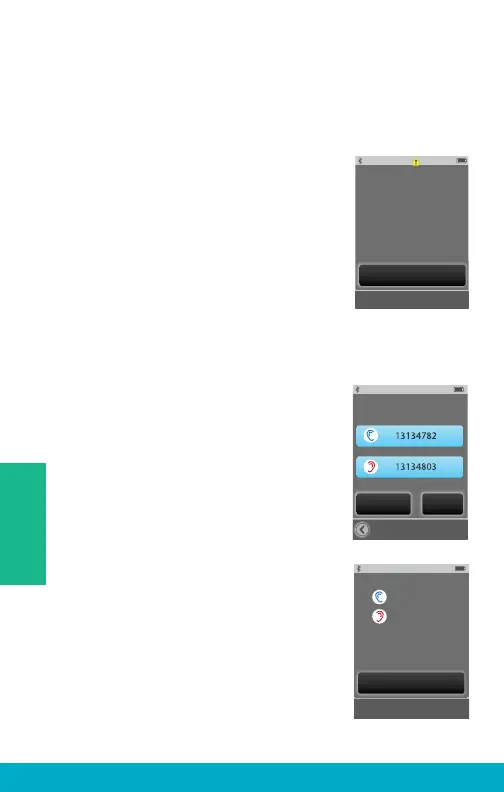
(6) Select the Sync New button to put the SurfLink Mobile 2
into syncing mode.
Note: SurfLink Mobile 2 can be synced with at most one left and
one right hearing aid at a time.
(7) Select OK.
Important Note for Professionals: If Inspire
fi tting session is open, please close it now.
(8) Follow on-screen instructions to
power off and then power on the
hearing aid(s) you wish to sync
with SurfLink Mobile 2.
(9) Hearing aids will be detected by
SurfLink Mobile 2 and the serial numbers
will be shown on the display. Optionally,
you can select Play Tone button to
present a sound in the hearing aids to
confi rm the correct hearing aids were
detected. Select the Sync button to
complete the syncing process.
(10) When syncing is successful, you
will see a message and hear a sustained
success tone presented through the
hearing aid.
Your hearing aids and SurfLink Mobile 2 will
now operate as a wireless system.
OK
If Inspire fitting session is
open, please close it now.
Select Hearing Devices
to Sync:
Play Tone Sync
Hearing device
syncing is complete.
OK
30
Tools



 To Next Page