76
Editing
Editing Drum and Loop Layers
Ö By default all parameter changes are only applied to the currently selected drum
instrument or loop slice. Click the “Sel” button at the right of the title bar of the top
section to switch to the “All” mode if you want to apply changes to all drum
instruments or loop slices. You can also play multiple keys at a time to create a
multiselection.
Accessing the Pitch, Filter, and Amplifier Parameters
To access the Pitch, Filter, and Amplifier parameters of a drum instrument or loop
slice, proceed as follows:
1. Go to the Edit page and select the drum or loop layer you want to adjust.
2. Go to the bottom section, open the Key Map subpage and select the drum
instrument or loop slice you want to edit. Alternatively, use your MIDI keyboard to
select the drum instrument or loop slice.
3. Go to the top section, select Pitch, Filter, or Amplifier and adjust the parameters to
your liking.
Ö Only the currently selected drum instrument or loop slice will be edited.
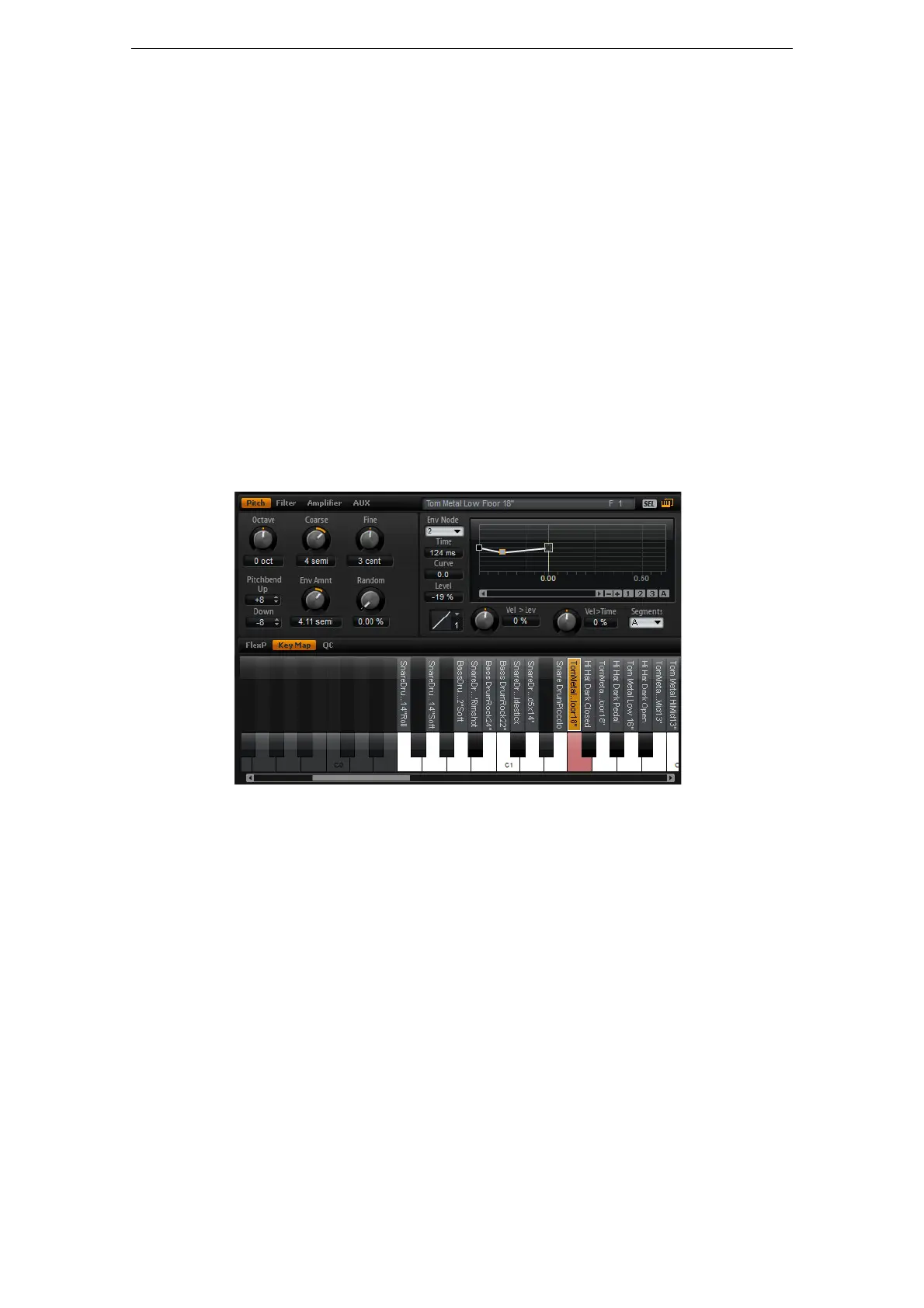
The Pitch Subpage
This subpage gives you access to the tuning of the drum instrument or loop slice.
With the parameters Octave, Coarse and Fine, you can adjust the tuning in steps of
octaves, semitones and cents. In addition, you can adjust the amount of pitch
modulation from the Pitch envelope or randomly with each keystroke. Furthermore,
you can set the pitchbend range for the up and down direction of the pitchbend wheel
separately.
The parameters on the left of the Pitch subpage correspond to the Pitch subpage
parameters of synth and sample layers. For a description of these parameters see
“The Pitch Subpage” on page 33.
The pitch envelope parameters on the right of the Pitch subpage correspond to the
envelope parameters of synth and sample layers. For a description of these
parameters see
“The Envelope Subpages” on page 43.



 To Next Page