77
Editing
Editing Drum and Loop Layers
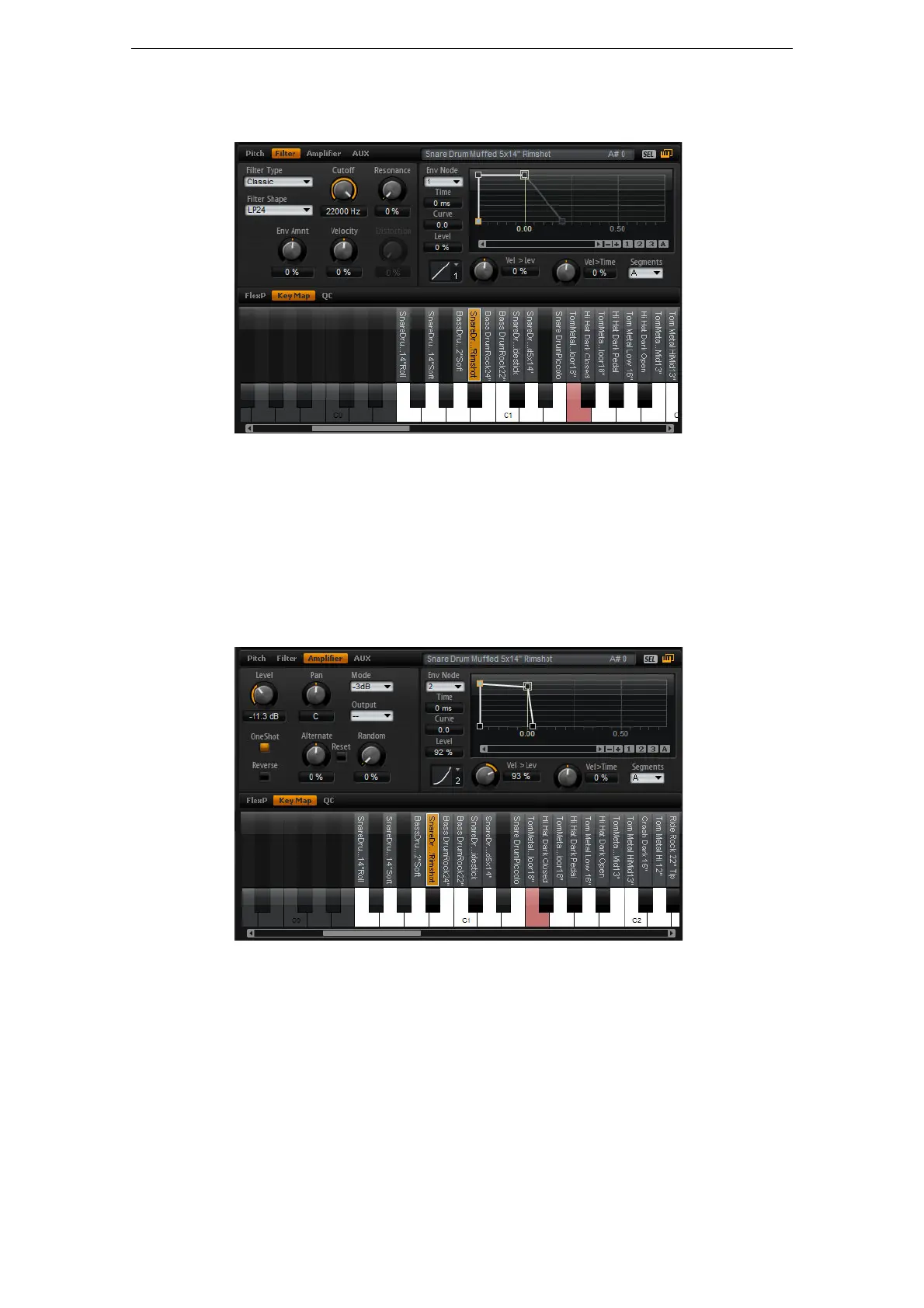
The Filter Subpage
The Filter subpage offers settings to adjust the tone color of the drum instrument or
loop slice.
The available parameters correspond to the parameters on the Filter subpage for
synth and sample layers. For a description of these parameters, see
“The Filter
Subpage” on page 38.
For a description of the filter envelope parameters, see “The Envelope Subpages” on
page 43.
The Amplifier Subpage
The Amplifier subpage gives you access to the level and pan settings of the drum
instrument or loop slice. In addition, you can activate One Shot and Reverse playback.
With Level you adjust the loudness of the sound. With Pan you specify the position of
the sound in the stereo panorama.
In addition, the pan position can be modulated with each keystroke randomly or left-
right/right-left in alternation. Finally, you can select the output for each drum
instrument or loop slice separately.
Apart from the One Shot and Reverse parameters, all other parameters correspond to
the parameters on the Amplifier subpage for sample and synth layers. For a
description of these parameters, see
“The Amplifier Subpage” on page 42.



 To Next Page