Diamante User Guide
108
© 2012 Stenograph, L.L.C.
Convert Date/Time to Stentura Format
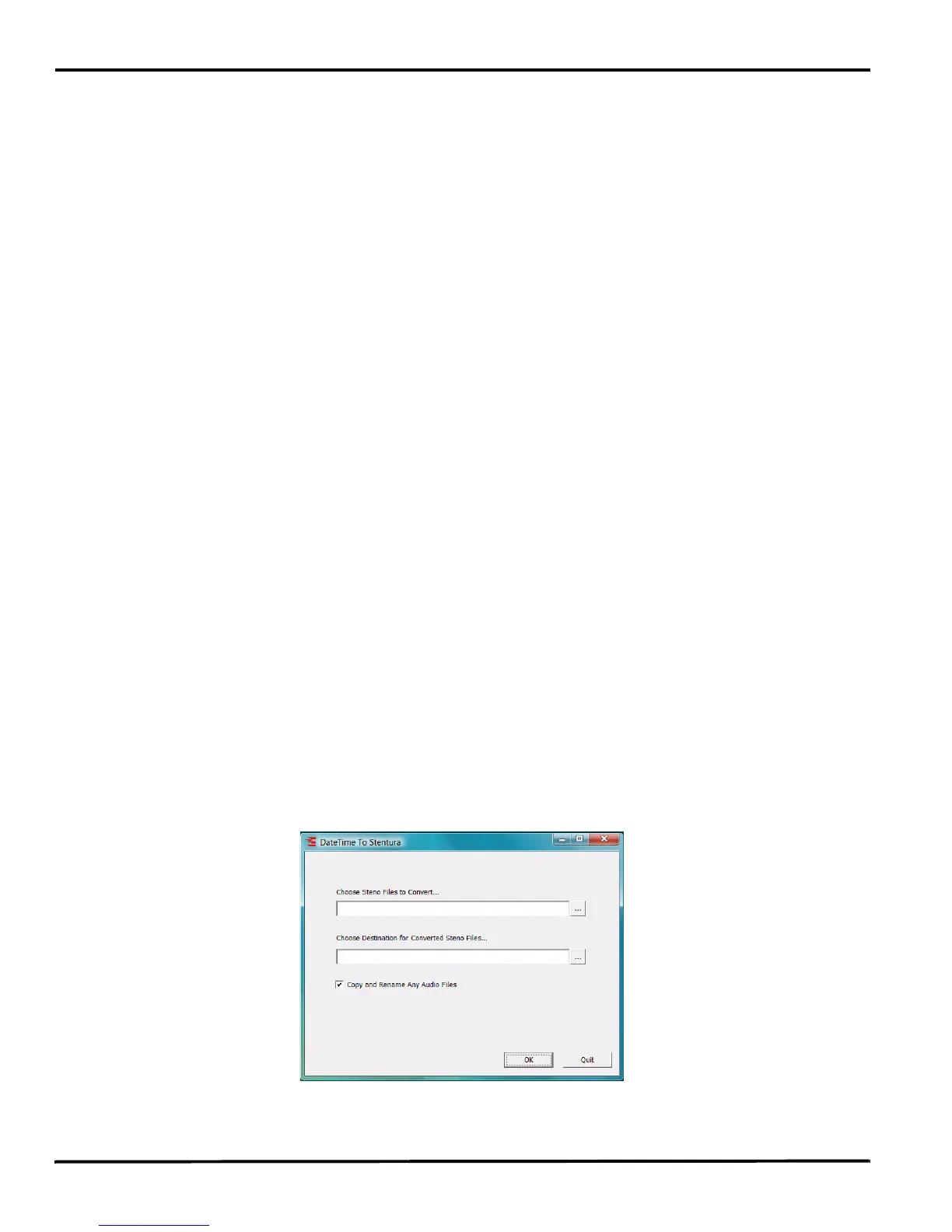
The DateTimeToStentura Utility program converts Diamante Date/Time formatted files (20090710-
084528) to Stentura compatible format (File.00X); and optionally copies the associated audio, when
audio is available.
CAT software not compatible with Date/Time format or Case CATalyst lower than V7.02 require
conversion to the Stentura compatible file format in order to read the files. All popular CAT systems read
Stentura compatible formatted steno files.
To convert files:
1. Turn your computer On. Ensure that it is fully booted.
2. Insert the Diamante
®
/Wave
™
Utilities and Tutorial CD into the CD-ROM/DVD drive on your
computer. If the AutoPlay dialog box displays, click Run autorun.exe.
3. The Diamante - Wave Utility dialog box displays. Click Diamante Utilities, User Guide and more.
4. The Diamante Utility dialog box displays. Click Utilities, Slash screen and more.
5. Open the Utilities folder.
6. Copy the DateTimeToStentura.exe file to the Desktop on your computer. If you created a
Stenograph Utility folder on your Desktop, copy the utility to that folder.
7. Do one of the following to access files to convert:
• Remove the Data SD card from your steno machine. Insert the card into an SD card reader and
insert the reader into an available USB port on your computer.
• Remove the Data SD card from your steno machine and insert the card into the SD card slot, if
available, on your computer.
• On the Diamante steno machine, copy the job files from the Data SD card to a thumb drive.
Remove the thumb drive from the Diamante and insert it into an available USB port on your
computer.
8. Double click the DateTimeToStentura.exe icon on your Desktop. The DateTime To Stentura dialog
box displays.



 To Next Page