87
Chapter 3: Writing on the Diamante
© 2012 Stenograph, L.L.C.
Suffix Handling
The Suffix Handling feature attaches properly defined suffixes to the previous word. This provides for
easier readback on the Diamante screen when using suffixes.
If you have exported your Case CATalyst Spell Check Wordlist and Prefixsuffixrules.ini file, the suffix
handling feature attaches the suffix to the previous word and spell checks it against the wordlist and
prefixsuffixrules file. You need Case CATalyst v8.05 or higher to export the wordlist and prefixsuffixrules
file.
To export the Case CATalyst Spell Check Wordlist and the Prefixsuffixrules.ini files, you must have
installed the Diamante USB driver on your computer. See Install the Diamante USB Drivers on page 18
for instructions on loading the driver.
To export the files:
1. Ensure your Diamante and computer are turned On and fully booted.
2. Start Case CATalyst.
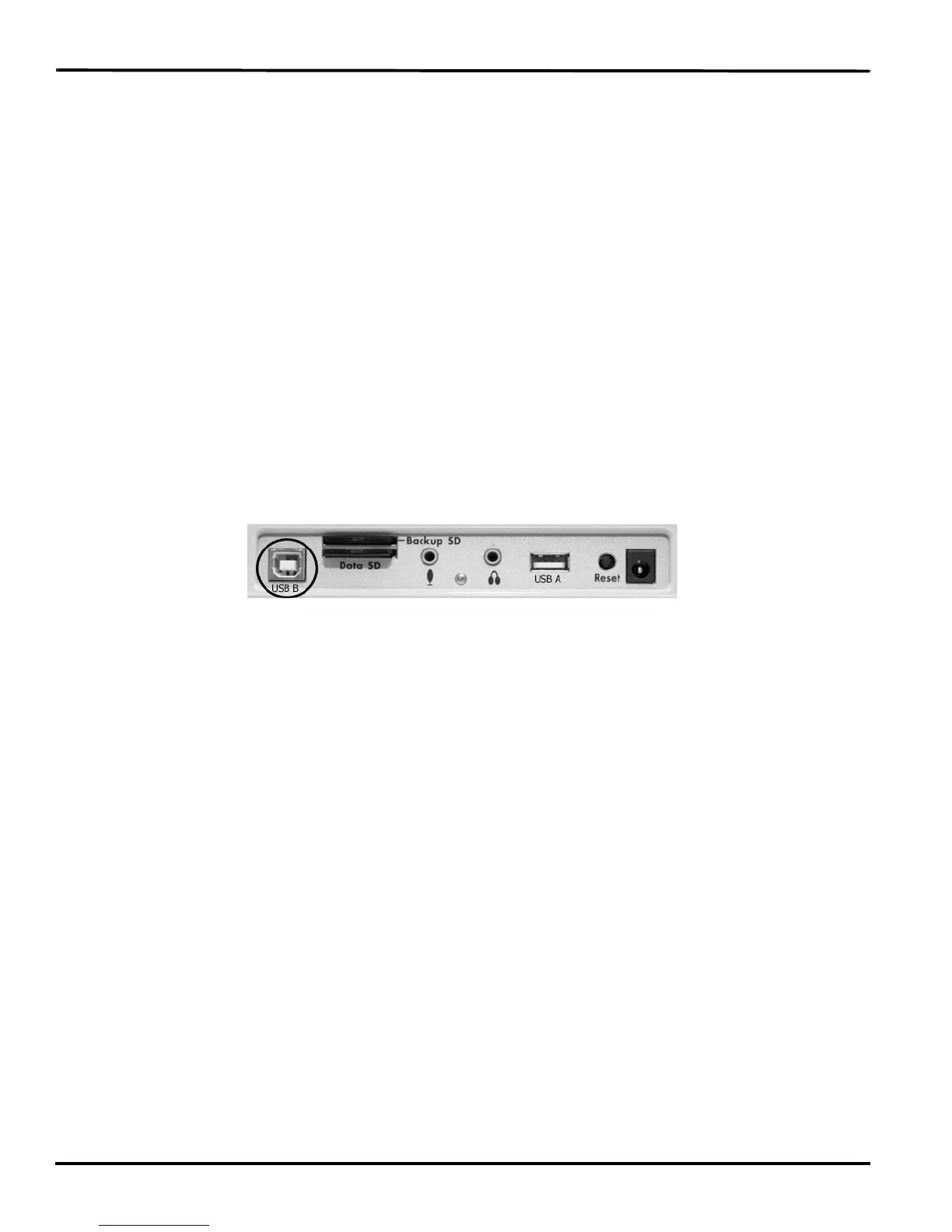
3. Connect your Diamante to your computer via USB cable. Each end of the USB cable has a different
connection plug. Connect the appropriate end of the USB cable to the USB B (client) port on back of
the Diamante and the other end to the USB port on the computer.
Diamante Back Port Panel
4. In Case CATalyst, select Export.
5. From the Export dialog box, select the élan/Fusion/Diamante tab. In Case CATalyst V10.04 or
earlier, select the élan/Fusion tab.
6. Check the box, Export Spell Check Wordlist.
If applicable, check the box Export Prefixsuffixrules.ini File. When the Export to
Prefixsuffixrules.ini File option is grayed out, there is no Prefixsuffixrules.ini file in your System Files
Case indicating you do not use it. A Prefixsuffixrules.ini file is not necessary to use the Suffix
Handling feature.
Case CATalyst remembers the status of these checkboxes.
7. Select any dictionaries to export. The Personal Dictionary is automatically selected.
8. Select Export. The Diamante beeps and briefly displays a progress bar.
9. When the Diamante finishes loading the selected files, it reboots, displaying the Opening menu.
Depending on your Case CATalyst settings, the message, Export Complete displays.
10. Remove the USB cable.



 To Next Page