111
Appendix B: Diamante Utilities
© 2012 Stenograph, L.L.C.
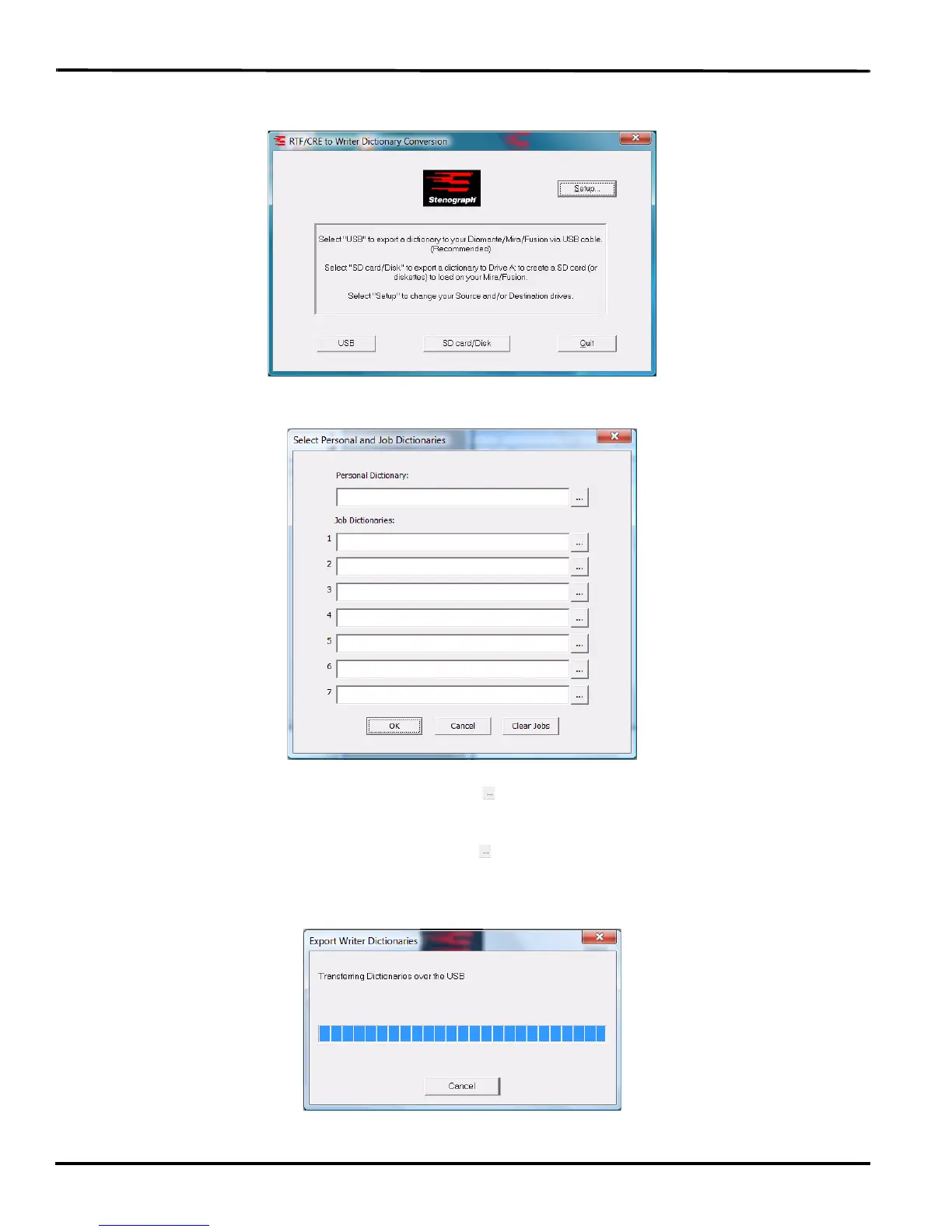
9. Double click the Rtf2Writer.exe icon on your Windows Desktop. The RTF/CRE to Writer Dictionary
Conversion dialog box displays.
10. Select USB. The Select Personal and Job Dictionaries dialog box displays.
11. In the Personal Dictionary field, use the Browse button to navigate to the location of the RTF/
CRE dictionary you are using for your Personal dictionary.
12. In the Job Dictionaries section, use the Browse button in each field to navigate to the location of
an RTF/CRE job dictionary you are converting.
13. Click OK. The dictionaries are transferred to the Diamante.



 To Next Page