55
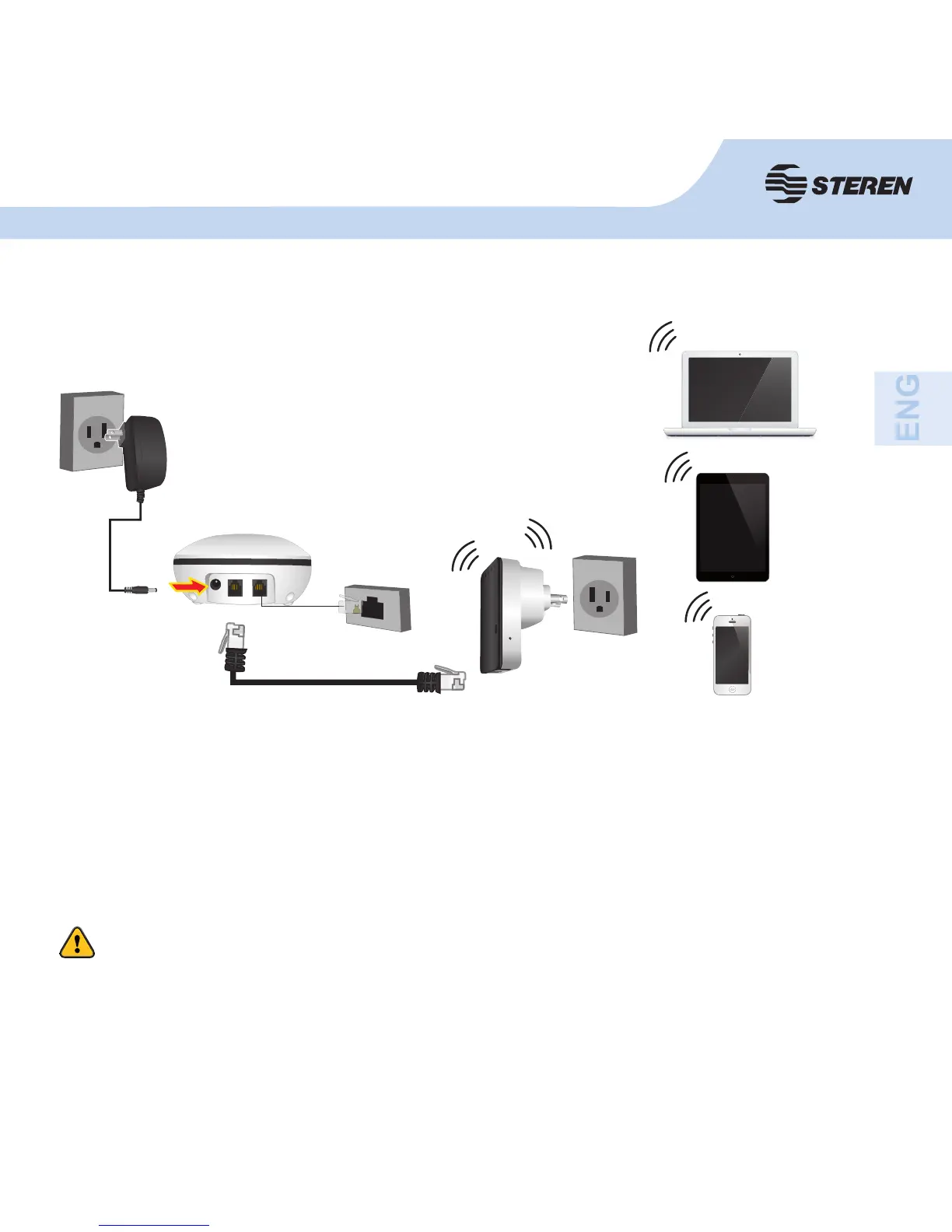
For a typical wireless setup at home (as shown above), do the following:
• You’ll need broadband Internet access (ADSL, modem line cable in your home or offi ce).
• Ask your ADSL or cable modem provider the proper installation of the modem.
• Connect the ADSL or cable modem to the COM-818 router on the LAN input and plug the
router into the electrical outlet.
MODEM
LINEA
Press RESET to restart the router for 10 seconds.



 To Next Page