Home
Steren
Wireless Access Point
COM-818
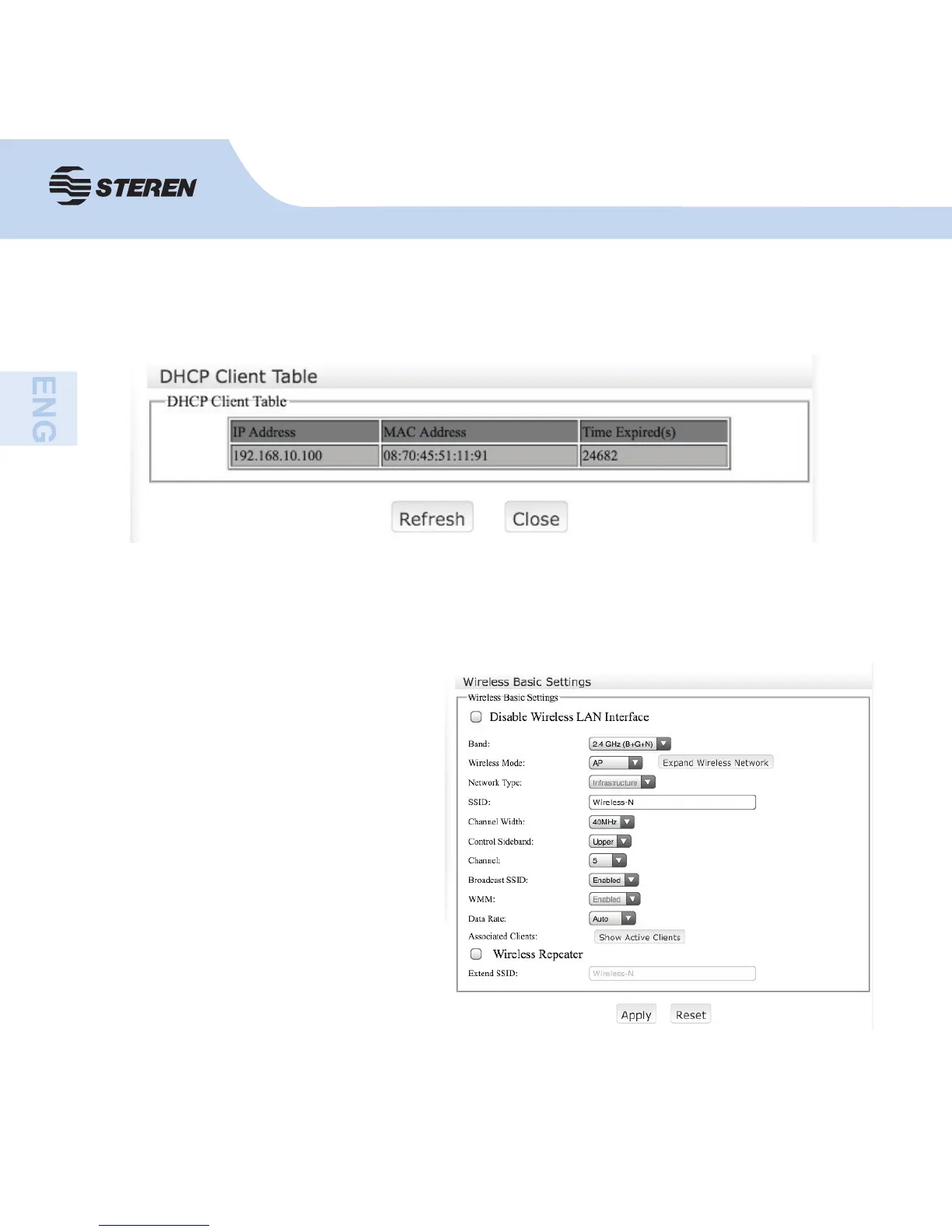
Page 59 (DHCP Client Information and Wireless Basic Settings)
Steren COM-818 - DHCP Client Information and Wireless Basic Settings; Configuring Basic Wireless Settings
72 pages
Manual
Go to English
Save Page as PDF
To Next Page
To Next Page
To Previous Page
To Previous Page
Loading...
24
24
DHCP
Client T
able
This displays the IP address for devices currently connected.
WIRELE
SS
Basic settings
Y
ou can con
fi
gure a minimum
number of wireless settings for
communication, such as the
network name (SSID) and channel.
The access point can be con
fi
gured
simply with minimum con
fi
guration
elements.
58
60
Table of Contents
Main Page
Controls
39
Wireless Protection System Button
39
Led Indicators
39
How to Use
40
Add Computers to the COM-818
41
Configuration Via Web Browser
41
Add Wireless Computers with WPS Button
43
Add a Computer Via Ethernet Cable
43
How to Configure the IP Address on Your Computer or Laptop
44
Wizard
45
Router Mode
46
AP Mode
47
Repeater Mode
48
Wireless ISP
49
Wireless Basic Settings
50
LAN Basic Setting
51
WAN Basic Setting
52
Management
54
Change the Administrator Password
54
Time Zone
55
Router Manager Configuration
55
Firmware Upgrade
56
Network
58
Advance Setting
58
Static IP
58
Wireless
59
DHCP Client Table
59
Basic Settings
59
Wireless Security
60
Wireless Advanced Settings
61
Access Control
62
Schedule
62
WDS Settings
63
Wi-Fi Protected Setup
63
Firewall
64
Port Filtering
64
IP Filtering
64
MAC Filtering
65
URL Filtering
65
Port Forwarding
66
Dmz
66
Advanced
67
Dynamic DNS
67
Quality of Service
67
Status
68
Specifications
69
Related product manuals
Steren COM-817
136 pages
Steren COM-819
38 pages



 To Next Page