1111
Router mode
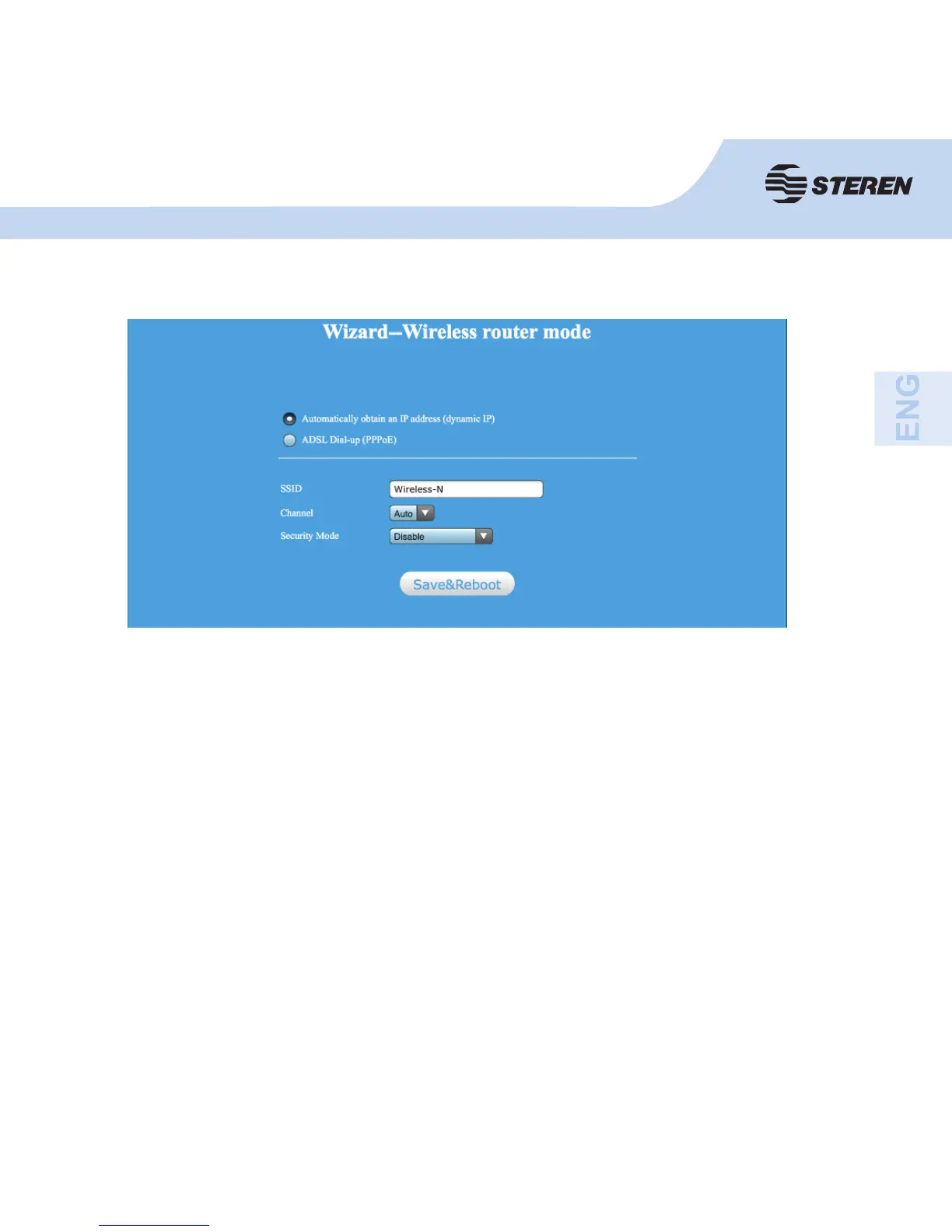
Set the wireless parameter. It is recommended to change the name of the SSID, choose
Safe mode and enter a password (key).
If dynamic IP is selected, the router obtains the IP address automatically DHCP server
or ISP. You don’t need to confi gure it and you can continue with the wireless settings.
If you selected PPPoE, enter the user name and password provided by your ISP. These
fi elds support capital letters.
SSID: Network’s name
Channel: “Automatic” is recommended
Security mode: Confi gure wireless security and encryption to prevent unauthorized
access.
Click Save and reboot.



 To Next Page