99
1. Start the computer.
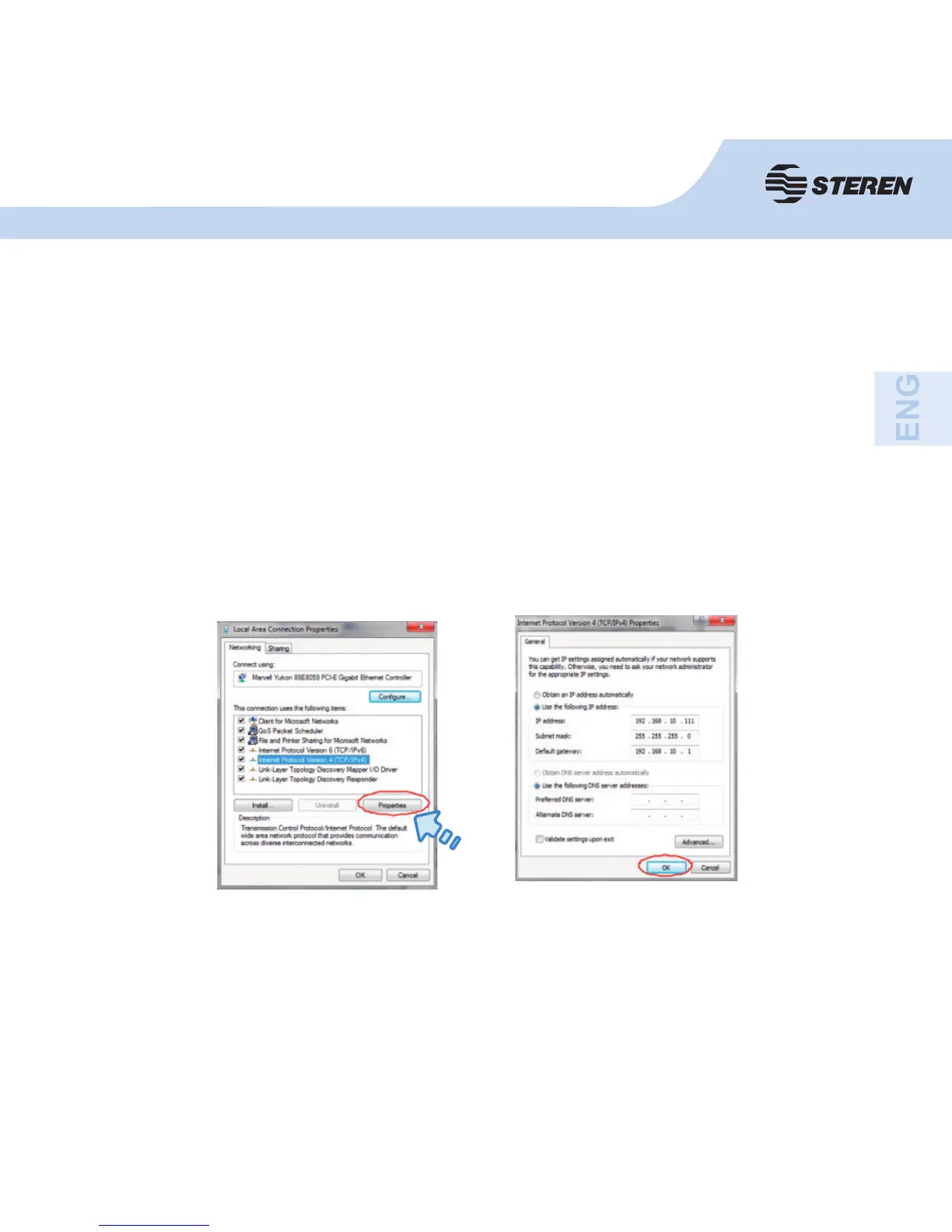
2. Click Start > Control Panel > View network Status and Tasks > Manage Network;
then right-click on Local Area Network > Properties. When the Local Area Connection
Properties window appears, select “Internet Protocol Version 4 (TCP/IPv4)” and then
click Properties.
3. Set IP address manually: Enter 192.168.10.x (x is from 2 to 252), and the subnet mask
255.255.255.0. Enter the LAN IP address of the router (the default is 192.168.10.253)
in the Gateway fi eld.
How to confi gure the IP address on your computer or
laptop



 To Next Page