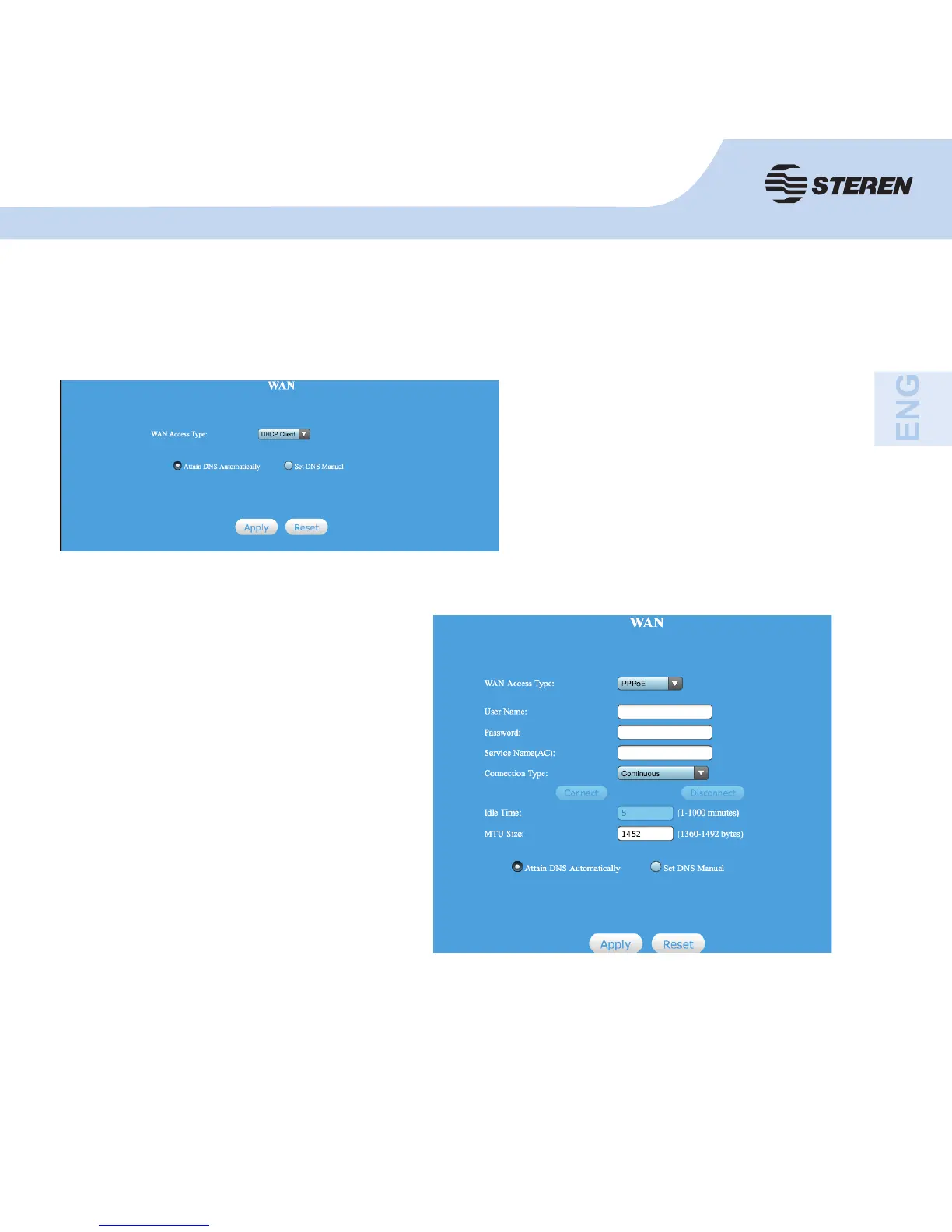
Click WAN Basic Setting. The following screen will appear:
If your ISP provides DHCP service,
choose “DHCP client” and the router
will automatically obtain the IP
parameters from your ISP.
- The following example is for setting
up PPPoE.
- Enter the PPPoE user name and
password which was given by the
Internet service provider. The service
name may be blank.
- Click apply to save the changes, and
then restart the router. After reset, the
router will be ready to connect to the
Internet.



 To Next Page